- Version
- 1.16.03
- Studio or maker
- Ironhide Game Studio
- Languages
- Russian, English, German, Spanish, Chinese (Traditional), Chinese (Simplified), Korean, Portuguese, French, Japanese
- Activation
- Not required
- Chip type
- Apple Silicon, Intel 64-bit
- Tried out on
- macOS Tahoe, Mac mini 2024 M4
- First released
- 15.10.2020
- Voice languages
- English
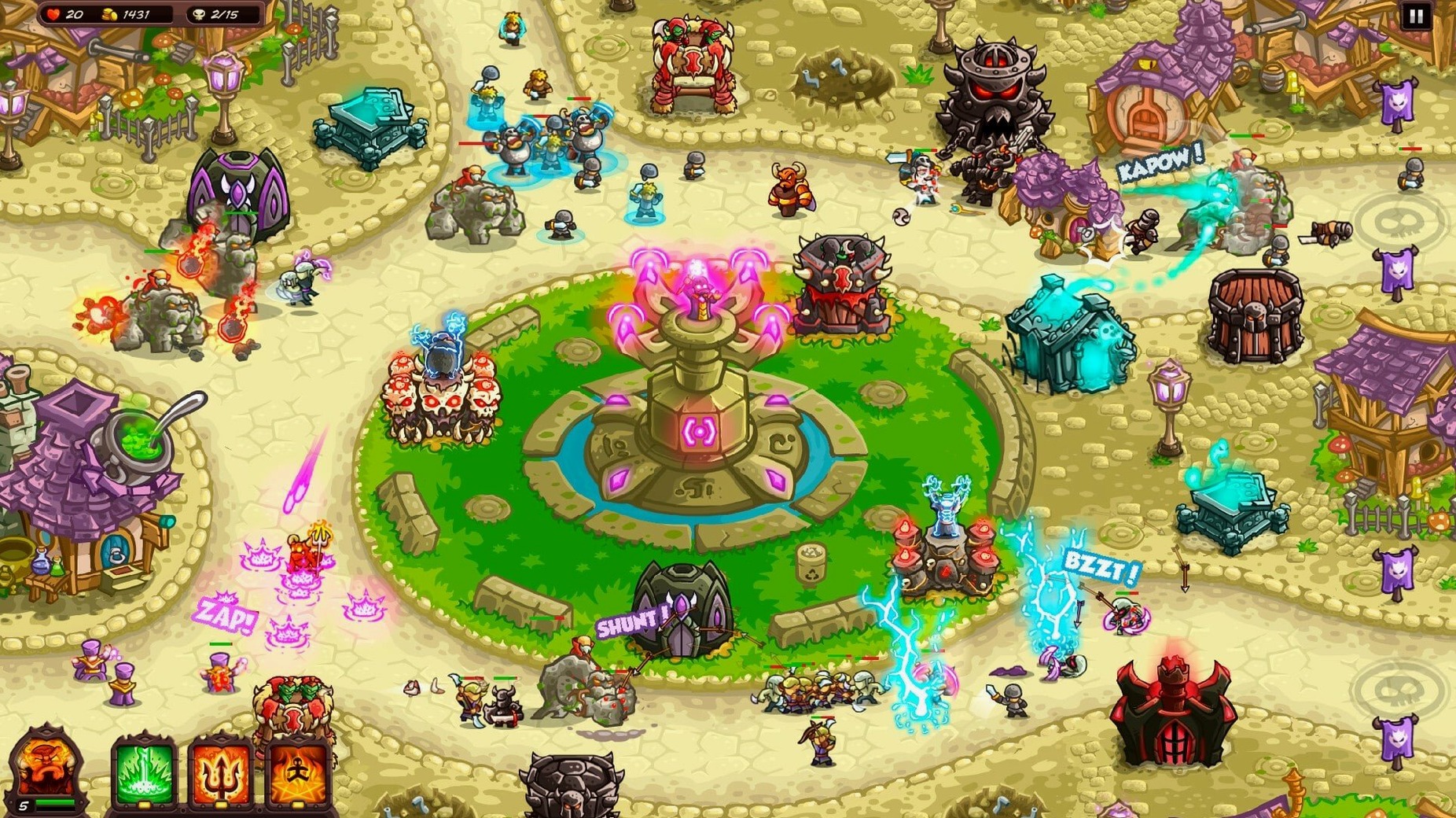
When you need a break from grading papers, Kingdom Rush Vengeance gives you a different kind of problem to solve: how to stop an endless wave of enemies with a limited budget and a handful of towers. The answer is constant tweaking.
What you do each minute
You place towers along a fixed path, then watch your soldiers fire, slash, and cast spells as the enemy marches toward your base. Between waves, you earn gold and spend it on new towers or upgrades. You also call in reinforcements and use hero abilities when things get tight. The decisions come fast: do you build another archer tower or save for a stronger one? Which enemy type is about to break through?
Where the variety comes in
With 25 stages across 5 lands, 13 heroes, and more than 40 enemies, the game keeps you adapting. Six powerful kings act as bosses, each with a different trick to counter. You can also upgrade your army with 30 different boosts, so no two playthroughs feel the same. Multiple save slots mean you can run several strategies side by side. It runs on both Intel and Apple Silicon Macs, and the interface supports English, German, Spanish, and seven other languages.
Automatically pauses when you switch away
Kingdom Rush Vengeance fits quietly into a multitasking setup because it pauses automatically when you switch away. That matters during a long campaign session when a student email or a calendar reminder pops up — you return to exactly the same wave, no progress lost. The game also respects macOS screen brightness and do-not-disturb settings, so it won't override your classroom or evening preferences. I keep a note-taking app open on a second desktop for jotting down which tower combos work against specific bosses.
Settings I adjust before starting
On first launch, I change two things. The language menu offers Russian, French, Japanese, and seven others, but I set the text to English so my younger game-club students can follow along without needing a dictionary. Then I adjust the music volume — Ironhide's soundtrack is good, but after hearing the same battle theme for an hour, a lower setting helps me focus. The game remembers these choices between sessions, which saves time when you only have twenty minutes between classes.
How a parent uses it after school
A parent of a middle-schooler told me she plays Kingdom Rush Vengeance on her Mac while her daughter does homework at the same desk. She keeps one stage open but unpaused, explaining each wave's enemy types as they appear. Her daughter learns to recognize the armored skeletons, the flying demons, and the healers — and starts suggesting which tower to build next. The in-game encyclopedia helps here: you can pause the action and look up enemy resistances without losing your place. By the time homework finishes, they've cleared two stages together. The multiple save slots let her keep that parent-child file separate from her own harder playthrough.
- macOS version: not specified
- Architecture: Intel and Apple Silicon
Questions I keep getting
How many heroes can I choose from?
There are 13 heroes, each with unique abilities that you can call on during a battle.
Does the game support multiple save files?
Yes, you can use multiple save slots, so you can experiment with different tower layouts and hero choices.
How to install
- Open the downloaded disk image.
- Drag the game to the Applications folder alias. This keeps the game easy to find later.
- After copying finishes, launch the game from Launchpad.
Similar games




Sign in or join the club to leave a comment.
Nobody has commented yet.