
- Version
- 1.11.7b [Wineskin]
- Studio or maker
- Videocult
- Languages
- Russian, English, German, Spanish, Italian, Chinese (Simplified), Korean, Portuguese, French, Japanese
- Activation
- Not required
- Chip type
- Apple Silicon
- Tried out on
- macOS Tahoe, Mac mini 2024 M4
- First released
- 29.03.2017
- Voice languages
- Music only
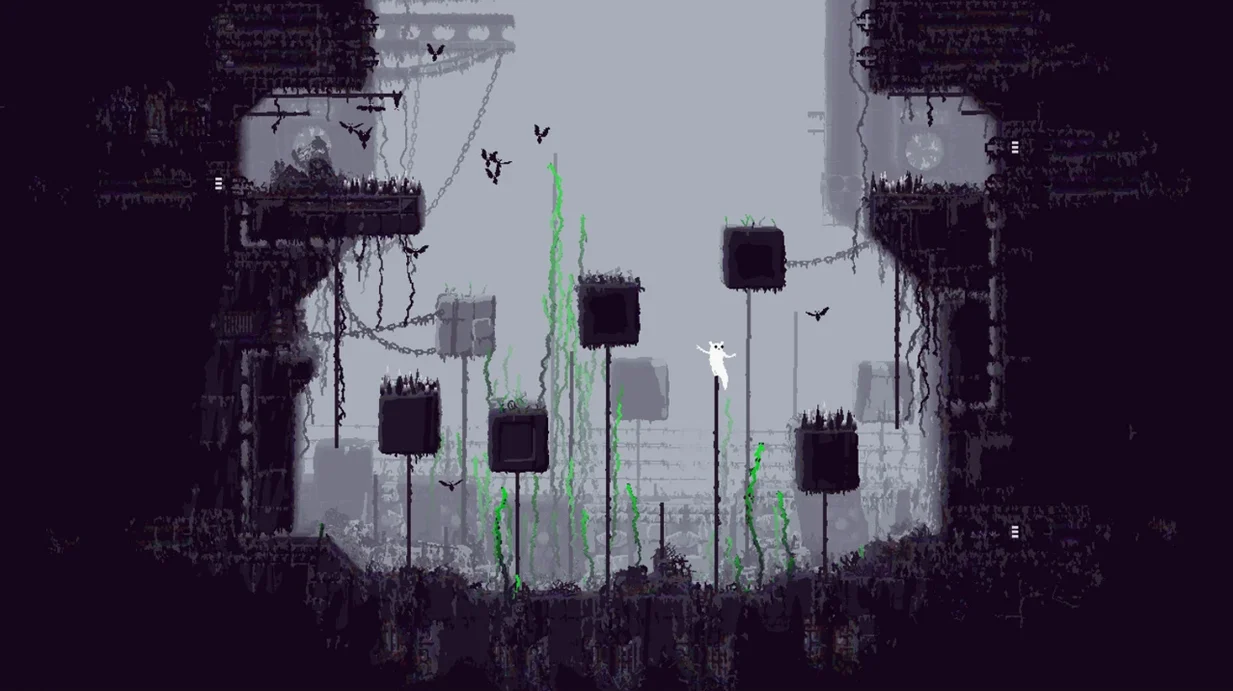
The current version, 1.11.7b, brings the slugcat's dangerous world to Apple Silicon Macs through a Wineskin wrapper. The package is built for ARM, so it runs on M-series hardware without translation layers.
Playing a slugcat in the ruins of an ancient civilization
Rain World is a survival-platformer where you play a slugcat, a small creature navigating the ruins of an ancient civilization. Stealth matters more than strength: hostile predators patrol the screens, and your best chance is to read their patterns and slip past. The game rewards patience and observation, not quick reflexes.
Languages and Compatibility
The interface supports ten languages, including English, German, Spanish, French, Russian, and Simplified Chinese. The tested setup was macOS Tahoe on a Mac mini 2024 M4. If you hit a launch error, the disk image includes a Fix file that usually sorts it out.
Rain World doesn't explain much upfront, so the first few sessions can feel overwhelming. Here are a few things I keep in mind when starting out.
Before Your First Downpour
After installing, open the game and spend a few minutes just exploring one screen. Watch what the creatures around you do. Many predators follow predictable patrol routes, and learning them early makes the difference between finding a shelter and becoming a meal.
I recommend starting each session by checking the nearest shelter location. The rain comes on a timer, and every region has hideouts marked by little gates. If you get caught outside during a storm, the game resets you to your last saved shelter and you lose any progress since then.
Food is your second priority. The slugcat needs to eat every cycle to survive, and different regions offer different food sources. Small creatures, fruits, and even some glowing plants count. I usually explore in one direction until I find two or three reliable food spawns, then use that area as my base for the day.
A Typical Afternoon in the Ruins
I sit down for an hour and load into a region called Outskirts. The screen is quiet. I let my slugcat rest for a moment to get a sense of the room. A lizard patrols the ground level, so I climb the pipes overhead instead. There is a long fall to the right, so I test it carefully: the drop leads to a dead end with a fruit. I eat it and backtrack.
In the next room, the lizard has moved on. I hear a splash from below, so I know there is water somewhere. I drop down and find a small pool. Swimming is slow, but on the other side I see a gate. It costs one karma point to pass, which I have because I ate and slept. I move through.
The new region has darker tunnels. A vulture circles above the open area, so I wait in a pipe until it leaves. I find a shelter just before the rain. Inside, I hibernate and save. That is a good cycle.
A Simple Workflow: Crossing a Hostile Room
You will often face a room with a predator parked between you and the exit. Here is the approach I use.
- Enter and pause. Stop at the entrance and watch the creature for its full patrol cycle. Count how long it takes to move from one end to the other.
- Identify the path. Look for pipes, ledges, or tunnels that let you stay above or below the patrol route. The game gives you options, but you have to notice them.
- Wait for the opening. Time your move to match when the predator is farthest from your chosen exit. Move quickly but steadily, no jumping unless you have to.
- If you get spotted. Do not fight. The slugcat is weak. Run for the nearest pipe, tunnel, or pole that the predator cannot follow. Most enemies give up after a few seconds if you break line of sight.
- Reach the exit. Enter the next room or the shelter gate. Once you cross the threshold, you are safe. Reset and repeat if you die.
This method works for most early-game rooms. Later regions introduce new creatures, but the same patient observation applies. I have used it to get through areas that felt impossible at first.
- Apple Silicon Mac
- macOS Tahoe or later
How to install
- Open the downloaded disk image.
- Drag the app into the Applications folder shortcut.
- After copying finishes, launch the app from Launchpad.
- If the game shows an error on launch, run the Fix file in the disk image.
Similar games






Sign in or join the club to leave a comment.
Nobody has commented yet.