
- Version
- 1.6.4871.rev588
- Studio or maker
- Ludeon Studios
- Languages
- Russian, English, German, Hungarian, Danish, Spanish, Italian, Chinese (Traditional), Chinese (Simplified), Korean, Dutch, Norwegian, Polish, Portuguese, Romanian, Turkish, Ukrainian, Finnish, French, Czech, Swedish, Japanese
- Activation
- DRM-free
- Chip type
- Apple Silicon, Intel 64-bit
- Tried out on
- macOS Tahoe, Mac mini 2024 M4
- First released
- 17.10.2018
- Voice languages
- Music only
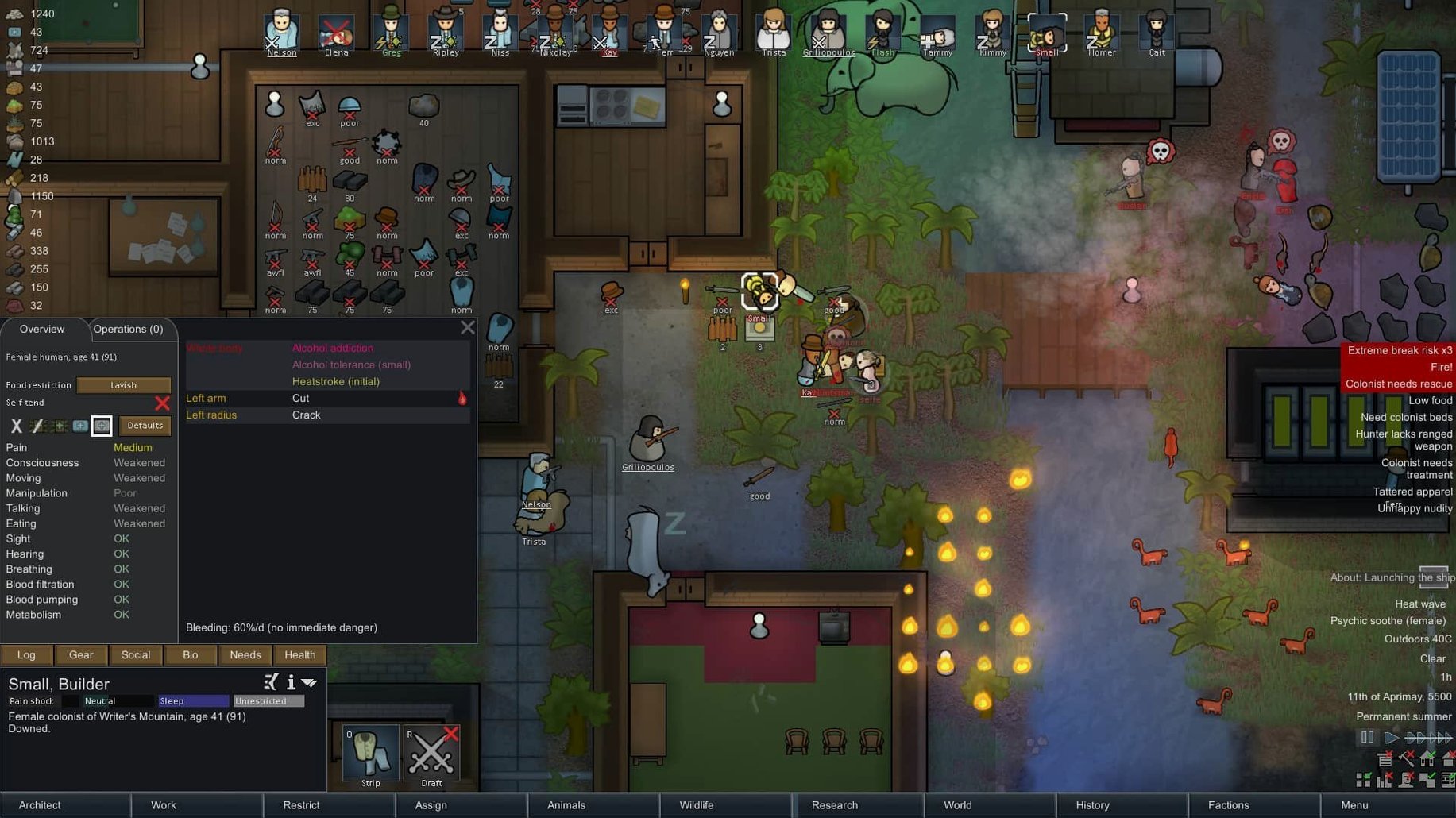
When a colony sim only scratches the surface, experienced players notice quickly. RimWorld gives you the depth to dig in: each colonist carries a biography, traits, and skills that affect how they react to stress, injury, or a bad harvest. The game tracks moods, needs, thoughts, and illnesses, so you are never guessing why a pawn is unhappy. Small-team combat adds tension without turning the game into a pure strategy title. Worlds generate with biomes from desert to jungle to tundra, meaning every playthrough asks different questions. The AI mentor teaches the basics, but the real draw is the space to experiment with your own solutions.
| Detail | Information |
|---|---|
| Developer | Ludeon Studios |
| Version | 1.6.4871.rev588 |
| Genre | Colony simulation |
| Story | Three crash survivors build a colony on a frontier world |
| Interface languages | English, German, Spanish, French, and more |
For a rimworld mac torrent, the macOS build runs on both Apple Silicon and Intel Macs, and it was tested on macOS Tahoe with a 2024 Mac mini M4. That means your hardware likely handles it fine.
What to focus on when learning your colony's limits
RimWorld does not throw a tutorial at you and then leave you alone. The AI mentor stays available, but the first few sessions are about learning your colony's limits. Here is what I suggest new players keep in mind during those early hours.
- Pause often. The game runs in real time, but you can pause and give orders freely. Use that breathing room to think through each task. I pause before every raid or change of season.
- Watch colonist needs, not just the base. A pawn who is tired, hungry, or stuck in the rain will work slowly and may break. Keep a quick glance at the mood bar at the top of the screen.
- Build a simple shelter first, then expand. A few rooms with beds, a table, and a torch or lamp will keep your colonists stable. Luxury can wait. The first winter or toxic fallout event will test whether you have enough food stored, not whether the floors are pretty.
- Learn from failures. Colonies die. It happens. RimWorld is designed so that losing a colony teaches you something for the next one. The AI storyteller adjusts events based on your colony's wealth and population, so a small setback is rarely the end.
A session from startup to shutdown with a stable colony
I usually open RimWorld when I have an hour to spare. The game saves quickly, so you can step away if needed. Here is how a session tends to go once you have a stable colony going.
First, I check the colonist bar on the side of the screen to see if anyone is injured or exhausted. One of my pawns, a builder named Hana, has a scratched leg from a panther attack the previous day. She is resting, so I assign another colonist to finish the wall she started.
Then I look at the world map. A nearby faction has a settlement with some steel I could trade for. I send a caravan with two pawns and a pack animal, making sure they take enough food for the journey. That takes about a minute of real time to set up, and the game runs on auto while they travel.
Back at the base, a raid warning appears. A small group of pirates is approaching from the east. I draft my fighters and position them behind the sandbags I built earlier. The fight lasts maybe ten seconds, but the aftermath takes longer: rescuing a wounded pawn, repairing the door the pirates broke, and hauling their dropped weapons to the stockpile.
By the time the caravan returns with steel, I have enough material to start building a research bench. That is the session's goal. I queue up the construction, set a research project to solar panels, and save the game. The whole session runs about forty-five minutes, and the colony feels a little more prepared for next time.
Preparing for the first winter in eight in-game days
If you are in a temperate or boreal biome, the first winter is a milestone. It comes after about eight in-game days. Here is a step-by-step workflow to get through it, based on what I do when starting a new colony on a rimworld download mac.
Step 1: Secure food storage. Your colonists need enough meals to last the cold months. Plant rice or potatoes in the first two days. Build a small room with a roof and a door to keep the harvest from spoiling. A simple stockpile zone set to "food" works.
Step 2: Build a closed base layout. Winter raids can happen even in the snow. A wall around your base, with a single opening you control, makes defense easier. I use stone blocks because they do not burn. Start mining chunks early.
Step 3: Create a heating source. A few campfires or a single electric heater in the main living space keeps colonists from getting hypothermia. Place them near where colonists sleep and eat, not in empty rooms. You will need wood or chemfuel to fuel them, so gather that in advance.
Step 4: Stockpile medicine. Injuries and infections do not pause for winter. Grow healroot in a small plot before the temperature drops, or trade with a friendly settlement for medicine. Having even a few units of herbal medicine in a shelf next to the beds can save a colonist.
Step 5: Check your colonists' clothing. Each pawn needs a parka or a wool shirt and pants before the first frost. If you lack materials, craft a simple tuque and a cloth jacket. It is not perfect, but it stops the worst penalties. Keep an eye on the gear tab for each colonist.
Once winter passes, you have a standing base that can survive most challenges the storyteller throws at you. The colony might not be pretty, but it will keep everyone alive through the cold.
- macOS version: Not specified
- Architecture: Intel and Apple Silicon
Questions I keep getting
Does RimWorld run on Apple Silicon Macs?
Yes, the macOS build supports both Apple Silicon and Intel architectures, and it was tested on a 2024 Mac mini with M4.
How to install
- Open the downloaded disk image and follow the standard installation process.
- Choose the installation location when prompted.
- Install it in the Applications folder if possible to keep it accessible.
Similar games






Sign in or join the club to leave a comment.
Nobody has commented yet.