- Version
- 2.13.1
- Studio or maker
- SEGA
- Languages
- Russian, English, German, Arabic, Spanish, Italian, Chinese (Traditional), Chinese (Simplified), Korean, Portuguese, Turkish, French, Japanese
- Activation
- Not required
- Chip type
- Apple Silicon, Intel 64-bit
- Tried out on
- macOS Sequoia, MacBook Pro (M3 Pro 2023)
- First released
- 21.05.2019
- Voice languages
- English
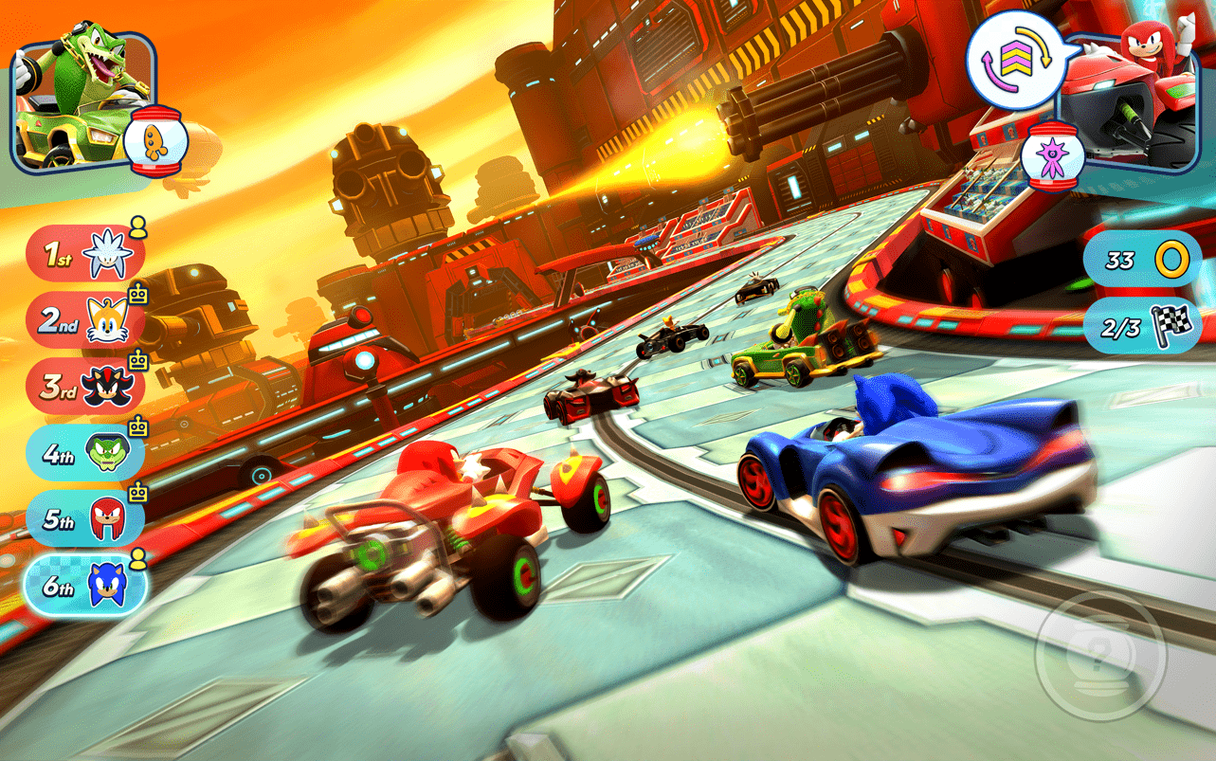
Version 2.13.1 of Sonic Racing brings the same team-based kart racing to Mac, now with both Intel and Apple Silicon support.
Team racing fans and Sonic franchise players
Team racing fans — Each character has unique advantages, and you race as a team, sharing items and abilities. The Wisps act as helpers during races, adding a layer of strategy.
Sonic franchise players — The tracks and characters draw from the Sonic universe, so familiarity with the series adds to the fun.
Local multiplayer enthusiasts — Controller support makes it easy to set up split-screen races with friends.
Offline players and solo racers may struggle
Offline players — The game requires an active internet connection for gameplay, even in single-player mode.
Those who prefer solo racing — The team mechanics mean you are always thinking about your teammates, not just your own position.
Players wanting a large track count — With 15 tracks total, the variety is modest compared to some other kart racers.
Runs natively on Apple Silicon and Intel Macs
Mac owners with Apple Silicon machines — The build supports both ARM and x86 64-bit architectures, so it runs natively on M-series Macs without emulation. Owners of older Intel-based Macs can play it too, all from the same download.
Anyone who prefers using a controller — The game has built-in controller support, which makes sense for a kart racer. You can plug in a gamepad and race without worrying about keyboard mapping.
Multilingual households or classrooms — With fourteen interface languages including Arabic, Korean, Portuguese, and Turkish, it works well in settings where players speak different languages. The voices stay in English, but menus and text can switch to what suits each player.
Requires macOS 10.15.5 and an internet connection
The game requires macOS 10.15.5 or later, which covers most Macs from the last several years. It was tested on macOS Sequoia with an M3 Pro MacBook Pro, confirming the Apple Silicon build is functional.
You need an active internet connection for any mode — single-player included. This is a requirement, not a recommendation, so plan your setup accordingly.
The download comes as a disk image. Once you open it, you drag the game into the Applications folder alias and then launch it from Launchpad after the copying finishes. No activation is needed, so you can start racing immediately after the files are in place.
Game asks for connection despite being online
The game asks for an internet connection but you are connected — Check whether your connection is stable. Some routers or school networks block certain ports that online games use. Try switching to a different network or tethering through a phone to see if the connection check passes.
Launchpad does not show the game after copying — Make sure you dragged the game into the Applications folder alias inside the disk image, not just copied the image itself. If Launchpad still does not see it, restart the Mac or manually navigate to the Applications folder and double-click the game there.
Controller is not responding — Verify the controller is paired and recognized by macOS before launching the game. Some third-party controllers need their own driver software. Once macOS sees the controller, the game should pick it up.
Language is set to something you cannot read — The interface language can be changed in the settings menu even if you need to guess based on icon positions the first time. Look for a flag or a gear icon, then find the language list.
- macOS 10.15.5 or later
- Intel or Apple Silicon processor
- Controller support
- Active internet connection for gameplay
Questions I keep getting
Does Sonic Racing support controllers on Mac?
Yes, the game supports controllers, which makes local multiplayer races easier to set up.
What languages are available in Sonic Racing?
The game includes interface text in English, Arabic, Dutch, French, German, Italian, Japanese, Korean, Portuguese, Russian, Simplified Chinese, Spanish, Traditional Chinese, and Turkish. Voice language is English.
How to install
- Open the downloaded disk image.
- Drag the game into the Applications folder alias inside the disk image.
- After copying finishes, launch the game from Launchpad.
Similar games



Sign in or join the club to leave a comment.
Nobody has commented yet.