
- Version
- 1.6.15.24357.8705766150
- Studio or maker
- ConcernedApe
- Languages
- Russian, English, German, Hungarian, Spanish, Italian, Chinese (Simplified), Korean, Portuguese, Turkish, French, Japanese
- Activation
- DRM-free
- Chip type
- Apple Silicon, Intel 64-bit
- Tried out on
- macOS Tahoe, Mac mini 2024 M4
- First released
- 27.02.2016
- Voice languages
- Music only
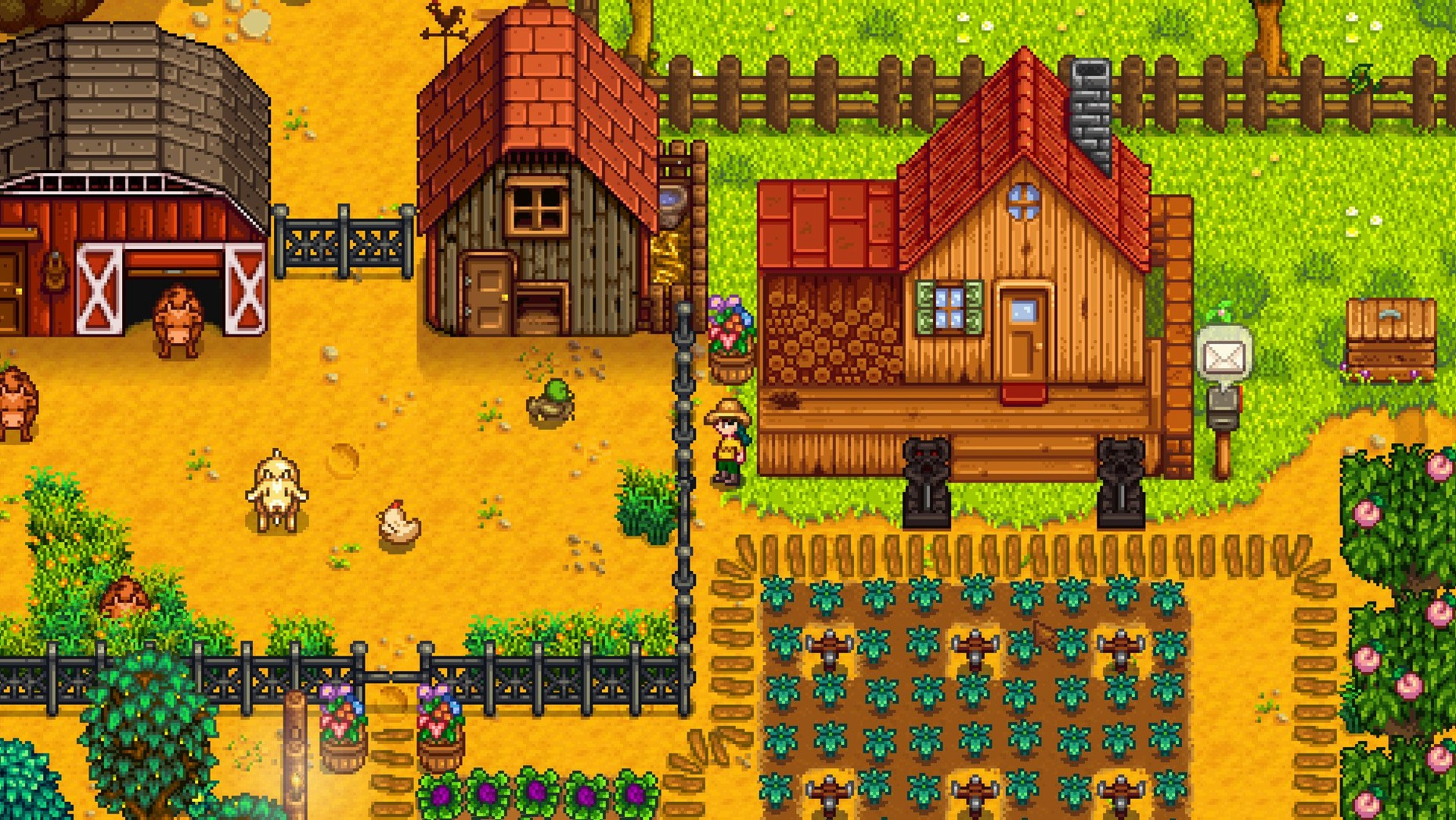
You step off the bus into a town that looks like it stopped paying attention twenty years ago. Weeds everywhere, a community center that’s practically falling down, and a grandpa who left you a farm that’s more weed than farm. Stardew Valley starts with that problem — a place that needs someone to care about it — and then hands you a rusty hoe and says, go ahead.
Watering crops and mining before the day ends
- Morning routine. Water your crops, check your animals, see what’s growing. Each season has its own crops, so you plan ahead or just plant what you have seeds for.
- Mining and combat. Head into the mines with a pickaxe and a sword. Break rocks, fight slimes and bats, collect ore and gems. Deeper levels have better loot and harder enemies.
- Fishing. Stand by a river, lake, or ocean and try to catch fish. The minigame is tricky at first, but you get a feel for it. Different fish appear in different weather and seasons.
- Talking to people. Each villager has a schedule and likes certain gifts. You can befriend them, date them, or just ignore them — but the town feels more alive when you know who’s who.
- Fixing the community center. Collect specific items to restore the old building. Each bundle you complete unlocks something useful — a new way to travel, a greenhouse, or a minecart shortcut.
Why it works on a Mac
The game runs on both Intel and Apple Silicon Macs, and version 1.6.15.24357.8705766150 includes performance optimizations that help older machines keep up. Installation is straightforward — download the disk image, run the installer, and put it in your Applications folder. The game saves automatically at the start of each day, so you can put the laptop to sleep and come back to your farm whenever you have a few minutes.
A scenario: the teacher who needed a slow hobby
One of my colleagues, a physics teacher who coaches the robotics team, picked up Stardew Valley during a long February break. He was burned out from grading and needed something that didn’t involve a leaderboard or a ticking clock. Every evening he’d play one in-game day — about fifteen minutes — water his parsnips, talk to the librarian, and close the game. By April he had a small chicken coop, three hearts with half the town, and a noticeably calmer demeanor at staff meetings. It’s not unusual for a game like this to become a genuine decompression tool when you intentionally limit your sessions.
Best for Mac users who play in short bursts
Stardew Valley suits anyone who wants a game that respects their schedule, but a few types of Mac users benefit especially:
- Laptop owners who game in short bursts. The day-night cycle means you can stop after each in-game day without losing progress. That fits well between classes or during a lunch break.
- People who play with one hand occasionally. The game works fine with a trackpad, and you can pause by opening your inventory. If you’re holding a coffee in the other hand, that matters.
- Players who want something their Mac can handle for years. Because the game supports both ARM and Intel chips and has received performance updates, it tends to run well on machines that are a few generations old. You don’t need a recent model to enjoy it.
- Anyone who likes setting their own goals. The game never tells you to hurry. You can fish for three seasons straight, ignore the community center, and the town will still be there when you’re ready.
What you need to know before starting Stardew Valley
No guide needed, but fishing helps to read
Not really. The game explains basic controls on day one, and the rest you learn by trying. Some mechanics — like how to catch fish or where to find a specific item for the community center — are easier with a quick online lookup, but you can also play for fifty hours without one and still have a great time. The game rewards exploration, not optimization.
Stardew Valley works fully offline on your Mac
Yes. Stardew Valley has no online requirement for the single-player mode. You download and install it, and that’s it. The game doesn’t phone home, check for updates, or need a connection to save your progress.
How much playtime does a typical save file take?
That varies a lot. But many people keep playing beyond that — expanding their farm, decorating, befriending every villager, or trying a different farm layout.
- Legendary fish ponds produce roe more often and have a higher average daily value.
- Performance optimizations were added.
- A Junimo bundle button was added to fridge and mini-fridge interfaces.
- Several crashes, multiplayer issues, and localization issues were fixed.
- macOS version not specified by developer
- 64-bit processor
- Architecture: Intel (x86) or Apple Silicon (ARM)
How to install
- Open the downloaded disk image and run the standard installer.
- Choose the install location at the end of installation.
- Select the Applications folder if offered.
Similar games






Sign in or join the club to leave a comment.
Nobody has commented yet.