- Version
- 1.05.1 (77598) [Wineskin]
- Studio or maker
- Sever, Schisma Games
- Languages
- Russian, English, Chinese (Simplified), Korean, Portuguese, Japanese
- Activation
- Not required
- Chip type
- Apple Silicon
- Tried out on
- macOS Tahoe, Mac mini 2024 M4
- First released
- 4.03.2021
- Voice languages
- Music only
The Life and Suffering of Sir Brante runs on Macs with macOS 12.0 or newer and Apple Silicon. I checked it on a Mac mini 2024 M4 under macOS Tahoe. The current version is 1.05.1 (77598), a Wineskin build that works without extra setup.
A narrative RPG told through a protagonist's journal in the Arknyan Empire
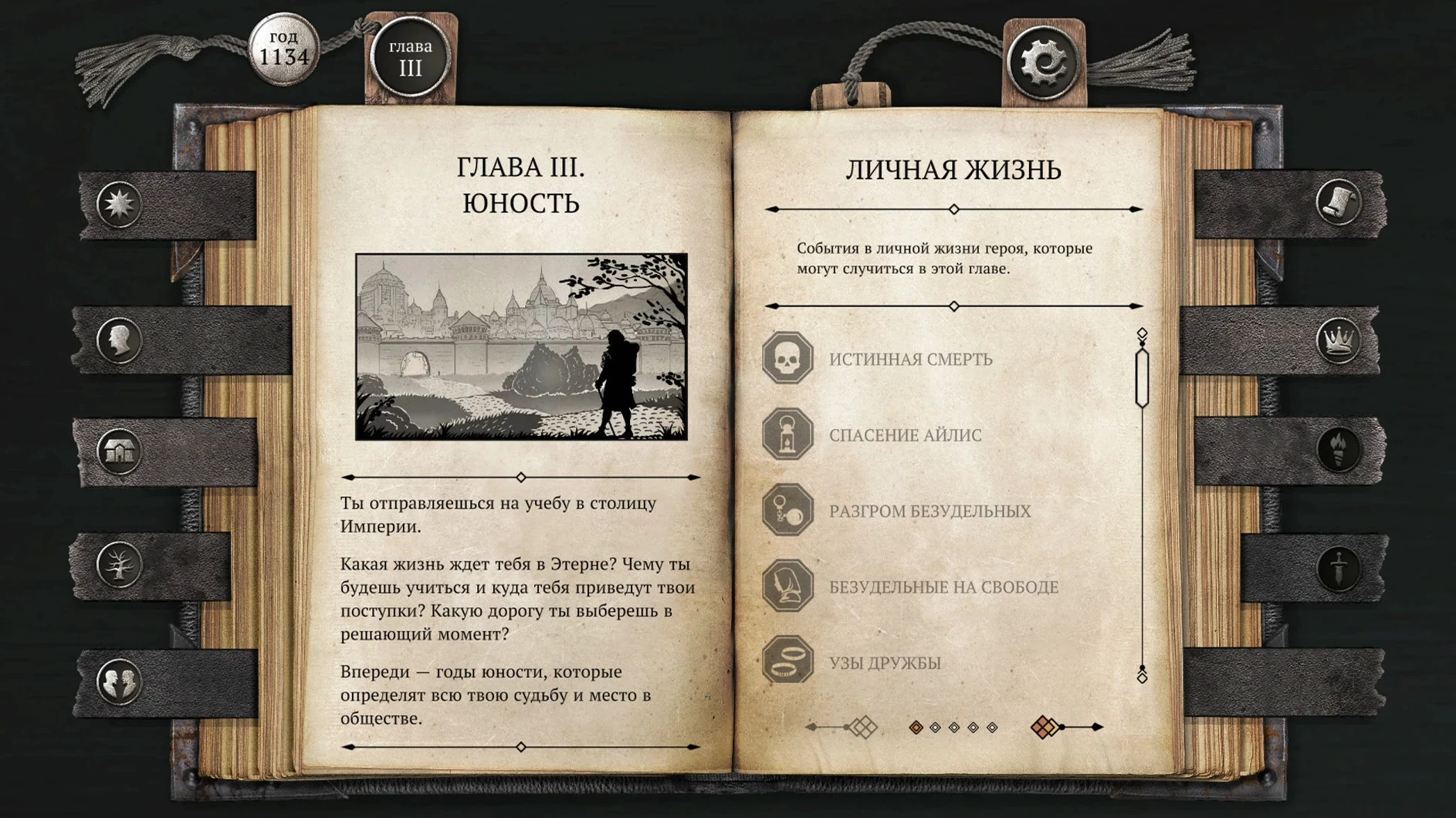
It is a narrative role-playing game told through the pages of the protagonist's journal. Your choices shape the story in the harsh Arknyan Empire, where society is divided into estates.
How does the choice system work?
Player actions, learned skills, and your circumstances all affect what happens. You develop traits like resolve, empathy, or endurance, and every decision changes the main character, their family, and the state.
The resurrection system lets Brante continue after death
When you start a new playthrough, the journal-like presentation of the story is the first thing you notice. What might not be obvious is that the game includes a resurrection system. If Brante dies, you are not thrown back to a distant checkpoint. Instead, the game preserves the experience and skills you have gained, so the setback is mostly narrative rather than mechanical. That makes experimenting with riskier choices less punishing.
Save files are stored inside the app bundle under a LocalLow SEVER saves folder. If you ever need to back up a particular branch of the story, you can locate that folder and copy the files elsewhere. The naming is straightforward enough to identify which playthrough is which, and restoring a save is simply a matter of dropping it back in the same location.
Resize the window with standard macOS controls
Because the game runs as a Wineskin build, it behaves like a regular macOS application once installed. You can use the standard macOS window controls to resize the window if you prefer a smaller or larger view. The game includes music but no spoken dialogue, so it plays well when you switch between it and other work — you can leave it open in the background without audio clashing with a podcast or a voice call.
Switching the language is done inside the game's own settings menu, not through the system language. This means you can keep macOS in English and still read the story in Russian or Japanese, for instance. The game does not rely on any macOS fonts or input sources beyond what the Wineskin wrapper provides, so there is no extra configuration to do.
Drag and drop the app from the disk image to install
Some people wonder whether the Wineskin build will behave differently from a native Mac game. The install process is straightforward: you mount the downloaded disk image, drag the app into the Applications folder alias, and open it from Launchpad after copying finishes. If the game reports an error on the first launch, a Fix file inside the disk image takes care of it. I have not seen a case where running that Fix did not solve the issue.
Another common question is about save compatibility with the Steam version. Because this is a standalone Wineskin build, the saves are stored in a different location than Steam's usual cloud folders. You cannot directly transfer a Steam save into this version without manually moving the file to the LocalLow SEVER saves folder and hoping the build structures match. It is possible but not guaranteed.
People also ask if the life and suffering of sir brante mac torrent works the same as the Windows version in terms of content. Yes, the journal chapters, the estate-based society, and all the branching choices are identical. The only difference is the wrapper that lets it run on Apple Silicon hardware.
The interface is available in Russian, English, Simplified Chinese, Korean, Portuguese, and Japanese. You can switch the language in the in-game settings.
- Version 1.05.1 (77598) is now a Wineskin build.
- macOS 12.0 or newer
- Apple Silicon
Questions I keep getting
Where are the save files stored?
Save files are inside the app bundle under a LocalLow SEVER saves folder.
What if the game gives an error on launch?
Run the Fix file included inside the disk image. That usually resolves launch issues.
How to install
- Mount the downloaded disk image.
- Drag the app into the Applications folder alias shown in the image.
- Open the app from Launchpad after the copy finishes.
- If the game reports an error on launch, run the Fix file inside the disk image.
Similar games





Sign in or join the club to leave a comment.
Nobody has commented yet.