
- Version
- 16.93
- Studio or maker
- Microsoft Corporation
- Languages
- Russian, English, German, Hungarian, Greek, Danish, Indonesian, Spanish, Italian, Korean, Dutch, Polish, Portuguese, Slovak, Thai, Turkish, Finnish, French, Czech, Swedish, Japanese
- Activation
- Volume license
- Runs on macOS
- macOS 13 or later
- Chip type
- Apple Silicon, Intel 64-bit
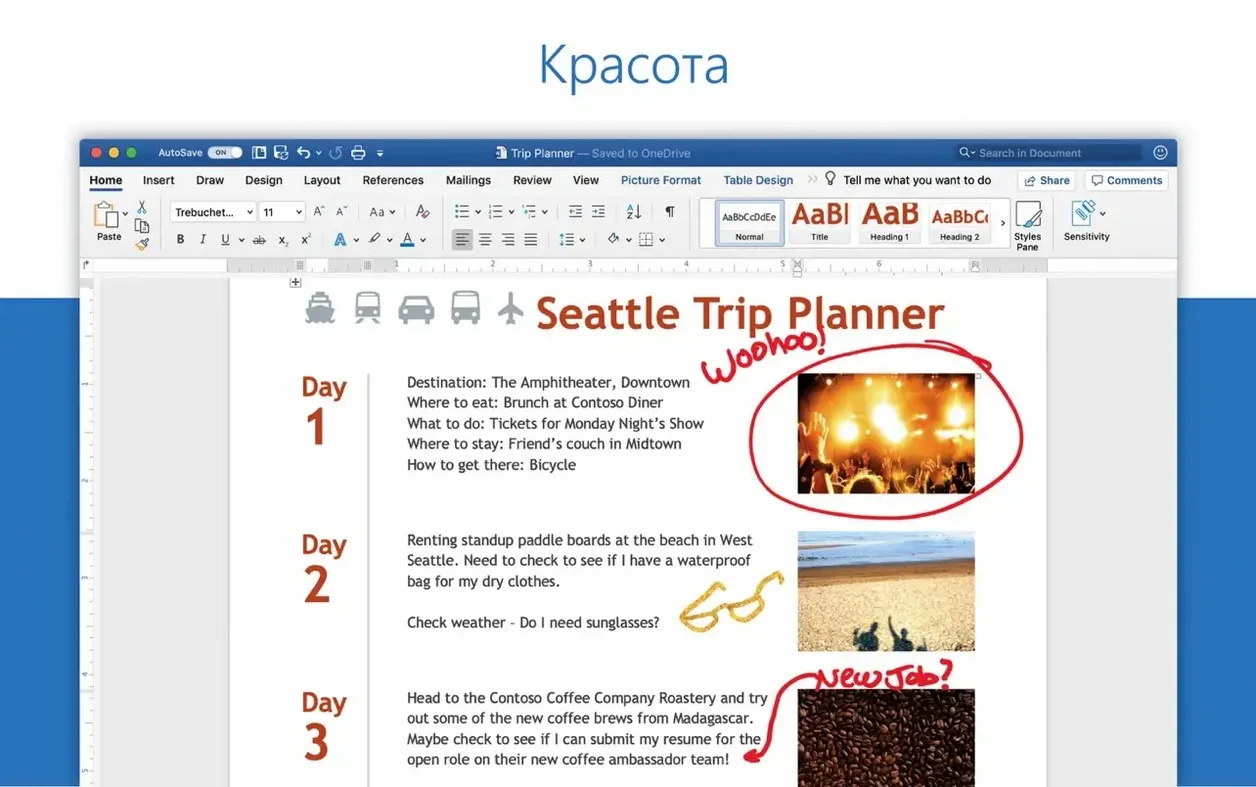
Teachers, students, and office workers all land in the same spot: they need a document, a spreadsheet, or a slide deck, and they need it to look right. That is where the Office suite earns its place on a Mac. Version 16.93, released January 14, 2025, bundles Word, Excel, PowerPoint, Outlook, OneNote, and OneDrive into one package that runs on both Intel and Apple Silicon machines.
Take one realistic task: building a lesson plan with a chart. In Word you draft the outline, then copy the data into Excel, make a chart, and drop it back into the document. PowerPoint adds the polish when you present it, with layouts, animations, motion camera effects, 3D models, and icons. OneDrive keeps the file synced so a colleague can comment in real time.
Creating and editing documents, spreadsheets, and presentations
- Creating and editing documents, spreadsheets, and presentations
- Sharing files through OneDrive with real-time collaboration in Word, Excel, and PowerPoint
- Keeping notes and plans in OneNote
- Managing email and calendar in Outlook
Requires macOS 13 or later and is 64-bit only
- The suite and individual apps are 64-bit only, so older Macs may not be supported.
- Requires macOS 13 or later.
- Activation uses the LTSC 2024 volume license serializer, and a clean reinstall may be needed if activation fails.
Skipping the Microsoft AutoUpdate step
After watching students and colleagues settle into a new Office install, I have noticed the same handful of missteps again and again. One is skipping the Microsoft AutoUpdate step. The installer package includes MAU for a reason: Office gets monthly updates, and without it you miss fixes and format compatibility. Another is trying to open an old Excel file with macros enabled and wondering why nothing runs. The 64-bit architecture does not support older 32-bit add-ins, so check your legacy templates before you rely on them.
A third mistake is forgetting that OneDrive is not just a backup folder. When you save a document to OneDrive from Word, the collaboration tools become active. People I work with have emailed a file back and forth for days, only to realize they could have edited it together in real time. Likewise, beginners often treat OneNote as a simple text app and miss its searchable notebook structure, which works beautifully for lesson planning or meeting notes across devices.
Finally, do not ignore the language options. The suite supports eighteen languages, including English, German, French, Spanish, and Japanese, but the default may not match your display language. Check the preferences early rather than after you have written a full presentation in the wrong keyboard layout.
Apple iWork is free but the format gap appears fast
Apple iWork (Pages, Numbers, Keynote) is the obvious alternative, and it is free with any new Mac. For a teacher typing a simple letter or a student making a basic slideshow, iWork is enough. But the format gap appears fast. I have had a student email me a Keynote file that I could not open on my classroom iMac, and Pages documents often shift fonts and margins when a collaborator opens them in Word. Office keeps fidelity across platforms and versions, which matters when you share files with a school district that runs Windows.
LibreOffice is another option, especially for users who prefer open-source software. It handles Word and Excel files reasonably well, but I have seen complex Excel charts with conditional formatting lose their structure, and PowerPoint animations sometimes do not survive the round trip. The interface also feels less polished on macOS than the native Office apps do. For a home user editing a resume, LibreOffice works fine. For a teacher who needs to open a district-wide spreadsheet with pivot tables and macros, Office is the safer bet.
Google Workspace (Docs, Sheets, Slides) is strongest for real-time collaboration. I use it with my game club for scheduling shifts because the browser-based editing is instant. But Google Docs lacks some advanced formatting controls, and its offline mode on a Mac can be flaky if you lose internet mid-lesson. Office gives you the same collaboration through OneDrive while keeping full formatting power in the installed apps.
Planning a parent-teacher conference with Outlook, Word, and PowerPoint
Wednesday afternoon, my classroom Mac is open and I have thirty minutes before the after-school game club starts. I need a handout for parents, a sign-up sheet, and a short presentation to project during the welcome. I open Outlook first to check the school calendar and confirm the room booking. The email pane shows three messages from colleagues who want to share time slots, so I reply with a quick link to a OneDrive folder.
Next I open Excel. I set up a simple table with columns for student name, time slot, and notes. The Ideas feature suggests a bar chart of time slot demand, which I add below the table. I save the file to OneDrive so the vice principal can view it live. Then I switch to Word. I draft a one-page handout explaining the conference format, paste the chart from Excel using the "Keep Source Formatting" option, and adjust the margins so it prints cleanly on school letterhead. OneDrive syncs the update before I close the document.
Finally, PowerPoint. I pick a clean layout and add three slides: an agenda, a slide with a 3D model of the school building for new parents, and a slide with icons showing the subjects I teach. A motion camera effect transitions the slides without looking flashy. I save the presentation to the same OneDrive folder and share a view-only link with the front office. By the time the first club member arrives with a board game under her arm, the conference prep is done and every file lives in one place.
Best when your work depends on files that travel between people and platforms
Office for Mac fits best when your work depends on files that travel between people and platforms. Teachers like me are a natural match: we create handouts in Word, track grades in Excel, present at staff meetings in PowerPoint, and keep lesson notes in OneNote, all while sharing materials with colleagues who may use Windows PCs at home. The real-time collaboration in OneDrive saves time when a substitute teacher needs the day's plan updated mid-morning.
Office also suits small business owners who manage invoices, schedules, and client communications without an IT department. Excel's charting and ideas tools turn raw numbers into visuals you can show a partner, and Outlook consolidates multiple email accounts and calendars in one window. Students who write research papers benefit from Word's citation tools and cross-platform formatting, especially when their university runs on Office 365.
Home users who only write an occasional letter or plan a potluck menu may find the suite more than they need. But if you regularly open files from work, school, or clients that were created in microsoft office cracked for mac environments, the format safety alone makes it worth having. The same applies to anyone who has ever received an office 2016 mac torrent of a document that looked broken in another app: Office reads its own format best.
- Version 16.93 is the current Office suite build for Word, Excel, PowerPoint, Outlook, and OneNote.
- Released on January 14, 2025.
- macOS 13 or later
- Intel or Apple Silicon (both architectures supported)
- 64-bit only
Questions I keep getting
Does Office 16.93 work on Apple Silicon Macs?
Yes, the architecture is both Intel and Apple Silicon, and the apps are 64-bit only.
How to install
- Install Office 2024 using the standard procedure, or download the specific package for Word, Excel, PowerPoint, Outlook, or OneNote. This lets you choose only the apps you need.
- Use packages downloaded from Microsoft's official servers to avoid corrupted files.
- Install Microsoft Office LTSC 2024 VL Serializer to activate the suite. This is the step that makes the software usable.
- Install Microsoft AutoUpdate (MAU) to enable updates. Keeping the suite current prevents bugs and security gaps.
- If activation fails, remove Office completely and reinstall it. A clean install often resolves leftover permission issues.
Similar apps






Sign in or join the club to leave a comment.
Nobody has commented yet.