

- Version
- 2.5.0
- Studio or maker
- zPlane.development
- Languages
- English
- Activation
- k'ed by Team V.R
- Runs on macOS
- macOS 10.15 or later
- Chip type
- Apple Silicon, Intel 64-bit
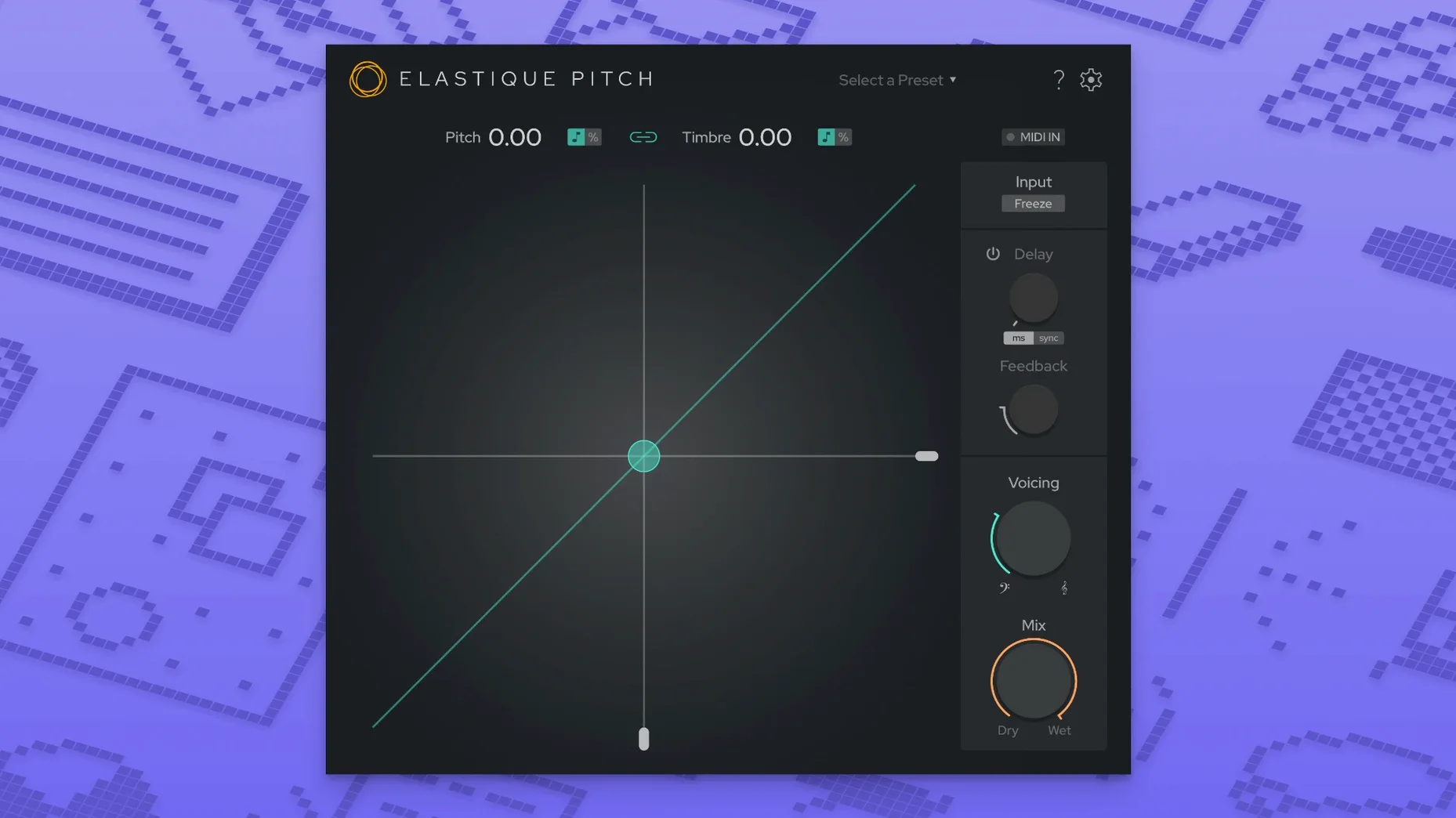
Version 2.5 of elastiquePitch uses zplane's ÉLASTIQUEPRO algorithm, a 64-bit plug-in that shifts pitch and timbre independently. It fits naturally alongside a Mac's existing audio toolkit — Logic Pro, GarageBand, or any host that loads VST or Audio Units — and handles tasks like vocal pitch adjustment and frame-rate conversion without introducing the warbling artifacts that simpler pitch shifters cause.
What it does differently
Most pitch shifters treat pitch and formants as one. elastiquePitch separates them. You can raise a vocal's pitch while keeping the formant structure intact, or freeze a sound grain and move it across the spectrum. The redesigned interface in 2.5 makes these controls clearer: each parameter has its own slider, and the multichannel support now reaches 16 channels, so surround mixes stay in sync. The plug-in runs on both ARM and Intel Macs under macOS 10.15 or later.
Real-time formant shift for natural voice changes
If you already use pitch correction or time-stretching tools, elastiquePitch adds a layer you cannot get from standard DAW utilities. The real-time formant shift means you can change a voice from childlike to deep without sounding cartoonish. For video work, the frame-rate conversion keeps audio aligned when you speed up or slow down footage. Installation is straightforward — open the disk image, run the installer, and the plug-in appears in your host's effect list.
Start with a +2 semitone vocal track
Start with a simple vocal track you know well. Insert elastiquePitch on an audio track or bus, set the pitch slider to +2 or +3 semitones, and listen. The formant slider is the second control you want to find — pull it down by the same amount to keep the voice sounding like the same person. Most new users forget the formant slider exists and wonder why the voice sounds like a chipmunk or a giant.
For the pitch-shifted echo effect, set a short delay in your DAW's own delay plug-in and place elastiquePitch after it. Shift the echo repeat up by +7 or +12 semitones and drop the formant a little. It creates a bright, metallic tail that cuts through a busy mix without extra EQ.
Common snags and simple fixes
The plug-in does not appear in your host. After installation, Logic Pro and some other DAWs need you to re-scan plug-ins. Open your host's plug-in manager, trigger a full re-scan, and restart the program. If you are using a VST3 host, check that the installer placed the file in /Library/Audio/Plug-Ins/VST3 (system-wide) or ~/Library/Audio/Plug-Ins/VST3 (user only). The AU version goes into /Library/Audio/Plug-Ins/Components.
Pitch changes sound clean, but formant shifts feel sluggish. This usually happens when the buffer size in your DAW is set very low (below 128 samples). Raise the buffer to 256 or 512 for tracking or mixing. For recording, lower the buffer and use the pitch slider alone; save formant tweaks for the mix stage.
Multichannel tracks behave oddly. If you are working on a 5.1 or 7.1 session, confirm that your DAW sends all channels through the plug-in. Some hosts route only the first two channels to third-party plug-ins by default. Check your track's output routing and, if needed, insert elastiquePitch on an aux or bus that carries the full surround feed.
Activating the grain freeze button for sustained sounds
Open the plug-in and look for the grain freeze button. It is easy to miss because it does not look like a typical on/off switch in version 2.5. When you activate freeze, the plug-in holds the current sound grain until you release it. This works well for turning a sustained note into a pad or for creating stutter effects. Map it to a MIDI controller key if your host allows — you will use it more often than you expect.
The pitch range display shows cents and semitones. If you need precise tuning (for example, shifting a sample from A=440 to A=432), use the fine-tune control next to the main pitch slider. The fine adjustment covers several cents per step, so you can hit exact intervals without resorting to external tuners.
Finally, set your host to save the plug-in's state with the project. elastiquePitch remembers its slider positions across sessions, but some DAWs default to bypassing third-party plug-ins on reload. A quick check of your project's plug-in save settings avoids having to rebuild a shift you spent ten minutes dialing in.
- macOS 10.15 or later
- 64-bit host application
- ARM or Intel processor
Questions I keep getting
Does elastiquePitch work on Apple Silicon Macs?
Yes, version 2.5 supports both ARM and x86 architectures natively.
What host applications is it compatible with?
It runs in any host that loads VST or Audio Unit plug-ins, such as Logic Pro, Ableton Live, or GarageBand.
Can I change pitch without affecting the timbre?
Yes. elastiquePitch shifts pitch and formants separately, so you can adjust one without changing the other.
How to install
1. Open the downloaded disk image to mount it. 2. Run the standard installation procedure to place the plug-in in your system's audio plug-in folder.Similar apps
Sign in or join the club to leave a comment.
Nobody has commented yet.