
- Version
- 2.7.5
- Studio or maker
- Blue Cat Audio
- Languages
- English
- Activation
- K'ed by R2R
- Runs on macOS
- OS X 10.9 or later
- Chip type
- Apple Silicon, Intel 64-bit
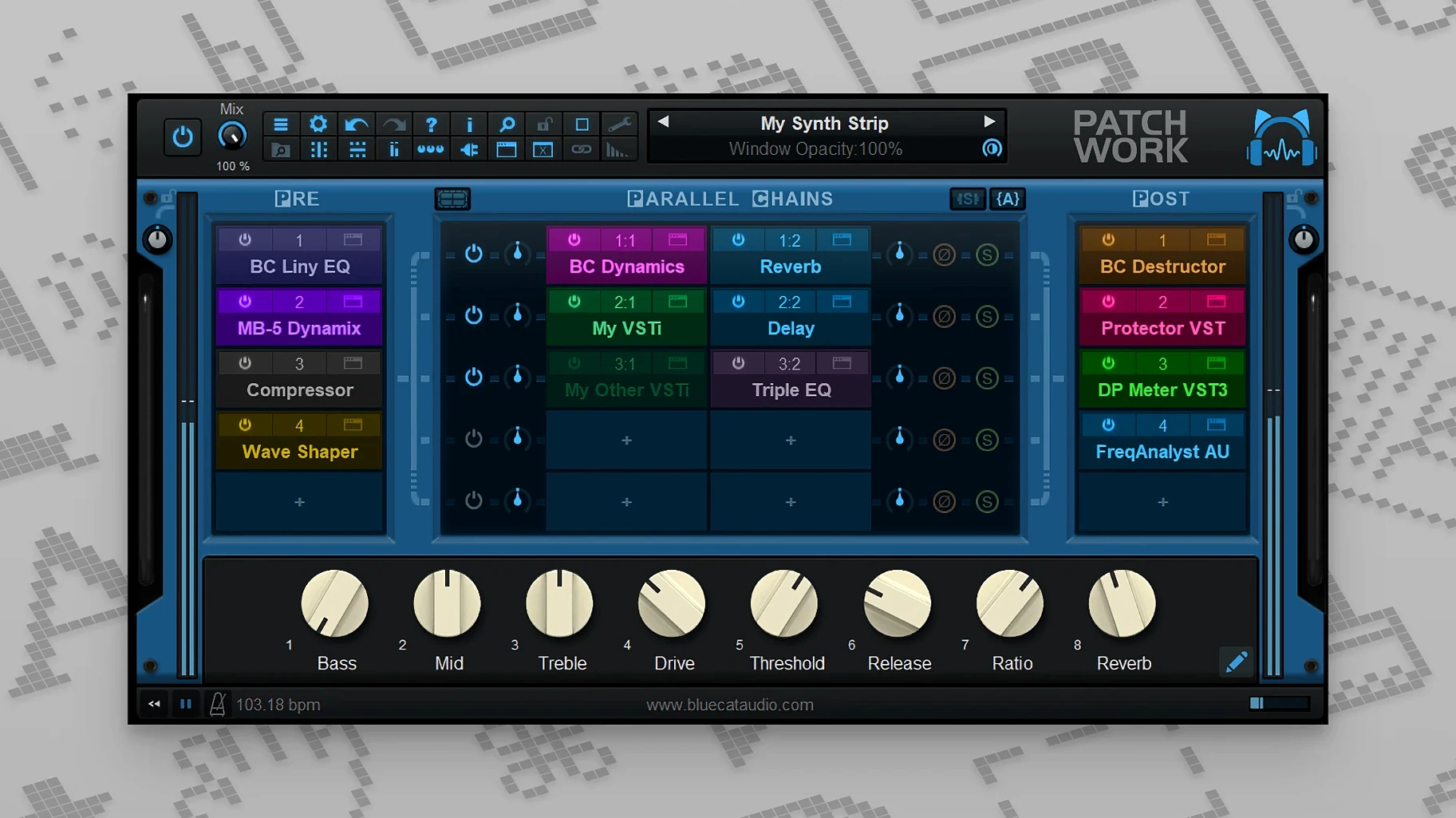
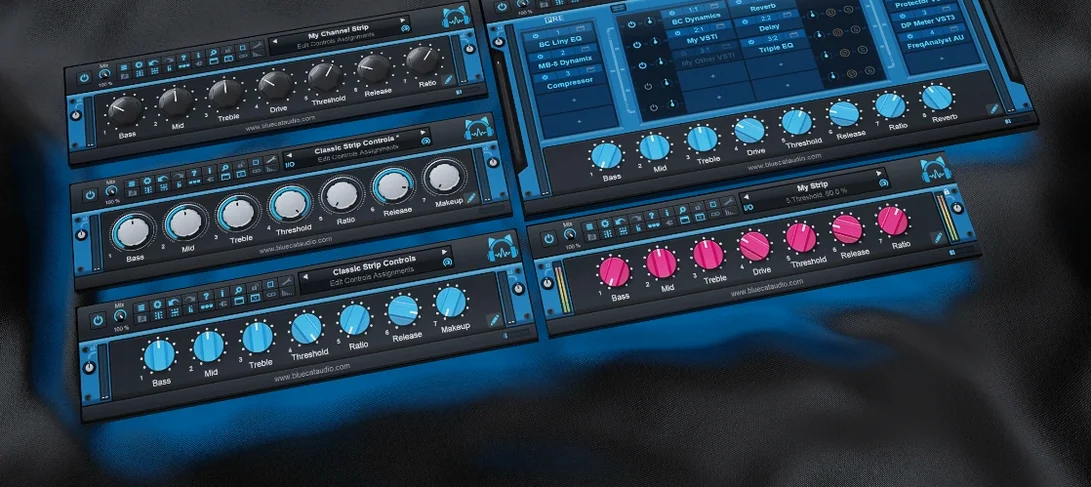
Blue Cat's PatchWork is a plugin host and multi-effects patchbay that lets you run several third-party Audio Unit, VST, or VST3 plug-ins inside a single instance in your DAW.
A first workflow to try
- Load a synth and a delay. Open PatchWork as an insert on a track. Drag a VST synth into one slot, then a delay into the next slot. You will hear the signal pass through both in series.
- Split the signal. Add a second chain so the dry signal bypasses the synth. Use the mixer controls to blend the two paths. This is where PatchWork starts to feel like a small patchbay rather than a simple chain.
- Save the chain. The 2.75 release lets you copy, paste, save, and reload effects chains. Save your setup, then reload it on another track. The full-text search inside saved plug-ins makes finding that chain easy later.
Once you have the basics, try the built-in audio recorder, which can capture up to 16 channels. You can also assign MIDI control to individual plug-in bypass and interface open or close actions, which is handy for live tweaking without touching the screen.
PatchWork supports AU, VST, VST3, and AUv3 on macOS
PatchWork supports three plugin formats: Audio Unit, VST, and VST3. On macOS it also handles AUv3, which is the newer Audio Unit standard used by many iOS and Mac plugins. This range means you can mix a VST reverb with an Audio Unit synth inside the same instance, as long as your DAW runs one of these formats. The built-in plugin scanner finds the ones you have installed already, and the browser with search helps you locate them quickly.
Routing is where PatchWork stands apart from a simple chain. You can run up to 64 plugins in serial, parallel, or a mix of both. Parallel routing sends the signal through two or more chains at once, so you can keep your dry sound intact while adding a modulated effect alongside it. The on-screen mixer controls let you balance the levels of each path without leaving the window.
Dragging plugins in from the file system works just as you would expect. You drop a plugin user interface file into PatchWork, and it loads automatically. This saves time if you keep your plugins organized in folders on your Mac.
Built-in audio recorder captures up to 16 channels for saving chains
Before version 2.75, you could not record audio inside PatchWork or save a chain for later. The addition of a built-in audio recorder that captures up to 16 channels changes how you capture ideas. Drop PatchWork on a track, load your chain, hit record, and the output gets written to disk without a separate audio track in your DAW. This is useful for sketching a sound design chain or capturing a live improvisation with layered effects.
The copy, paste, save, and reload features for effects chains came in the same update. You can build a complex parallel setup, save it as a file, and open it on another track or in another project. The full-text search inside saved plugins helps you find that chain weeks later by searching for a plugin name or a parameter value you remember setting.
MIDI control got more flexible too. You can now assign a MIDI controller to bypass an individual plugin, open or close its user interface, or adjust a wider range of parameter changes. This is handy when you are working with hands on a keyboard or a control surface, rather than reaching for the mouse every time you want to mute a reverb or bring up an EQ.
Layer multiple instruments or effects with serial and parallel routing
PatchWork suits anyone who works inside a DAW and wants to keep their plugin chains organized. Producers who layer several instruments or effects on a single track will appreciate the serial and parallel routing without needing a separate mixer. Mix engineers who use the same chain of compressors, EQs, and saturators across multiple tracks can save that chain once and reload it in seconds.
Live performers on a Mac benefit from the MIDI control additions. If you route audio through PatchWork and use a hardware controller, you can switch effects on and off or open plugin windows without stopping to click. The built-in audio recorder also works well for recording a live set directly from the chain without extra routing.
Sound designers who collect specific plugin combinations for different textures will find the search and save features useful. You can keep a library of chains, each with a descriptive name, and locate them by typing a plugin name into the browser. The drag-and-drop installation from the file system means you do not need to open your DAW's plugin manager every time you want to try a new combination.
People who prefer working on older Macs running macOS 10.9 or later are covered, since PatchWork supports both Intel and Apple Silicon. You do not need the latest operating system to run it.
- Copy, paste, save, and reload for effects chains.
- Built-in audio recorder with support for up to 16 channels.
- MIDI control for individual plug-in bypass and interface open or close actions.
- More MIDI event types for parameter control.
- macOS 10.9 or later
- 64-bit processor
- Intel or Apple Silicon
Questions I keep getting
Can PatchWork load my existing plug-ins?
Yes, it loads third-party Audio Unit, VST, and VST3 plug-ins, so most of your current collection will work inside it.
Does the recorder capture multiple tracks?
The built-in audio recorder can record up to 16 channels at once.
Is there a way to search for saved chains?
Yes, PatchWork supports full-text search inside saved plug-ins, making it quick to find a specific setup.
How to install
- Open the downloaded DMG file.
- Run the PKG installer inside it.
- On Catalina or later, if macOS blocks the installer and the computer is offline, open the installer from the context menu (right-click) instead of double-clicking.
Similar apps
Sign in or join the club to leave a comment.
Nobody has commented yet.