
- Version
- 1.6.2 (5305)
- Studio or maker
- Arturia
- Languages
- English
- Activation
- Included
- Runs on macOS
- macOS 11 or later
- Chip type
- Apple Silicon, Intel 64-bit
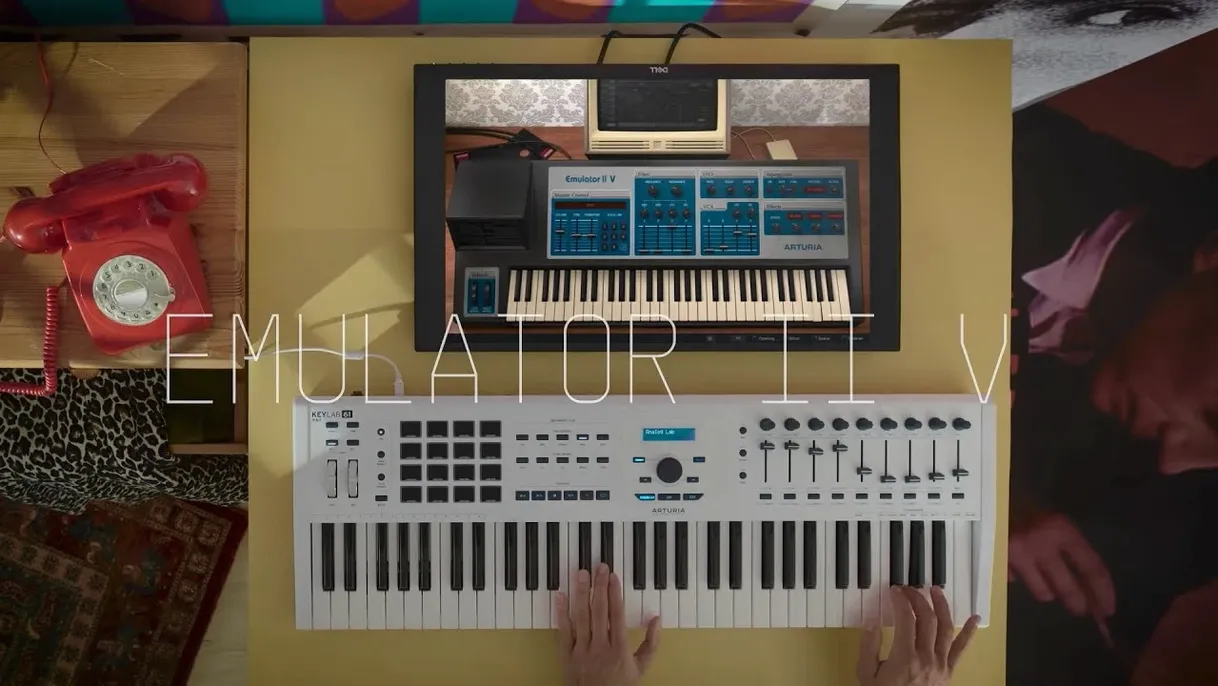
Version 1.6.2 of Arturia Emulator II V keeps the focus on the gritty, 8-bit character that made the 1984 hardware sampler a legend. The interface puts the original controls front and center, so you can shape that lo-fi texture directly.
- Sample selection – A curated library mixes original Emulator and Synclavier samples with modern ones, giving you a broad palette without leaving the instrument.
- Voice architecture – Eight voices of multitimbral sampling let you layer sounds or split the keyboard, just like the hardware.
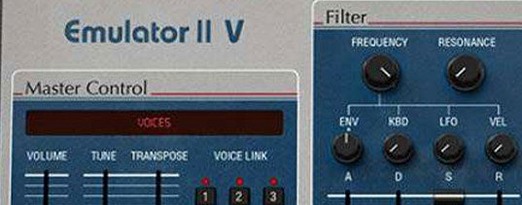
- Filter and envelope controls – The familiar cutoff, resonance, and ADSR knobs respond with the TAE-recreated circuitry, so sweeping feels authentic.
- Arpeggiator – A built-in arpeggiator adds rhythmic movement without extra routing.
- 8-bit companding – The 27.7 kHz sample rate and companding technology shape the sound's signature crunch.
What stands out in a mix is how the Emulator II V sits in its own space. The limited bandwidth and analog-style filters give tracks a vintage weight that modern samplers often polish away. It is a practical tool for adding character to a production.
Browse 250 presets covering brass, pads and percussion
When you open Emulator II V for the first time, take a few minutes to browse the preset library before changing anything. The 250 presets cover a wide range, from classic brass and string pads to percussion and synth sounds. Playing through them gives you a feel for the original Emulator II character and shows what the TAE engine is doing under the hood.
After you have heard a few presets, try loading a single sample layer and adjusting the VCF cutoff and resonance. The filter responds differently than a modern synthesizer filter, so a slow sweep reveals the circuit emulation. Set the ADSR envelope to a medium attack and let the sample ring out to hear how the 8-bit companding behaves at different volume levels.
If you plan to use the instrument in a DAW, set up a track with the arpeggiator active on a short decay pad. This combination often gives unexpected rhythmic ideas. Keep the polyphony at 8 voices initially to stay close to the original hardware limits, then explore the 32-voice setting once you understand the sound character.
Native Apple Silicon support with macOS 11 or later
Emulator II V runs natively on both Intel and Apple Silicon Macs, so no Rosetta translation is needed on M-series machines. It requires macOS 11 or later. The installation package includes clear instructions for activation, so follow those steps carefully the first time.
The interface language is English only, which is typical for instrument plugins. All menus, labels, and tooltips appear in English without localization options. The graphical interface shows editable parameters, so you can click on filter frequency, envelope stages, or LFO rate and see the values change in real time.
Because the instrument uses a sample engine with its own library, the disk space needed for the preset collection is moderate. The TAE technology handles the circuit modeling in software, so the CPU load depends on how many voices and effects you activate. Modern effects and extra modulation options are available as additions to the original architecture.
Internet required for activation only, offline afterwards
Does it sound exactly like the original Emulator II?
Arturia's TAE technology recreates the circuits and functions of the original hardware, including the 27.7 kHz sample rate and 8-bit companding. The character is very close, but a software instrument will never have the exact same noise floor or component drift of a 1984 unit. For practical studio use, the texture and tonal limitations are reproduced convincingly.
Can I load my own samples?
The information available describes the curated sample library that ships with the instrument. The library includes original Emulator and Synclavier samples plus modern material. Whether you can import your own WAV or AIFF files depends on the specific version; check the included documentation inside the package for import capabilities.
Is it compatible with Logic Pro, Ableton Live, or other DAWs?
Emulator II V is a standard software instrument plugin that works with any DAW supporting the VST, AU, or AAX formats on macOS. The activation process is handled through Arturia's software center, and the installer places the plugin in the correct system folders automatically.
27.7 kHz sample rate and 8-bit depth are intentional limitations
You need an internet connection for the initial installation and activation. After activation, the instrument runs fully offline. The activation instructions included in the package explain the process step by step.
Classic Emulator II sounds from the built-in preset library
A common mistake is treating Emulator II V as a modern sampler with pristine resolution. The 27.7 kHz sample rate and 8-bit depth are limitations by design, not faults. Beginners sometimes try to force clean, high-fidelity sounds out of it, which defeats the purpose. Accept the grit and use it where texture matters.
Another error is ignoring the VCF and ADSR controls on each layer. The original Emulator II allowed detailed envelope and filter shaping per voice, and the software version preserves that. Leaving all layers on default settings makes the instrument sound flat. Spend time with the filter cutoff and envelope attack to bring out the instrument's expressive range.
Some users also overlook the arpeggiator because they forget it is there. The arpeggiator can turn a static pad into a rhythmic element without adding more tracks. Activate it on a bass preset and see how it changes the groove of a simple chord progression.
Finally, beginners sometimes try to run too many voices at once on older Macs. The 32-voice polyphony setting is generous, but each voice uses the TAE circuit modeling and effects. If you experience heavy CPU usage, reduce the polyphony to 8 or 16 voices. The instrument still sounds full with fewer voices, and you gain processing headroom for other tracks.
- macOS 11 or later
- Intel or Apple Silicon
- Interface language: English
Questions I keep getting
Does Arturia Emulator II V run on Apple Silicon Macs?
Yes, it supports both Intel and Apple Silicon architectures, and requires macOS 11 or later.
How to install
- Open the downloaded package and follow the installer prompts. The included instructions cover both installation and activation, so keep the readme handy.
Similar apps
Sign in or join the club to leave a comment.
Nobody has commented yet.