

- Version
- 4.0.1
- Studio or maker
- Ample Sound
- Languages
- English
- Activation
- Included
- Runs on macOS
- macOS 10.13 or later
- Chip type
- Apple Silicon, Intel 64-bit
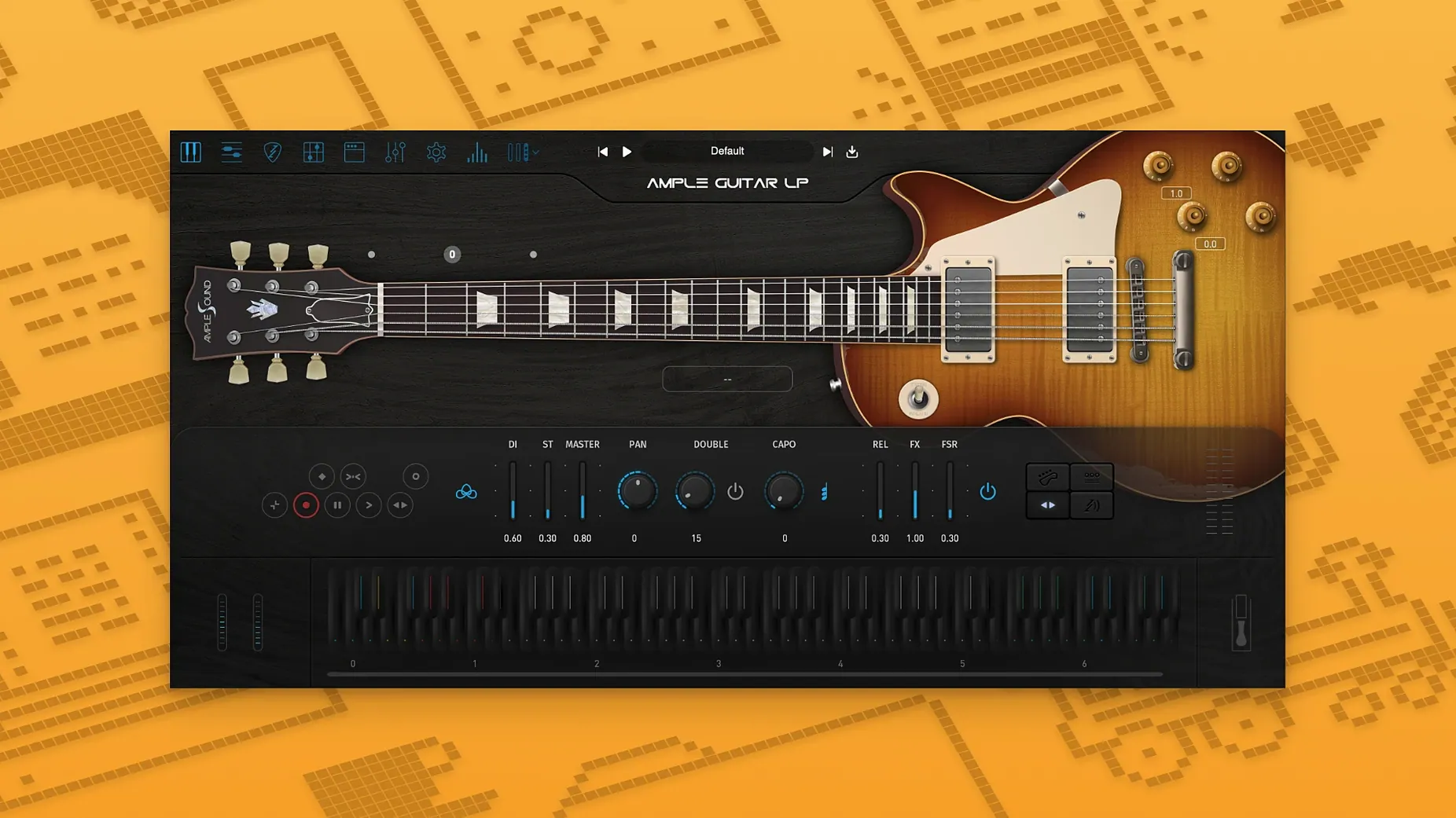
Ample Guitar LP III 4.0.1 runs on both Intel and Apple Silicon Macs, so it fits most machines in a school studio or home setup. Once installed, you get a virtual Les Paul with a built-in amplifier and effects, which means you can shape the tone without leaving the plugin.
The amp section behaves like a real pedalboard: push the gain for rock crunch, roll it back for blues warmth, or keep it clean for jazz chords. The effects let you add delay and reverb right inside, so a dry DI track can become a finished guitar part in one pass.
What makes it useful in a mix is the articulation set. Fingerstyle, picking, and string effects give you the small noises a real player makes, so the part sits naturally against drums and bass. For a quick demo or a full arrangement, it responds like a guitarist, not a sample player.
Plugin not showing up in your DAW after installation
A few things trip people up when they first install the plugin. The most frequent one is the plugin not showing up in the DAW after copying the file. Make sure you placed the component or VST file in the correct system folder. On macOS, Audio Units go into /Library/Audio/Plug-Ins/Components, VST2 into /Library/Audio/Plug-Ins/VST, and VST3 into /Library/Audio/Plug-Ins/VST3. If you put them in your user Library instead of the system Library, some DAWs won't scan them. After moving the file, rescan plugins in your DAW or restart it.
Another snag is the Activation Manager showing an error when you try to start the demo. The official demo period is seven days, and the activation process requires an internet connection for the first run. If you are offline, you need the Challenge Code and User ID method detailed in the included instructions. Keep those instructions handy — they explain the offline steps clearly.
Some users report that the guitar sounds thin when they first load it. That usually means the built-in amp is bypassed or set to a clean preset with no effects. Open the amp section and pick a preset that matches the style you want. The plugin's amp and effects work as a virtual signal chain, so a dry signal without them will sound unprocessed by design.
Older Macs running macOS 10.13 are supported
A common question is whether the plugin works on an older Mac running macOS 10.13 or later. It does. The minimum requirement is macOS 10.13, and it supports both Intel and Apple Silicon architectures, so a 2017 iMac or a 2023 MacBook Pro will run it. There is no separate installer for each chip type; the same package covers both.
Another question is whether the fingerstyle library added in version 4 replaces the older picking library. It does not. The fingerstyle library is an additional articulation set recorded with a 1959 Reissue guitar. You still have the original picking and string effect articulations from previous versions. This gives you more options depending on the part you are writing — fingerstyle for gentle ballads, picking for more defined attacks.
People also ask if the plugin can be used for live performance or if it is only for studio recording. The plugin is designed for studio use, but if your live setup runs a laptop and a DAW, it can work in that context too. The low-latency monitoring depends on your audio interface and buffer settings, not on the plugin itself.
Playing single notes with no expression misses the realism
The biggest mistake is loading the plugin and playing single notes with no expression. A real guitarist varies velocity, uses hammer-ons and pull-offs, and lets notes ring into each other. The plugin responds to MIDI velocity and note length, so a part programmed with constant velocity sounds robotic. Vary your MIDI note velocities between 80 and 120 for a natural feel, and let some notes overlap slightly for legato passages.
Another mistake is ignoring the string effects articulation. Beginners often leave it off, which removes the fret noises and slide sounds that make a guitar part believable. Enable it for transitions between notes or chord changes. It adds a small noise that the ear reads as realism.
New users also tend to overuse the built-in reverb and delay. The amp and effects are modeled after real gear, and it is easy to drown the guitar in effects. A good rule is to add reverb only after the part sits well dry. You can always add more later, but you cannot remove it from the recorded audio.
Finally, some people try to use the plugin without reading the included installation instructions. The file you download contains a folder with a PDF or text file that explains activation and setup. Skipping it leads to the snags described above. Taking five minutes to read it saves time troubleshooting later.
- macOS 10.13 or later
- Works on both Intel and Apple Silicon Macs
- English interface
Questions I keep getting
Does Ample Guitar LP III work on Apple Silicon Macs?
Yes, the plugin is universal and runs on both Intel and Apple Silicon Macs, as long as you have macOS 10.13 or later.
What styles of music can I play with Ample Guitar LP III?
The plugin covers rock, blues, and jazz parts, thanks to its built-in amp and effects plus a range of articulations.
What articulations are included in Ample Guitar LP III?
It includes fingerstyle, picking, and string effect articulations, which add realism to your performances.
How to install
- Install the Mac plugin package. The installer puts the plugin where your DAW expects it.
- Follow the included instructions to finish installation and activation. This step links the plugin to your system so it runs without issues.
Similar apps
Sign in or join the club to leave a comment.
Nobody has commented yet.