
- Version
- 4.1.0
- Studio or maker
- Ample Sound
- Languages
- English
- Activation
- Included
- Runs on macOS
- macOS 10.13 or later
- Chip type
- Apple Silicon, Intel 64-bit
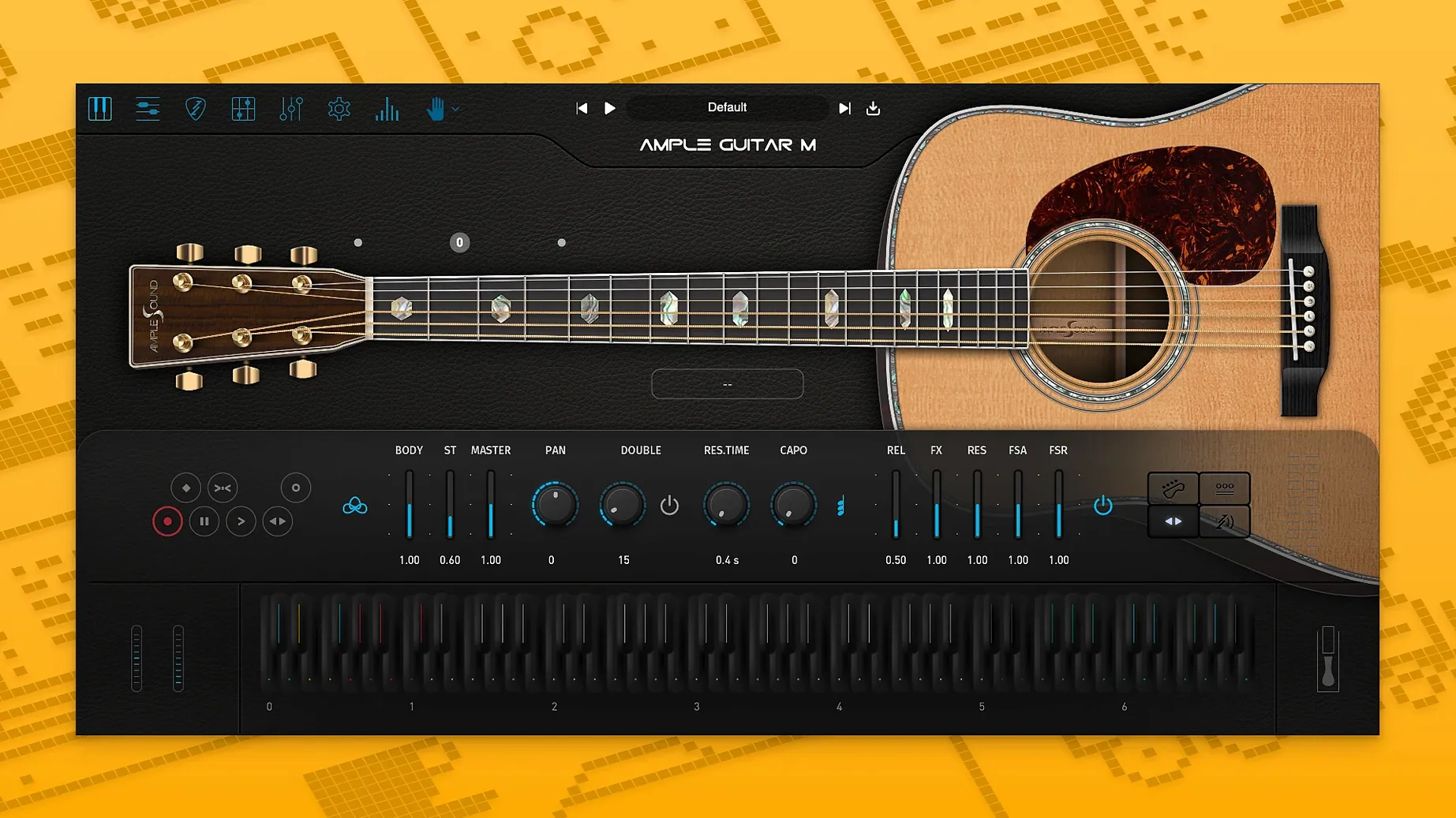
You are building a rhythm track or a fingerpicked part and need the sound of a steel-string acoustic without mic-ing a real Martin D-41. Ample Guitar M gives you that sound as a virtual instrument plugin for your Mac.
| Detail | Information |
|---|---|
| Developer | Ample Sound |
| Version | 4.1.0 |
| Type | Virtual instrument plugin (VST, AU) |
| macOS | 10.13 or later |
| Architecture | Intel 64-bit and Apple Silicon |
The instrument models a Martin D-41 with steel strings and includes a built-in tablature player so you can load and play tab files directly. Its strumming system lets you create rhythm patterns, and the fingering and articulation controls give you realistic performances. The sample library needs to be installed alongside the plugin for it to work. The 4.1 update brings faster sampler engine loading and playback, plus new Auto Vibrato Curve and Swing Quantization options in the Riffer tool.
Auto Vibrato and swing quantization inside the Riffer tool
The 4.1 update adds two features that sit quietly inside the Riffer tool. Auto Vibrato Curve shapes the vibrato for you as you edit a phrase, so you don't have to draw in every wobble by hand. Swing Quantization nudges your notes rhythmically to give a part a looser, human feel. Neither feature shouts for attention, but together they save time when you want a part that breathes instead of one that lands squarely on every grid line.
Another detail worth knowing: the tablature player is not just a playback tool. Because it connects to the fingering and articulation engine, a tab file you load will carry along the technique markings written in the file. That means a hammer-on in your tab stays a hammer-on when the instrument plays it, rather than being flattened into a plain note. For anyone who composes in Guitar Pro and wants to hear what the tab actually sounds like before committing to a final arrangement, this is the part that makes the difference.
The strumming system also works as a pattern sketchpad. You can build a rhythm pattern, hear it immediately, and then tweak the voicing or articulation without having to re-record the whole MIDI clip. It is a small thing, but it keeps the creative loop short when you are experimenting with a chord progression late in the evening.
How it sits among other acoustic guitar plugins
Ample Guitar M is often compared with virtual instruments from other sampled-guitar houses. The most direct comparison is with the similar offerings from Ample Sound's own family, which share the same engine and workflow but model different guitars. If you own more than one of them, the interface and the way you approach a track stay consistent, which is handy when you switch between a steel-string part and a nylon-string one.
Outside that family, you might look at products that focus purely on strummed rhythms or purely on fingerpicked leads. Those tools tend to specialize in one direction. Ample Guitar M covers both, and it adds the tablature player, which is something you will not find in every comparable plugin. The trade-off is that you have to spend a little time learning where everything lives, but the layout is straightforward once you have played with it for a session or two.
Forgetting to download the separate sample library
The most frequent issue people run into is forgetting that the sample library is a separate download. The plugin itself installs fine, but the instrument stays silent until the library is in place. If you open a project and hear nothing, check that the library files are where the installer put them and that your host is pointing at the right plugin location.
Another snag shows up when the sample library and the plugin version do not match. If you update the plugin but keep an older library, the instrument may not load properly. The fix is to grab the matching library from the same download page and run its installer again. The same goes for the activation step: the package includes instructions, so follow them in order rather than jumping ahead.
On older Macs running macOS 10.13, it is worth confirming that your audio host still recognizes the plugin after a system update. Occasionally a host will rescan plugins and lose track of one that was installed before the update. A quick rescan usually brings it back.
AU and VST support for Logic, GarageBand, and other DAWs
Ample Guitar M behaves like any standard audio unit plugin, which means it slots into Logic Pro, GarageBand, and other hosts that support AU. If your DAW uses VST format instead, the plugin covers that too. Because it is available for both Intel and Apple Silicon Macs, you do not have to worry about which architecture your machine runs when you install it.
You can also pair it with your own MIDI hardware. A keyboard or a pad controller works fine for triggering notes, and the strumming system responds to how you play, so you can get a natural feel without manually drawing every chord. For those who prefer to write parts out, the Guitar Pro file loading means you can keep composing in your usual notation tool and then bring the result into the plugin for a realistic playback.
The tablature player also makes Ample Guitar M a useful practice companion. If you teach yourself a song from a tab file, you can load it here and slow the playback down to learn the fingering. The articulation engine makes sure the techniques come through, so you hear what the part should sound like, not just a flat sequence of notes. It turns the plugin into a rehearsal tool as much as a production instrument.
If you are hunting for a download, terms like ample guitar mac torrent might surface, and the same goes for ample guitar m torrent and ample sound torrent.
- macOS 10.13 or later
- Intel 64-bit or Apple Silicon processor
- Sample library (required)
Questions I keep getting
Do I need to install a separate sample library?
Yes. The plugin requires the sample library to be installed for it to produce sound.
Does it work on Apple Silicon Macs?
Yes. Ample Guitar M supports both Intel 64-bit and Apple Silicon architectures natively.
How to install
1. Extract the archive or open the DMG file. 2. Open the PKG installer. 3. Follow the on-screen instructions to continue the installation. 4. Use the included activation instructions to complete the setup.Similar apps
Sign in or join the club to leave a comment.
Nobody has commented yet.