
- Version
- 2026.02
- Studio or maker
- Arturia
- Languages
- English
- Activation
- Included
- Runs on macOS
- macOS 11 or later
- Chip type
- Apple Silicon, Intel 64-bit
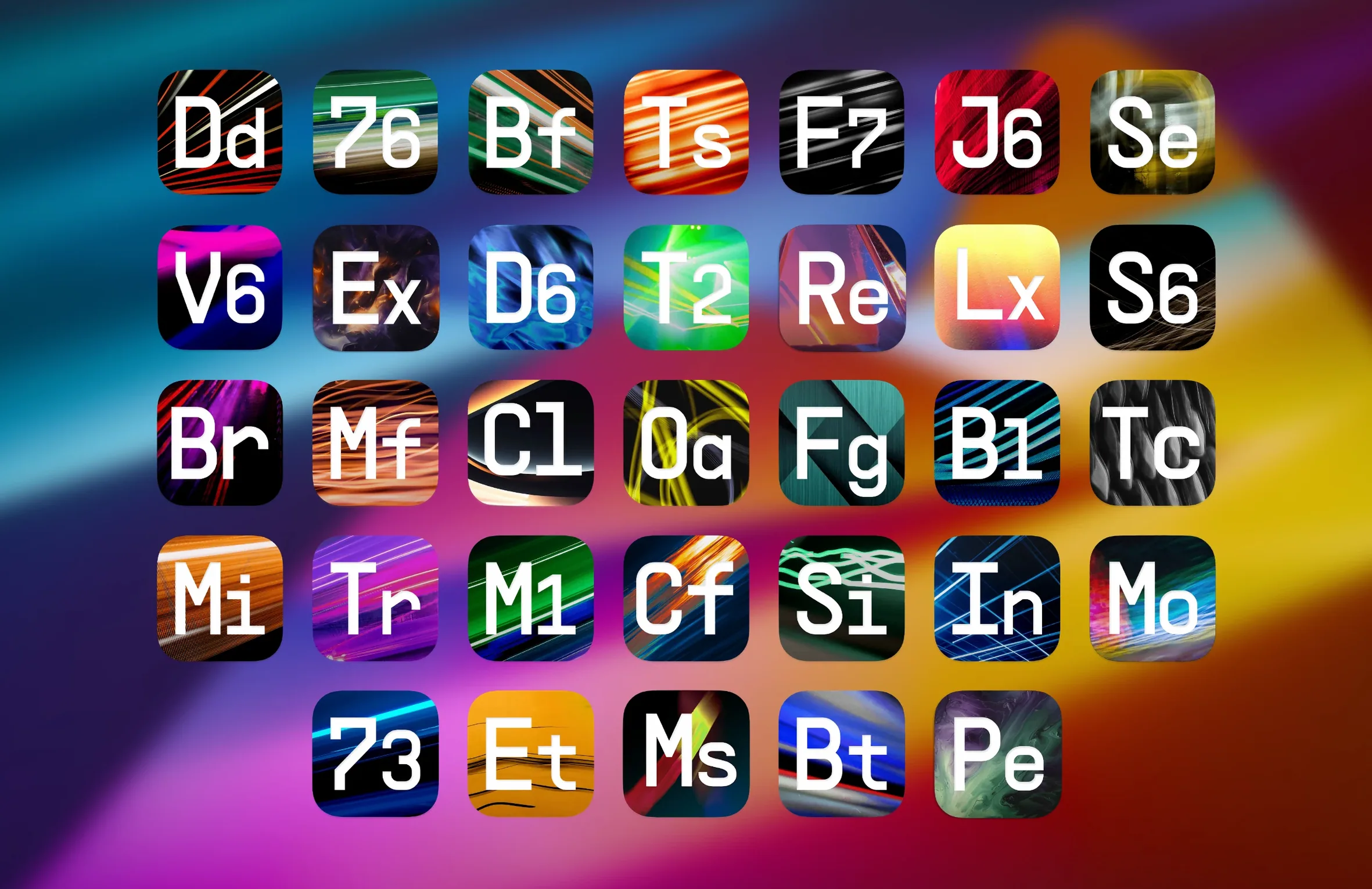
The 2026.02 update of Arturia FX Collection 6 adds three new processors: Efx Ambient, Mix Drums, and Tape J-37. Here is where each tool fits in a typical session.
Effects and their place in the signal chain
Efx Ambient — A reverb and spatial processor for buses. Use it to place tracks in a room without eating the mix.
Mix Drums — A drum bus tool. Handles compression, gating, and parallel processing so you can shape a kit in one plugin.
Tape J-37 — A tape emulator for tracks or the master bus. Adds saturation, wow, and flutter.
The full suite contains 39 effects. It supports ARM and 64-bit x86. AAX plugins do not work in this version. Interface language is English.
Parallel processing — The suite lets you blend dry and wet signals inside each plugin, useful for parallel compression or reverb sends.
Plugins that trip up new users at first install
When you first install the suite, a few things tend to trip people up. Here are the ones I hear about most often in the game club — except this time it is producers, not players, asking for help.
Plugins do not appear in your DAW. After installing, open your DAW's plugin manager and do a rescan. The suite includes AU and VST3 versions, but AAX plugins are not present in this build, so Pro Tools users will not see them. If you use Logic, check the AU section. If you use Ableton or Cubase, look for VST3. Restarting the DAW once after installation usually clears this up.
Activation does not stick. The package includes activation instructions. Follow them in order. A common mistake is skipping a step or running the installer without reading the included text file. If the plugins keep asking for a license, remove the installed components, reboot, and run the installer again, carefully following each step this time.
Plugins crash or cause errors on an Intel Mac. The suite supports both Apple Silicon and 64-bit Intel, but if you are on an older Intel Mac running macOS 11 or later, make sure your DAW is also 64-bit. Older 32-bit DAWs will not load these plugins. If you see a crash on scan, try running your DAW in Rosetta mode temporarily — some older plugin hosts handle the transition better that way.
No sound or weird audio after loading a plugin. Check that the plugin is not in bypass mode. Some users accidentally click the bypass button when trying to open the GUI. Also verify that your audio buffer size is not set extremely low; the tape and reverb plugins can be heavy on processing, and a very small buffer may cause dropouts.
Quick time-savers hidden in the 1,400 preset library
Arturia packed in a few things that are easy to overlook but save time once you know they are there.
More than 1,400 presets are included across the 39 effects. Browsing presets is a fast way to learn what each plugin does. Start with a preset that matches your source material — drums, vocals, synth — then tweak from there.
Parallel processing built in. Many of the compressors and reverbs let you blend the dry and wet signals inside the plugin itself, so you do not need to set up an extra send/return channel in your DAW. This is especially handy on the bus compressors and the new reverb.
A wide range of effect types. The suite covers compressors, equalizers, reverbs, delays, modulation, distortion, and filters. If you are used to reaching for one go-to reverb or compressor, having all these in one collection means you can swap them quickly without hunting for licenses or file locations.
Mac system requirements: macOS 11 or later, Apple Silicon or Intel
The requirements are straightforward: macOS 11 or later, and an Apple Silicon or Intel processor (64-bit). The suite does not need a specific minimum RAM or disk space number from me — check the installer size before you start downloading, as it is a collection of 39 plugins plus presets. Expect a substantial download.
The plugins run as AU or VST3. If your DAW supports both, I usually recommend VST3 for compatibility with most modern hosts, but AU works fine in Logic and GarageBand. AAX is not included in this version, so if you rely on Pro Tools, you will need a different build.
Interface language is English only. There is no multi-language option in this release.
Because the suite includes tape emulation and algorithmic reverbs, it benefits from a reasonably modern processor — but if your Mac runs macOS 11 or later, it will load and process audio without issue. The tape wow and flutter effects, for instance, add a subtle movement that does not require high CPU if you keep the quality setting moderate.
DAW compatibility: AU and VST3 for Logic, Ableton, Cubase and more
Can I use these plugins in any DAW? Yes, as long as your DAW supports AU or VST3. That covers Logic, Ableton Live, Cubase, GarageBand, Studio One, FL Studio, and most others. Pro Tools users will need to wait for an AAX-compatible version or use a bridge.
Do I need an iLok or online activation? The package includes its own activation instructions and does not require an iLok dongle or constant internet connection after activation. The exact method is described in the included documentation.
Will these plugins work alongside older Arturia effects? Yes. The 2026.02 update installs alongside earlier versions if you keep them. Just be aware that your DAW may see duplicates of the same effect name. I recommend removing older versions of the same plugin to avoid confusion.
Is the suite beginner-friendly? It depends on your comfort with audio effects. The presets help a lot. If you are new to compression or reverb, starting with a preset and turning one or two knobs is a good way to learn. The interface stays close to the hardware originals, so if you have ever used a real compressor or tape machine, the layout will feel familiar.
What if I only need a few of the 39 effects? You still install the whole suite. There is no a la carte option in this release. The upside is that you get everything — you might discover a filter or delay you would not have tried otherwise.
- macOS 11 or later
- Apple Silicon or Intel 64-bit x86 processor
Questions I keep getting
Does this version work on macOS 10.15?
No. It requires macOS 11 or later.
Is the suite compatible with Apple Silicon?
Yes. It supports both Apple Silicon and Intel 64-bit x86 processors.
Why do AAX plugins not work?
The 2026.02 package does not include AAX support. You will need a different installer for Pro Tools users.
How to install
1. Read the installation and activation instructions included in the package. 2. Install the components that come with the download. 3. Follow the activation steps provided.Similar apps
Sign in or join the club to leave a comment.
Nobody has commented yet.