

- Version
- 1.0.0
- Studio or maker
- Arturia
- Languages
- English
- Activation
- K'ed by MORiA
- Runs on macOS
- OS X 10.10 or later
- Chip type
- Apple Silicon, Intel 64-bit
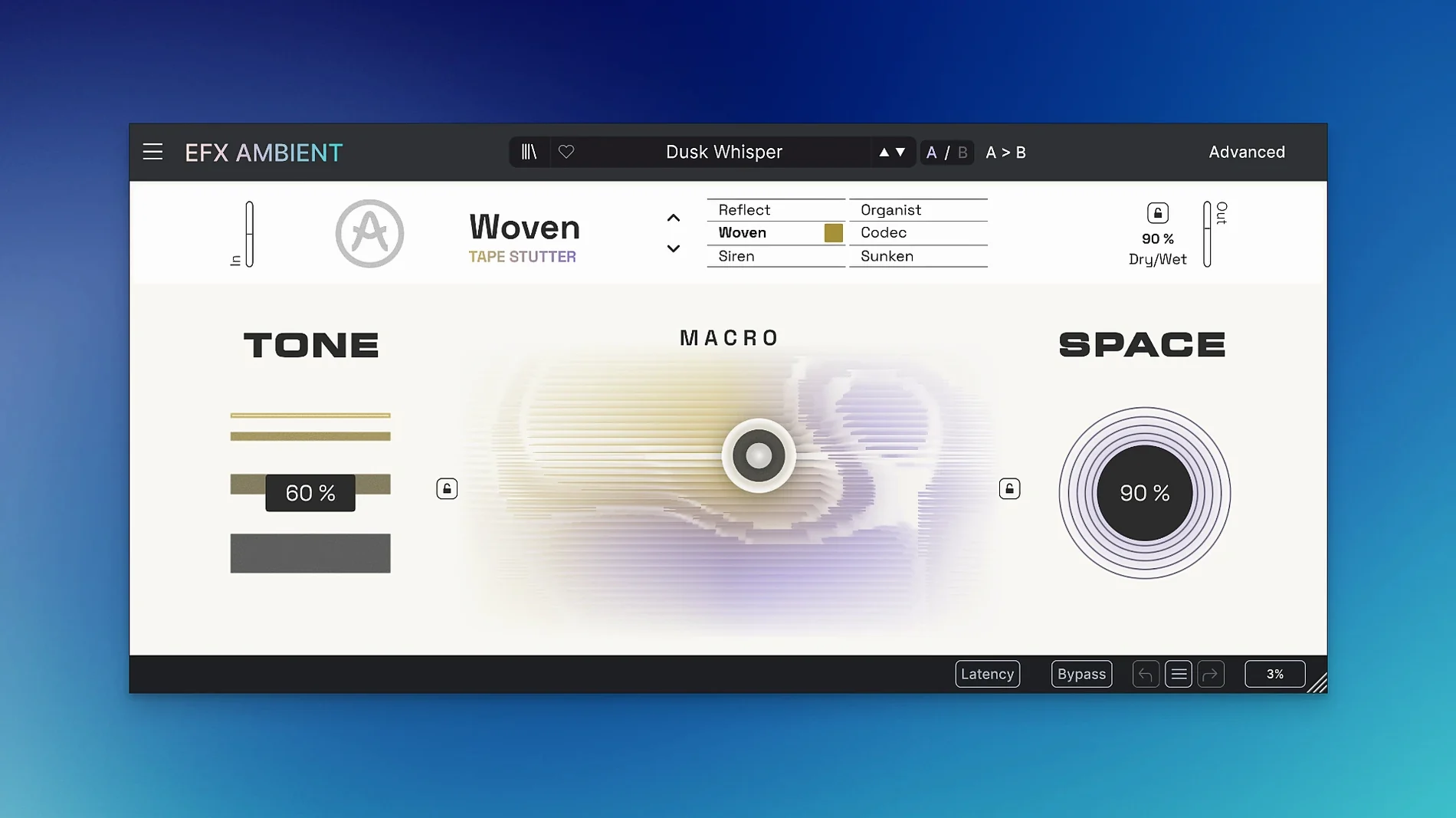
If you already reach for a reverb when a track needs space, Efx AMBIENT is the next step. It is a creative effect plugin that turns ordinary sounds into soft, blurred textures or unusual transitions, so it sits naturally on a return bus or a dedicated audio track.
Where does it fit in a session?
On a pad or drone track
Run a sustained chord through it and the six modes shape the tone into something wide and atmospheric. The expressive 2D Macro control lets you morph between textures in real time, which is handy for building tension.
On a vocal or guitar bus
For cinematic effects, send a bus to AMBIENT and blend it underneath the dry signal. The reverse playback mode is a quick way to make a rising swell before a chorus or a scene change.
On a transition between sections
Use it on a snare roll or a riser to stretch the sound into a shimmering wash. The multiple processing technologies combine cleanly, so you get a coherent effect without stacking several plugins.
Inserting efx AMBIENT on a dry piano loop
I open a project where I have a simple piano loop that feels too dry. The loop is eight bars, repetitive, meant to sit underneath a voiceover. I insert efx AMBIENT as an audio effect on the track, not on a send, because I want the whole sound transformed.
I start in the default mode. The piano becomes softer, less percussive, and the sustain stretches out. I turn the motion control slowly while the loop plays. The sound shifts — not like an automation ramp, but like the room itself is changing shape. After a few passes I settle on a position where the piano sounds distant but clear.
Next, I duplicate the loop to a second track and try the reverse playback mode. The reversed piano rises into the original loop, creating a natural swell. I adjust the depth control so the reverse effect is subtle, not like a tape running backward. The two tracks together feel bigger than anything I could get from a single reverb plugin.
For the final section of the piece, I want a transition out of the piano part. I automate the 2D Macro control to drift from one corner of the grid to another over four bars. The sound deforms slowly — the pitch bends, the texture blurs, and the loop fades into a wash that I can let ring for another two bars before the next section starts. The whole process takes maybe ten minutes, and I did not touch a single other plugin.
Three adjustments to make the default shimmer your own
When you open efx AMBIENT for the first time, the default mode and macro position give you a moderate shimmer. That is a fine starting point, but I recommend three quick adjustments to make it yours.
Start with the mode selector. Cycle through all six modes with a short audio loop playing. Each mode changes the character completely. The soft texture mode is good for background pads, the pitch-shifting mode adds movement, and the deformation mode turns clean sounds into something almost granular. Pick one that matches the mood you want before touching anything else.
Turn the depth control to about halfway. The default setting is conservative. Pushing depth a little opens up the effect without making it overwhelming. You can always dial it back if the sound gets too washed out.
Open the Advanced panel early. The time-based shaping controls let you adjust how the effect responds to the input signal. I set the attack a bit slower so the effect blooms after the note starts rather than jumping in immediately. That small change makes pads feel more natural.
Building an empty underground station with efx AMBIENT
A friend of mine works on sound for a small indie game that takes place in an abandoned underground station. She needed a background ambience that felt empty but not silent — something that suggested distant water and shifting air. Field recordings of dripping pipes and footsteps on concrete sounded too literal.
She ran a recording of a single low piano note through efx AMBIENT in the detailed sound deformation mode. The note stretched into a long, unstable drone with slight pitch variations. She layered three instances with different macro positions: one high, one low, one mid. The result was a texture that changed subtly over time without any visible looping. She exported a ten-minute file and used it as a base layer for the whole level. No other effects, no additional processing. The developer heard it and asked if she had recorded actual underground acoustics.
That kind of result is what makes efx AMBIENT useful beyond music production. It fits into any workflow where atmosphere matters more than rhythm.
The plugin works on both Apple Silicon and Intel Macs through a 64-bit build, so it is a safe addition to most setups.
- Initial release version 1.0.0.
- macOS 10.10 or later
- 64-bit Mac (Intel or Apple Silicon)
- Interface language: English
Questions I keep getting
What kinds of sounds work best with Efx AMBIENT?
It is built for ambient pads and unusual transitions, so sustained notes, vocals, and even noise sweeps respond well.
Does it support Apple Silicon Macs?
Yes, the downloads page lists support for both Apple Silicon and Intel through a 64-bit Mac build.
How many processing modes does it have?
There are six distinct modes, including one set that produces soft, blurred textures and another that includes reverse playback.
How to install
- Open the downloaded disk image.
- Run the standard installer.
Similar apps
Sign in or join the club to leave a comment.
Nobody has commented yet.