
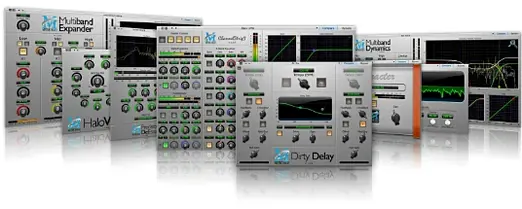
- Version
- 2025.05 (4.0.23.187)
- Studio or maker
- Metric Halo
- Languages
- English
- Activation
- K'ed by ARTiC
- Runs on macOS
- macOS 11 or later
- Chip type
- Apple Silicon
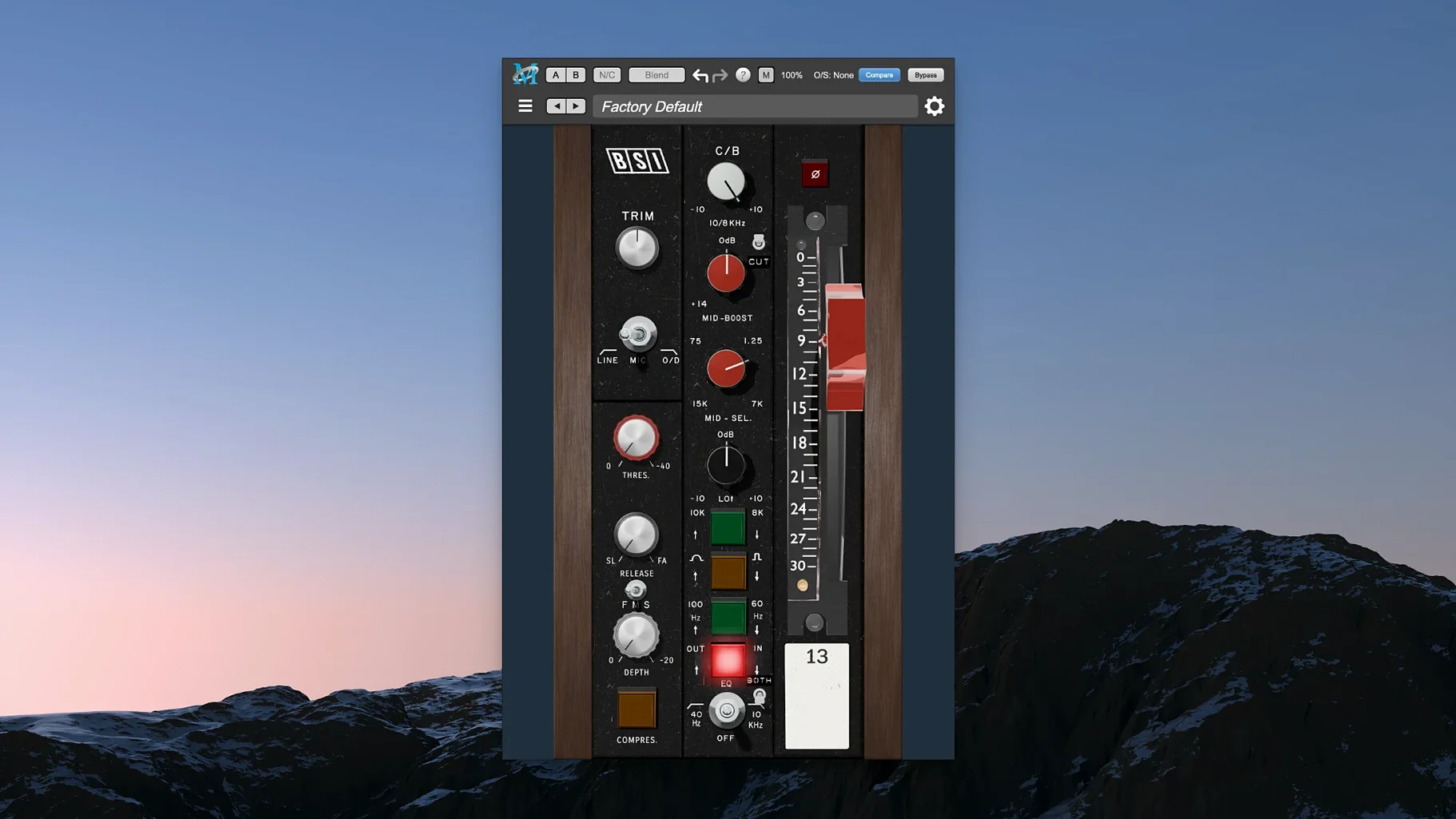
If you already work with a digital audio workstation on your Mac, the Metric Halo Production Bundle adds a set of signal processing plug-ins that fit into your existing workflow. The bundle includes several processors rather than a single tool, so you can reach for different ones depending on the track.
Setting up your chain with the bundle
- Insert ChannelStrip on a vocal or instrument track. It combines EQ, compressor/limiter, gate/expander, and sidechain functions in one interface, so you can shape the sound without loading multiple plugins.
- Use Precision De-Esser after the compressor to tame sibilance on vocals without dulling the rest of the performance.
- Add HaloVerb on a send track for algorithmic reverb that sits naturally behind the source.
- Try Thump on bass or kick tracks for harmonic synthesis that adds weight in the low end without distorting the original signal.
MIOStrip is also in the bundle, a lighter version of ChannelStrip for simpler tasks. The plugins run on macOS 11 and later with full Apple Silicon support, so they work on current Macs without translation.
Common beginner mistakes (and how to avoid them)
When you first open ChannelStrip, it is easy to overshoot. The EQ has a lot of gain range, and new users often boost a frequency by 6 or 8 dB without realizing how quickly that changes the balance of a mix. Start with small adjustments, around 1 to 3 dB, and listen before reaching for more. The compressor section also tempts beginners into heavy gain reduction. A few dB of compression is usually enough to glue a track together.
Another mistake is processing everything through ChannelStrip because it is the first plug-in in the bundle. MIOStrip exists for a reason — it gives you the same clean signal path with fewer controls. Use it on tracks that only need light EQ or a simple gate. That leaves ChannelStrip for the tracks that genuinely need its full toolset.
Beginners sometimes forget that Precision De-Esser works best after compression. If you place it before the compressor, the compressor can re-introduce sibilance by bringing up quieter high-frequency content. The order matters: compression first, then de-essing.
Thump is another place where new users overdo it. A little harmonic synthesis adds weight; too much makes the low end sound muddy or artificial. Start with the mix control at around 20% and dial up only if the track needs it.
I used ChannelStrip to fix a roomy folk-rock vocal
I was working on a folk-rock mix last week. The lead vocal had too much room sound and needed some presence. I started by inserting ChannelStrip on the vocal track. I pulled the low-shelf down a couple of dB to reduce floor rumble, then added a small boost around 5 kHz to bring out clarity. The compressor was next — I set the ratio for about 4 dB of reduction on the loudest phrases. That evened out the performance without squashing it.
On the vocal bus, after the compressor, I added Precision De-Esser. The threshold was set so it caught only the harsh "s" and "t" sounds. With the attack set to fast, the de-esser worked only when needed and left the rest of the vocal untouched.
For the acoustic guitar, I used MIOStrip instead of ChannelStrip. I only needed a high-pass filter and a touch of compression to keep the strumming even. MIOStrip handled that without the extra controls cluttering the view.
The bass track got Thump. I dialed in a little harmonic synthesis to reinforce the fundamental frequency of the bass notes.
Finally, I set up HaloVerb on an auxiliary send. I chose a medium room algorithm and sent the vocal and snare to it. The reverb sat behind the sources naturally, no pre-delay needed for this tempo.
Set the gate threshold to catch only noise between phrases
When you open ChannelStrip for the first time, the default settings are fairly neutral, but a few adjustments can make your workflow faster. Set the gate threshold to a point where it catches only the noise floor between phrases. That keeps the track clean without cutting off tails. In the compressor section, adjust the release time to match the tempo of your song — faster for uptempo material, slower for ballads.
In Precision De-Esser, the threshold is the most important control. Start with it high and lower it until the de-esser activates only on the strongest sibilants. The frequency band setting is also worth adjusting to match the vocalist's natural sibilant range.
Thump has a character control that changes the texture of the harmonics. For a subtle effect, leave it at the default position. If you want more aggressive low-end saturation, nudge it up gradually.
HaloVerb benefits from a quick adjustment of the early reflections level. A higher level gives a closer, more intimate reverb. A lower level creates a sense of distance.
- macOS 11 or later
- Apple Silicon processor
- Interface language: English
Questions I keep getting
Which plug-ins are included in the Metric Halo Production Bundle?
The bundle includes ChannelStrip, Precision De-Esser, HaloVerb, Thump, MIOStrip, and several other signal processing plug-ins.
Is the bundle compatible with Apple Silicon Macs?
Yes, the bundle runs natively on Apple Silicon and supports macOS 11 and later.
Can I use ChannelStrip for sidechain compression?
Yes, ChannelStrip includes sidechain functions as part of its compressor and gate sections.
How to install
- Open the downloaded package and follow the installation instructions included inside.
- After installation, launch your DAW and scan for new plugins to load the bundle components.
Similar apps
Sign in or join the club to leave a comment.
Nobody has commented yet.