

- Version
- 1.2.0
- Studio or maker
- Minuit Une
- Languages
- English
- Activation
- Included
- Runs on macOS
- macOS 12 or later
- Chip type
- Apple Silicon, Intel 64-bit
Minuit Solstice runs on both Intel and Apple Silicon Macs, as long as you have macOS 12 or later. That covers most modern machines, whether you are on an M1 or an older Intel model. The plugin installs as a standard VST or Audio Unit, so it works in Logic, Ableton Live, Cubase, and other common hosts.
Supported formats and hosts
- VST3 and Audio Unit formats
- Works in all major DAWs on Mac
- Supports MPE and MTS-ESP for microtonal and expressive control
What the plugin does
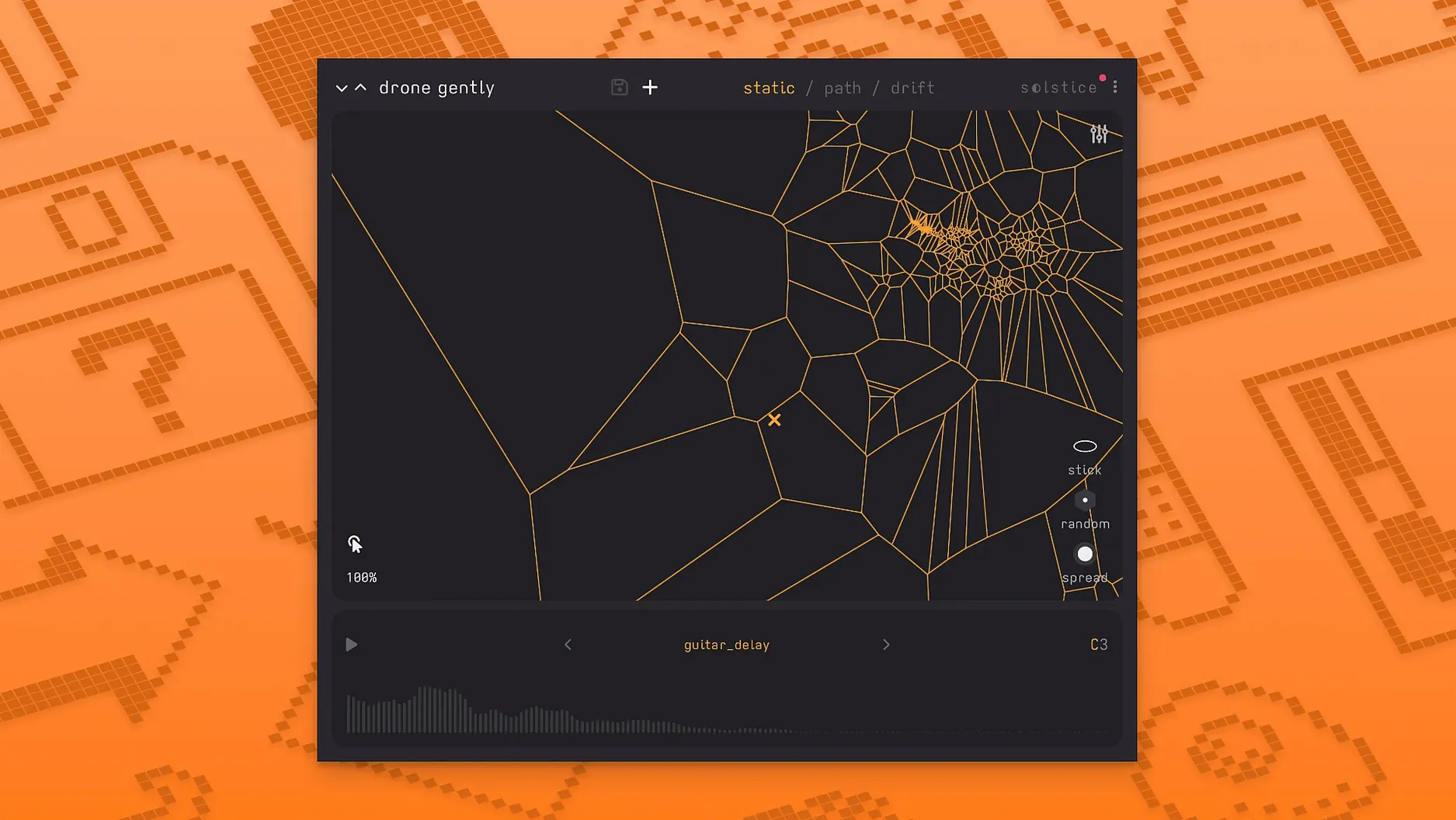
You drop any audio sample into Solstice, and it analyzes the sound to create a two-dimensional map. Click or drag across the map to morph between different timbres smoothly. The 1.2 update adds five spectral effects — texture, tilt, flutter, stretch, and bloom — plus saturation and glue for shaping the sound. You can also let the map drift automatically for unpredictable patterns. It is a creative tool for turning static samples into live, playable instruments.
Working with the spectral effects
The five effects in version 1.2.0 each change the sound in a distinct way. Texture adds a kind of grain or roughness to the spectral content. Tilt shifts the balance of frequencies, tilting toward brighter or darker tones. Flutter introduces movement by modulating the spectral bands. Stretch expands or compresses the spectral spread, making the sound feel wider or narrower. Bloom opens up the upper harmonics for a shimmering quality. You can combine them to shape how the sample map responds as you move across it.
Build a drone piece from a single cello note or field recording
Start with a single long sample, maybe a cello note or a field recording of wind. Load it into Solstice, and the plugin generates the two-dimensional map of timbral regions. Set the drift to automatic and adjust the rate so the cursor wanders slowly across the map. Add a light layer of bloom and a touch of tilt to warm the sound. The cursor will trace unpredictable paths, creating a evolving drone without touching anything. If you want more control, use an MPE controller to steer the cursor while the drift adds small variations.
Auto root note detection and reverb modulation save time
The auto root note detection saves you from figuring out the key of your sample manually. When you load a sample, Solstice identifies the root and adjusts the map accordingly. The reverb modulation control lets you add movement to the reverb tail, which helps the sound stay interesting during long, slow passages. The crisp pitch shifting keeps transpositions clear even when you move far from the original sample. These are details that make Solstice practical for extended sessions, not just short experiments.
One useful scenario for a sound designer
A sound designer working on a podcast or film score has a library of environmental recordings. They load a recording of rain into Solstice and use the stretch effect to spread the spectral content, turning short raindrops into sustained textures. The flutter effect adds gentle variation, so the sound never repeats exactly. The cursor drifts across the map, generating a continuously shifting background. This approach works for ambient beds, transitions, or even abstract sound effects that change over time without looping obviously.
Drag in a piano note, click the map to hear timbre shifts
Open Solstice in a DAW track. Drag a short audio file, like a single piano note or a vocal phrase, into the plugin window. The map appears, showing clusters of similar timbres. Click on different areas to hear how the sample transforms. Start with the texture effect set to a low value to add slight roughness. Then enable the drift and set a slow speed. Record the output for a few minutes. The result is a piece that evolves on its own, useful as a bed or an experimental layer in a larger arrangement.
- Basic MPE support added
- MTS-ESP support added
- Five spectral effects added: texture, tilt, flutter, stretch, and bloom
- macOS 12 or later
- Intel or Apple Silicon processor
- VST3 or Audio Unit compatible host
How to install
- Follow the included installation instructions to copy the plugin to your system's plug-in folder.
- Use the included activation instructions to authorize the plugin.
Similar apps
Sign in or join the club to leave a comment.
Nobody has commented yet.