
- Version
- 1.0.1
- Studio or maker
- Neural DSP Technologies
- Languages
- English
- Activation
- K'ed by FLARE
- Runs on macOS
- macOS 10.15 or later
- Chip type
- Apple Silicon, Intel 64-bit
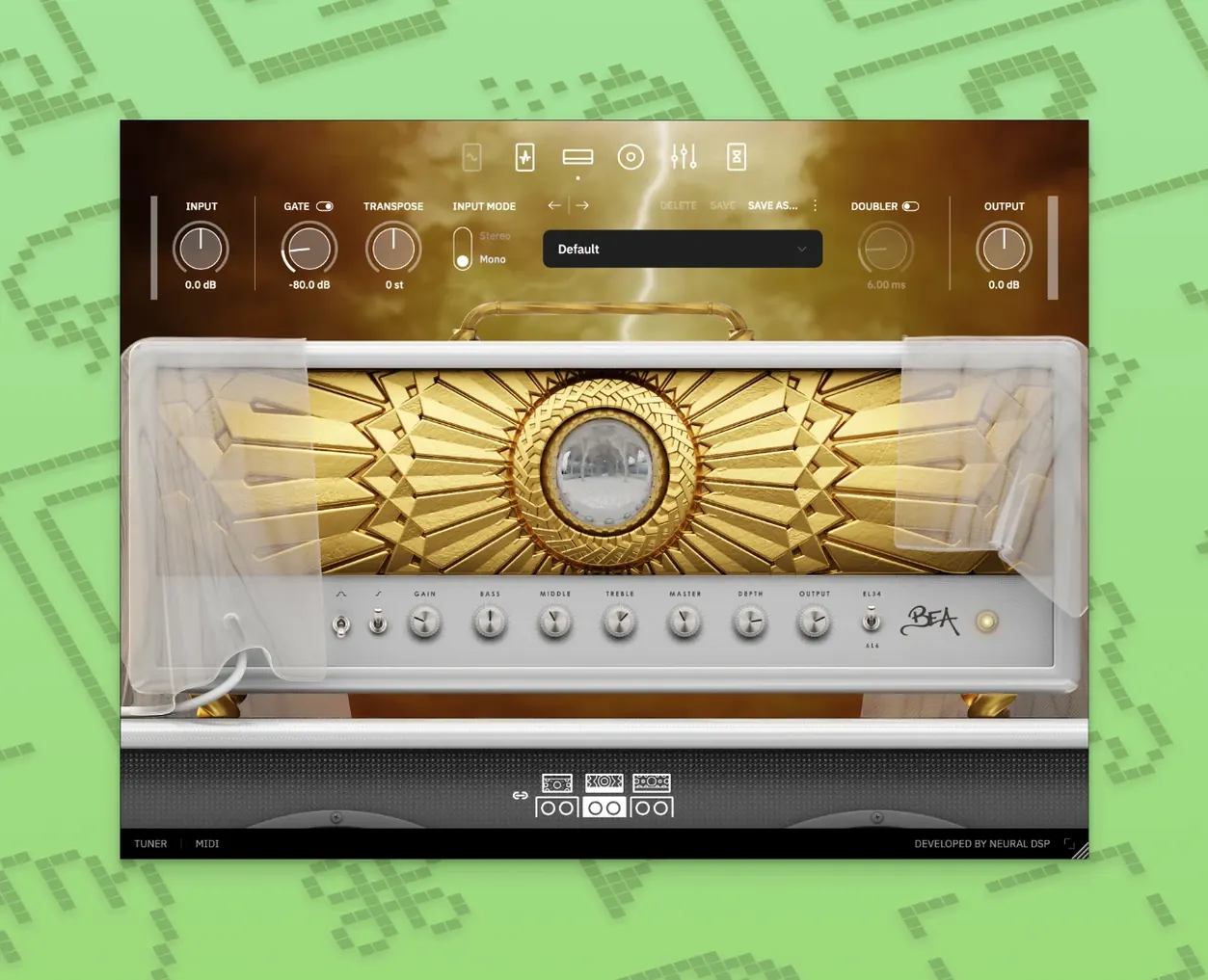
Overlord, the monophonic synth inside Archetype Rabea X, can trigger up to two oscillators at once. That dual-oscillator setup changes how the plugin sits in a mix: single notes get a thick, layered bottom end, while chords stay clear because the synth tracks only one pitch at a time. The amp and effects section handles the rest of the tone shaping.
Blends amp distortion with synth textures
- Modern guitar tones that blend amp distortion with synth textures
- Recording or playing live where a single plugin covers both guitar and synth layers
- Players who want a controlled monosynth voice alongside traditional amp sounds
64-bit plugin for Apple Silicon and Intel Macs
- 64-bit plugin only; 32-bit hosts won't load it
- Runs natively on Apple Silicon and Intel Macs
- Requires macOS 10.15 or later
A session with Archetype Rabea X
I opened a new project in my DAW, added a mono audio track, and loaded Archetype Rabea X as an insert. The standalone version works too if I just want to practice without a full project open. I left the amp defaults for a moment and focused on the Overlord section first.
Dialing in the monosynth meant setting two oscillators to different intervals — a fifth and an octave below the root. Playing single notes on the low E string gave me a rumbling, organ-like weight. When I switched to a single-note melody higher up the neck, the synth tracked cleanly, no glitches between pitches. The amp section added enough edge to keep the synth from sounding sterile.
Next I turned the synth off and used only the amp and effects. The drive control is straightforward: low settings for clean breakup, higher for saturated leads. I recorded a simple riff, then duplicated the track, re-enabled the synth on the copy, and panned them left and right. That gave me a wide stereo image with the dry guitar on one side and the synth-heavy version on the other.
For a live setup, I ran the standalone version through my interface's direct monitoring. The latency felt usable for real-time playing, and having the synth and amp in one plugin meant fewer cables and no routing between separate programs. I could hear the oscillator blend shift as I adjusted the interval knob, which is handy when you want to find a sweet spot mid-session without stopping playback.
No synth layer in Archetype Cory Wong
Neural DSP's own Archetype Cory Wong focuses on clean and funk tones with a dynamic amp section, but it has no synth layer at all. If your sound relies on amp clarity and compression, that one is a better match. Rabea X gives you the same polish but adds the Overlord monosynth, which changes the approach to riff writing.
Comparing to Amplitube 5, you get a broader amp collection and pedalboard emulations, but no built-in synth. You could route a separate synth plugin alongside it, but that means two instances, more CPU, and extra routing. Rabea X keeps everything inside one window, which simplifies both recording and live use.
Guitar Rig 6 offers flexible effects and amp modeling but leans toward experimental signal chains rather than synth integration. Its strength is unconventional sound design, not a focused monosynth voice. For players who want a predictable, playable synth that reacts to guitar input, the Overlord section in Rabea X feels more intentional and less like a workaround.
Recording guitarists who layer synth pads and bass
Recording guitarists who double parts with synth pads or bass lines will appreciate having both sources in one plugin. You record once, split the signal internally, and blend to taste. If you often layer a clean synth underneath distorted guitar, the dual-oscillator monosynth saves you from opening a separate virtual instrument and mapping it to your guitar track.
Live performers using a laptop as their rig benefit from the standalone mode and the single-plugin workflow. No need to switch between a guitar amp sim and a synth VST mid-set. A single instance handles both sounds, and the controls are accessible without digging through submenus.
Players exploring modern metal or progressive rock will find the synth-amp blend useful for creating textural contrast during verses and choruses. The monosynth adds a vocal-like sustain that typical amp distortion alone cannot produce. And because the plugin runs natively on Apple Silicon and Intel Macs, it fits into most current studio setups without extra compatibility steps.
- macOS 10.15 or later
- Apple Silicon or Intel processor
- 64-bit host application
How to install
- Mount the downloaded disk image.
- Run the standard installation procedure.
Similar apps
Sign in or join the club to leave a comment.
Nobody has commented yet.