- Version
- 2027
- Studio or maker
- Autodesk
- Languages
- English
- Activation
- K'ed by QiuChenly Crack Team
- Runs on macOS
- macOS 12 or later
- Chip type
- Apple Silicon, Intel 64-bit
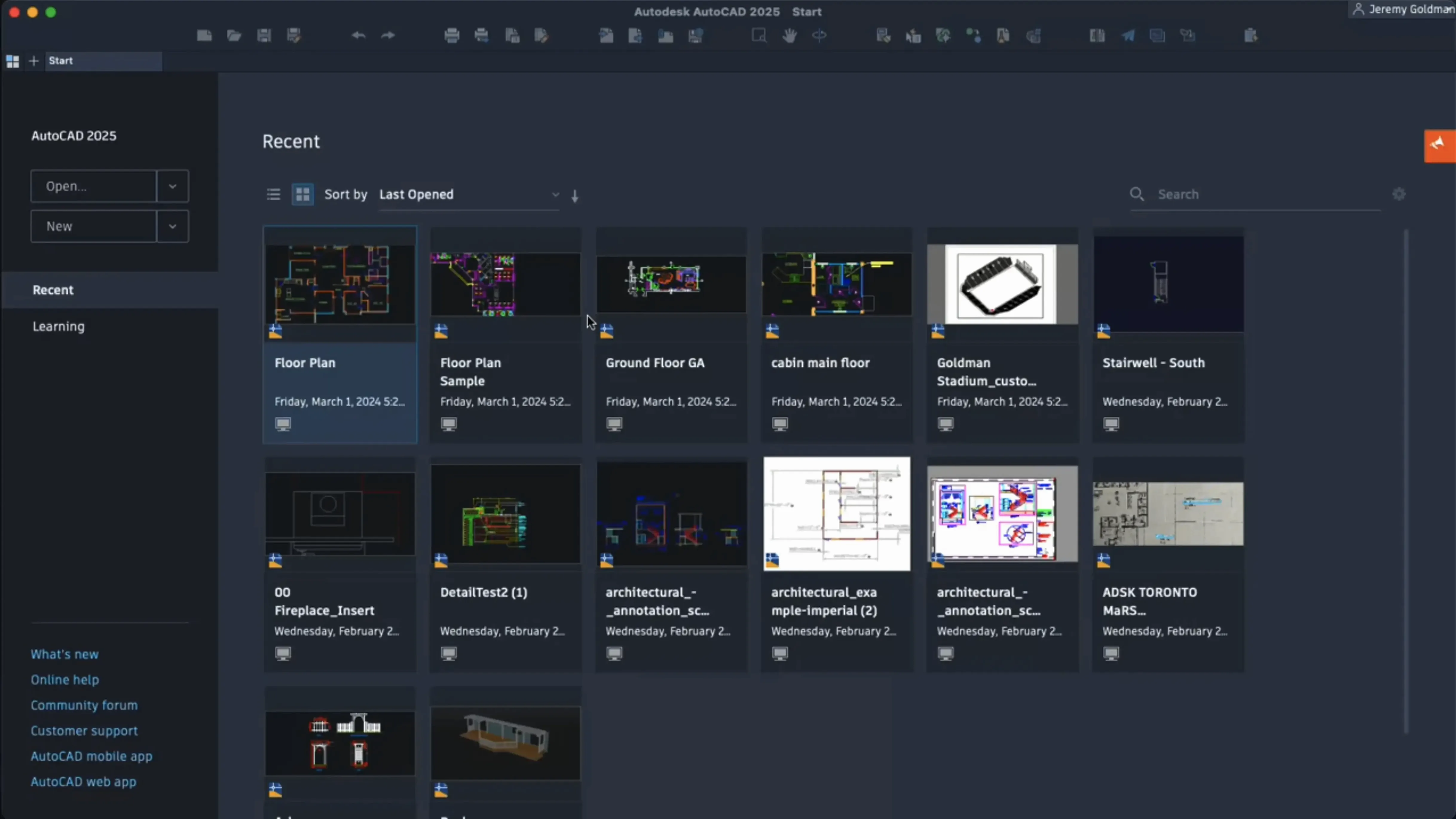
Blockify is the feature I keep going back to in AutoCAD for Mac 2027. It scans your drawing and suggests objects that could become blocks, with scaling and rotation handled as you convert them. That alone saves me an afternoon of tedious cleanup on inherited floor plans.
Geometry Cleanup pairs with block tools
| Item | Detail |
|---|---|
| Version | 2027 |
| Developer | Autodesk |
| File format | Same DWG as Windows |
| Graphics engine | Metal only |
| macOS | 12 or later |
Optimized zoom for dense site plans
Geometry Cleanup is new this year, and it pairs well with the block tools. Large coordinate scenes get optimized to lighten CPU or GPU load, which matters when you zoom around a dense site plan. Hatching got roomier too: you can now fill along a contour without tracing a boundary first. Layout tab switching feels snappier, and the crosshair color is adjustable per layout, a small thing that makes working in paper space easier on the eyes. Help documentation works both online and offline, and shortcut menus are customizable. One honest note: the install requires SIP disabled, so this is not a set-and-forget app.
Custom crosshair color for layouts
After installing AutoCAD for Mac 2027, a few settings will make the transition smoother, especially if you are coming from an earlier version or from the Windows edition. The crosshair color can be customized for layouts separately from model space, so setting a lighter shade for paper space helps you see where you are when switching between views. Shortcut menus are fully customizable in this release, and adjusting them early means less fumbling with the right-click options later.
If you work with complex drawings, the large coordinate scene optimization is worth enabling from the start. It reduces CPU or GPU load during zoom and pan operations, which is noticeable when you open a site plan with hundreds of objects. The improved 3D navigation performance is also tied to the Metal graphics engine, so check that Metal is selected and OpenGL is not in your preference panel at all — OpenGL is no longer supported in this version. Palettes migrate by default when you switch workspaces, so if you have a custom palette setup from a previous release, it should carry over without manual work.
Metal-only graphics engine requirement
AutoCAD for Mac 2027 runs natively on both Apple Silicon and 64-bit Intel processors, and it requires macOS 12 or later. The graphics engine is Metal only, which means older Mac models that rely on OpenGL will not run this version. On Apple Silicon, the software uses the native architecture, so no Rosetta translation is needed. The interface language is English. The installation package includes instructions and requires SIP to be disabled before you begin, so plan for that step ahead of time.
The software uses the same DWG file format as the Windows version, so you can exchange files with colleagues who work on the other platform without conversion steps. Help documentation is available both online and offline, which is useful when you are working in a location without internet access.
First-day settings beyond defaults
Try the Autodesk AI block detection first
Open a drawing you know well and run the block detection tool. It scans for objects that can be converted into blocks, and you can preview the suggestions before applying them. Use the scaling and rotation options built into the block creation tools to adjust how each object fits into your existing block library. This is a good way to see how the AI interprets your drawing style without committing to changes right away.
Use Geometry Cleanup on imported files
Geometry Cleanup scans drawings for common geometry errors. It works well on files from other CAD programs or older versions where lines may not meet cleanly at corners. Run it on a copy of your file first to see what it flags. This tool pairs with the block conversion feature: once geometry is cleaned up, the AI can more easily identify objects that should become blocks.
Adjust hatching with the new contour method
The expanded hatching options let you create shaded shapes and hatch along a specific contour without needing existing boundary geometry. This is useful for section views or fill patterns where the boundary is not a closed polyline. Practice on a simple shape to get a feel for how the contour detection works before applying it to complex drawings.
Switch between layout tabs to test performance
Layout tab switching was improved in this release. Open a drawing with multiple layout tabs and move between them to see if the improvement is noticeable on your Mac. If you work with many viewports, this alone can make your first days with AutoCAD 2027 feel faster than the previous version.
Customize shortcut menus for your workflow
Shortcut menus are customizable, so take a few minutes to adjust them for the commands you use most. If you rely on autocad 2025 torrent download or autocad mac torrent resources to find older versions, you might notice the menu layout changed in 2027. Reassigning your common commands early prevents frustration later. The same applies to autocad for mac torrent and autocad torrent sources if you are upgrading from a previous year — the menu structure may differ, and customization helps bridge the gap.
- Autodesk AI scans drawings for objects that can be converted into blocks.
- Geometry Cleanup was added.
- Metal is now the only graphics engine; OpenGL is no longer supported.
- macOS 12 or later
- Intel or Apple Silicon
- English interface language
Questions I keep getting
Does AutoCAD for Mac 2027 still support OpenGL?
No. OpenGL is no longer supported, and Metal is the only graphics engine in this release.
How to install
- Disable SIP before installation, since the package requires it for full functionality.
- Open the package and follow the install and activation instructions included inside.
Similar apps





Sign in or join the club to leave a comment.
Nobody has commented yet.