- Version
- 4.1.4 fix
- Studio or maker
- CELSYS Inc.
- Languages
- English, German, Spanish, Chinese (Simplified), Korean, French, Japanese
- Activation
- K'ed by Antibiotics
- Runs on macOS
- macOS 14 or later
- Chip type
- Apple Silicon, Intel 64-bit
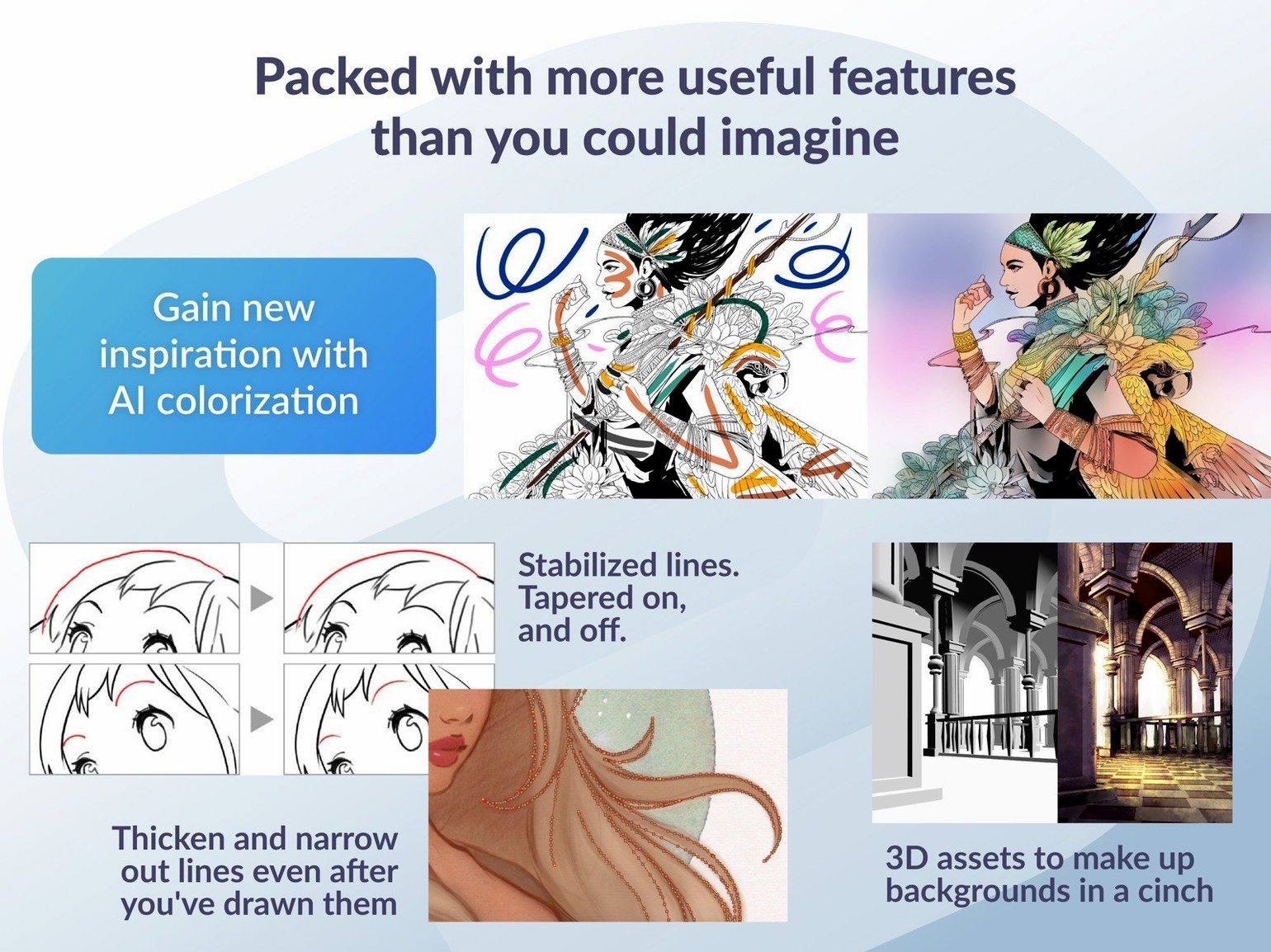
Clip Studio Paint handles up to 1,000 layers per project and supports file sizes that comfortably hold a full manga chapter. For an experienced user, the version 4.1.4 release on Mac brings refinements that matter: Quick Look previews of .clip files now work properly in macOS 15, and the drag-and-drop behavior for 3D materials on a 3D layer outside a frame folder has been cleaned up. These fixes sit on top of the tools that make this software a daily driver for comic and animation work.
| Detail | Value |
|---|---|
| Developer | CELSYS Inc. |
| Version | 4.1.4 |
| macOS requirement | macOS 14 (Intel and Apple Silicon) |
| Memory | 2 GB (8 GB recommended) |
| Languages | 7 including English, Japanese, Simplified Chinese |
The deeper features are what keep a working artist here. Onion skin display and frame-by-frame animation let you see motion clearly. Light table helps line up pages in a multi-page story. EX adds professional story creation tools for managing page count and panel layouts. And 3D objects and figures can be posed as reference or backgrounds. If you are bringing an HDR clip into an SDR project, the color mixing fix in this version means Running color mode no longer causes a force-close — a small stability improvement that saves time in a long session.
How Clip Studio Paint compares with Procreate, Affinity Designer, and Krita
If you are deciding between digital art tools on Mac, three names come up often alongside Clip Studio Paint: Procreate, Affinity Designer, and Krita. Each has strengths, but the differences become clearer once you know what kind of work you do.
Procreate is built for iPad first, and the Mac version feels like a companion rather than a full alternative. It is excellent for sketching and illustration, but it lacks the vector tools, frame-by-frame animation timeline, and multi-page story layout that Clip Studio Paint includes. For comic and manga artists who need layers of panels across dozens of pages, Procreate's single-canvas approach becomes limiting quickly.
Affinity Designer focuses on vector and raster design work. Its vector tools are strong, and it supports PSD import and export. But it does not offer frame-by-frame animation, onion skin display, or light table functions. You can create a single illustration in Affinity Designer, but you cannot manage a full story with multiple pages or animate a character walking across a scene without switching to another application.
Krita is a free, open-source option that comes closest to Clip Studio Paint's feature set. It includes animation support, onion skin, and a timeline. However, Krita's animation tools are not as deeply integrated for comic production. Clip Studio Paint's EX version includes dedicated story creation tools for page counts and panel layouts that Krita lacks. Krita also handles layered PSD export less reliably when you need to move files between other software. For a classroom setting where students work on both comics and short animations, Clip Studio Paint keeps everything in one place without file format surprises.
3D figure posing as a reference you can draw over
Several features in Clip Studio Paint do not get much attention but save time once you know they exist.
- 3D figure posing as reference. You can import a 3D figure, pose it to match a scene, and draw over it on a separate layer. The version 4.1.4 fix for drag-and-drop behavior outside a frame folder means you no longer accidentally place a 3D object into a nested panel folder when you meant to put it on the background layer.
- Vector tools for clean line art. Vector layers let you adjust line thickness and shape after drawing, which is useful when you are inking a page and want to refine a curve without redrawing. The vector data stays editable even after you save and reopen the file.
- Import from Manga Studio. If you used Manga Studio 4 EX or 4 Debut years ago, your old project files open directly in Clip Studio Paint. That matters for teachers or artists who are returning to older work without having to redraw everything.
- Quick Look preview after version 4.1.4. On macOS 15, you can press the spacebar on a .clip file in Finder and see a thumbnail preview. Earlier versions showed a generic icon. This small change makes browsing a folder of chapter files faster.
Simplified Chinese as a display language is now an option
Version 4.1.4 does not rewrite the interface, but the fixes affect how you work in a few specific situations.
Simplified Chinese as a display language. If you or your students prefer Simplified Chinese menus and tooltips, you can switch to it in the preferences. The language list now includes seven options total.
PSD export for macOS 15. Exports of certain file sizes used to appear incorrectly in Finder after saving. The fix means your layered PSD files show the correct thumbnail and metadata right away, which saves a step of reopening the file to confirm it exported properly.
Animation cleanup. Two fixes matter for anyone working with timelines. That is resolved now, so the animation timeline stays clean after edits. Running color mode no longer triggers a force-close when you use color mixing set to Running color — a narrow issue, but one that disrupted long painting sessions.
Canvas preview artifacts. Quick Filters and Quick Effects in the canvas preview could leave a thin edge artifact on the preview. Version 4.1.4 clears that up, so what you see in the preview window matches the final render more closely.
Tablet pressure not working and how to fix it
Even with a stable release, a few things trip up new users. Here are the ones I see most often in the game club, and the straightforward fixes.
Snag: Tablet pressure not working. Clip Studio Paint relies on OpenGL 3.3 compatible GPU and a tablet with pen pressure support. If pressure stops responding mid-session, go to the File menu and check the tablet settings. Sometimes a system update changes the driver priority. Restarting the application or reconnecting the tablet usually restores pressure.
Snag: File opens but layers are missing. This usually happens when you open a Manga Studio 4 file for the first time. Clip Studio Paint can import those files, but some layer effects or blending modes may convert to simpler equivalents. Keep a backup of the original file and check the layer panel after import. If something looks off, you can re-import and adjust layer settings manually.
In version 4.1.4, the fix prevents leftover cels and keyframes from staying behind. That refreshes the view without losing any animation data.
Snag: Quick Look preview not showing. If you are on macOS 14 rather than macOS 15, the improved Quick Look preview does not apply. On macOS 15, make sure you are using version 4.1.4. If previews still show a generic icon, restart Finder by holding Option and right-clicking the Finder icon, then selecting Relaunch. That forces the system to reload the thumbnail cache.
Snag: 3D material drops into wrong location. This happens when a 3D layer is selected inside a frame folder. Version 4.1.4 changed the drag-and-drop behavior so that dropping a 3D material on a 3D layer outside a frame folder behaves predictably. If the material still goes into a folder you did not intend, select the 3D layer in the Layer panel first, then drag the material onto the canvas area, not the panel itself.
Snag: Color mixing causes force-close. The Running color mode with color mixing set to Running color was the specific combination that triggered the crash. Version 4.1.4 fixed it. If you are on an older version and hit this, switch Color mixing to a different mode temporarily, or update to 4.1.4. Either approach keeps you working without restarting.
Most of these snags have a single cause: a setting that was changed or a file format that needs a moment to adjust. Once you know where to look, they stop being interruptions.
- macOS 14
- Intel or Apple Silicon processor
- 2 GB memory (8 GB or more recommended)
- OpenGL 3.3 compatible GPU
- A tablet and stylus with pen pressure sensitivity are supported
- An internet connection is required for some functions and to verify the software license
Questions I keep getting
What is the difference between Clip Studio Paint PRO and EX?
EX includes professional story creation tools, multi-page layout support, and additional animation features beyond what PRO offers. Both versions run on macOS 14 with Intel or Apple Silicon.
How to install
- Mount the downloaded disk image and run the standard installer.
- Choose EX or PRO on first launch to match your license or needs.
Similar apps






Sign in or join the club to leave a comment.
Nobody has commented yet.