
- Version
- 9.0.5-8654
- Studio or maker
- Noise Industries
- Languages
- English
- Activation
- Included
- Runs on macOS
- macOS 12.6 or later
- Chip type
- Apple Silicon, Intel 64-bit
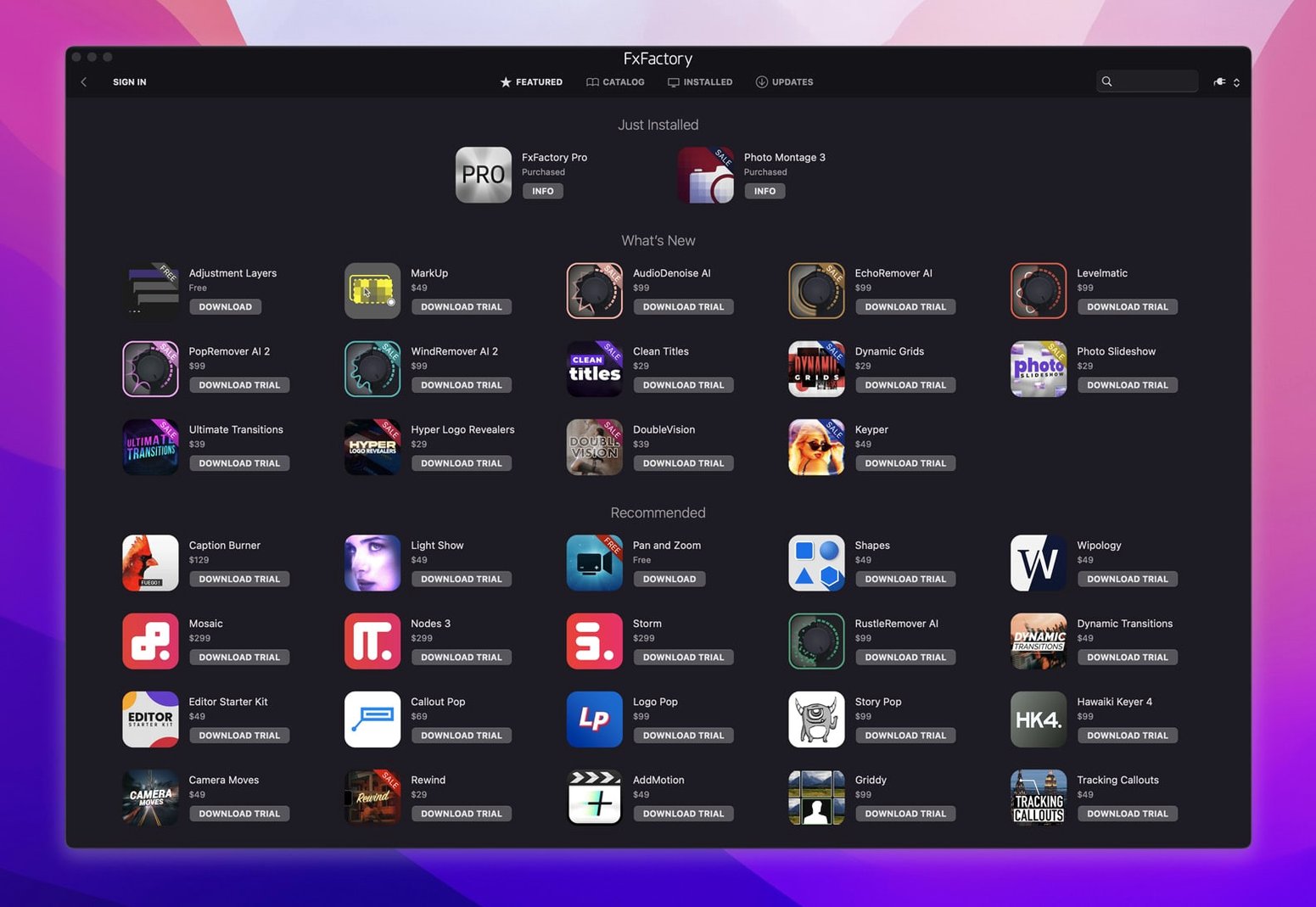
FxFactory 9.0.3 (build 9.0.5-8654) runs on macOS 12.6 or later and works with Final Cut Pro, Motion, Premiere, After Effects, and DaVinci Resolve. It is a plugin manager and a home for visual effects tools, so it sits between your host app and the effects themselves.
Connect plugins to projects and preview effects in real time
- Connecting plugins to a project and applying them to clips or graphics.
- Previewing effects in real time and rendering them out.
- Building custom effects without writing code, using the included tools.
- Working with 16-bit and 32-bit motion graphics through Pro Pack plugins.
Manage all effects through one central hub
- The interface is in English, and the package supports both ARM and x86 64-bit Macs.
- You manage and activate plugins through FxFactory, so it acts as the central hub for your effects.
- Each host app sees FxFactory as a plugin source, so you may need to refresh the effect list after installing new tools.
Works across Final Cut Pro and After Effects without separate installs
Video editors who work across multiple host apps benefit the most. If you switch between Final Cut Pro for quick edits and After Effects for heavier compositing, FxFactory keeps your effects available in both without installing separate plugin sets. Motion graphics designers who build titles, transitions, and lower thirds also find it useful because the Pro Pack plugins handle 16-bit and 32-bit processing, which matters when you are working with HDR footage or high-color-depth graphics.
Plugin designers and power users who want to create their own effects without writing code will appreciate the built-in tools. You can build a color grade preset or a stylized blur, save it, and share it with teammates who run FxFactory. Teachers and workshop leaders running video labs on a set of identical Macs can install FxFactory once, activate it, and let students access the same toolset across all machines.
Editors on Apple Silicon Macs and Intel Macs both get the same feature set. The installer detects your architecture and places the correct binaries, so there is no manual tweaking. If you work in a mixed-lab environment where some iMacs are Intel and the newer models are M-series, FxFactory handles both.
How to fix missing or unresponsive plugins
Effects do not show up in the host app
This happens more often than it should. Open FxFactory and check that the plugin appears in the installed list. If it does not, run the installer again and point it to the correct host application folder. If it does appear but your host app still does not see it, restart the host application. Final Cut Pro and After Effects cache their plugin lists at launch, so a fresh start usually brings them in.
Activation does not take
FxFactory Pro 9.0.5-8654 includes activation instructions. Follow them in order: enter the provided code, let FxFactory contact its server, and confirm the status reads "activated." If the server does not respond, check your internet connection and any firewall that might block outbound traffic to Noise Industries. Once activated, you can install free and commercial products through the interface without entering codes again.
Plugins cause a crash in the host
Remove the plugin from the FxFactory plugin folder, restart the host, and test. If the crash stops, the plugin is the issue. Reinstall it or contact the plugin developer. FxFactory itself does not run inside the host — it manages the plugins — so a crash usually points to a single effect, not the manager.
No need to disable System Integrity Protection for installation
Do I need to disable System Integrity Protection? No. The build label for version 9.0.5-8654 specifically states it works without SIP disabling, so you can keep your Mac's security settings at their default.
Will this work on my older Mac running macOS Monterey or earlier? It requires macOS 12.6 or later. If you are on Monterey 12.5 or an earlier version, you would need to update to at least 12.6. Big Sur and older versions are not supported.
Can I use FxFactory with DaVinci Resolve on a Mac? Yes. The package supports DaVinci Resolve as a host application, along with Final Cut Pro, Motion, Premiere, and After Effects. The same plugins appear across all of them if they are designed for that host.
Is the interface only in English? Yes, the entire interface and all plugin descriptions are in English. If you work in a team that prefers another language, keep that in mind when showing colleagues how to use it.
Can I move FxFactory from one Mac to another? You can install it on multiple Macs as long as you follow the activation instructions for each one. The activation ties to the machine, so moving it requires deactivating on the old Mac and activating on the new one.
Installs in Applications and places plugin bundles in host folders
FxFactory Pro 9.0.5-8654 is a plugin manager and a visual effects environment rolled into one application. It installs in your Applications folder and places plugin bundles into the appropriate host folders. The app itself stays in the background once plugins are installed — you launch FxFactory when you need to browse, install, buy, or manage effects.
The interface shows a library of installed and available plugins. You can preview effects inside FxFactory before applying them in your host application. For Pro Pack plugins, the processing path supports 16-bit and 32-bit color, which preserves detail in gradients and shadows.
Because it supports both ARM and x86 64-bit architectures, the installer includes two sets of binaries. The correct one is selected during installation, so you do not need to worry about compatibility. The plugin manager scans your system for host applications and places the plugins where each host expects them. After that, you open your video editor and find the effects in the FxFactory category of the effects browser.
If you search for terms like fxfactory 9.0.3, fxfactory crack, fxfactory torrent, fx factory crack, or fxfactory pro crack mac, you will find various versions and downloads. The version described here is 9.0.5-8654, which is the build that works without needing to disable SIP.
- FxFactory Pro is now identified as a visual effects package.
- The latest version for Apple and Intel processors installs through FxFactory.
- macOS 12.6 or later
- ARM and x86 64-bit support
- English interface
How to install
- Follow the installation instructions that come with the package. This ensures the plugins land in the right folders for your host apps.
- Use the included activation instructions to unlock the full feature set. Activation ties the license to your Mac, so keep the details handy.
Similar apps





Sign in or join the club to leave a comment.
Nobody has commented yet.