- Version
- 2.6.0
- Studio or maker
- HitPaw
- Languages
- Russian, English, German, Arabic, Indonesian, Spanish, Italian, Chinese (Traditional), Chinese (Simplified), Korean, Dutch, Portuguese, Turkish, French, Hindi, Japanese
- Activation
- K'ed by TNT team
- Runs on macOS
- macOS 10.15 or later
- Chip type
- Intel 64-bit
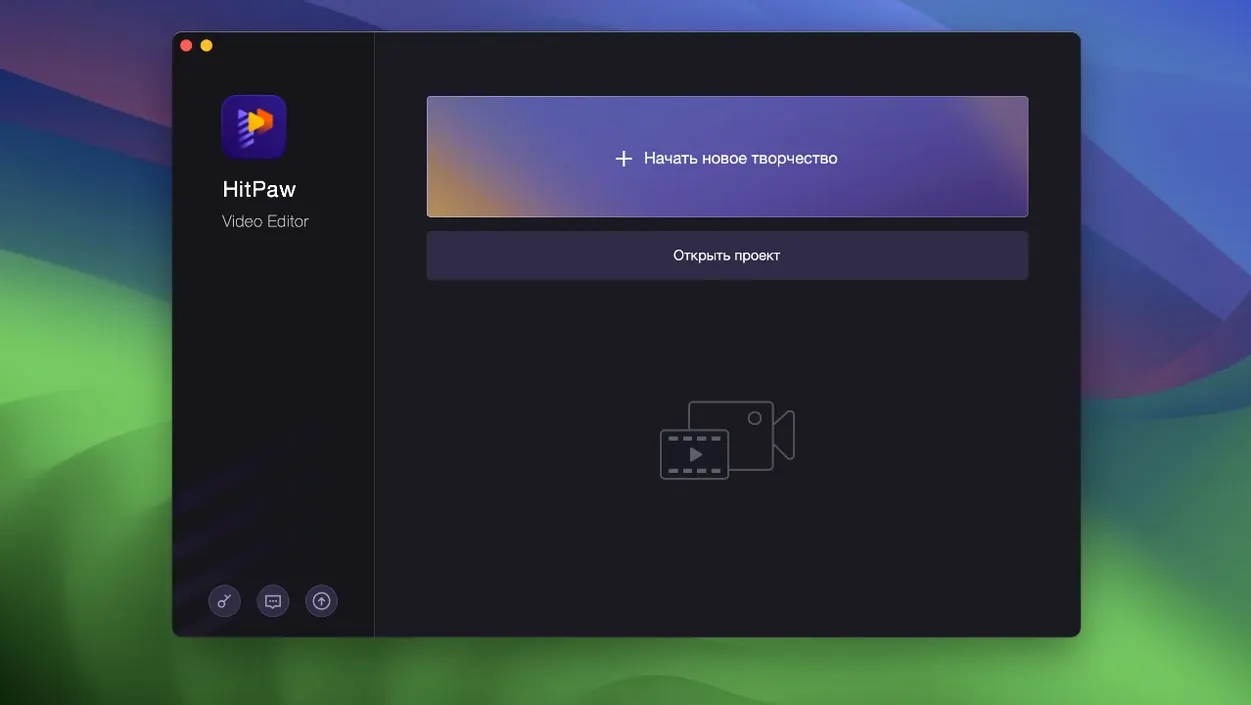
Version 2.6.0 of HitPaw Edimakor keeps the focus on making complex edits feel manageable. The core idea is that your timeline should work with you, not against you. Elements from other tracks automatically attach to the main video, so when you move a clip, the audio or overlays that belong to it move along. That saves a lot of fiddling when you're assembling a project.
The editor supports unlimited tracks, which is useful for layered projects like voiceovers, background music, and picture-in-picture segments. Basic tasks are covered too: trimming, merging, and video editing are all there. On top of that, you get a set of stickers and transition effects to polish the result without leaving the app.
Edimakor is a video editor from HitPaw, and it runs on Intel Macs with macOS 10.15 Catalina or newer. The interface is available in sixteen languages, including English, German, French, Spanish, and both simplified and traditional Chinese.
It is the small conveniences that often make an editing app feel like it was built for real work, not just for demos. Edimakor has a handful of these that are easy to miss if you are new to the program.
The timeline includes precise timing for positioning specific points. Instead of guessing where a cut should fall, you can set markers or trim exactly to the frame you need. This is particularly helpful when syncing a voiceover to a specific visual cue. The automatic attachment of elements from other tracks to the main video has already been mentioned, but the result is worth emphasizing: once you have arranged a clip with a lower-third sticker or a transition effect, you can drag the main video segment and everything that was attached to it follows. No re-aligning multiple layers by hand.
Another detail that removes friction is the support for unlimited tracks. When you are building a project with several audio layers — ambient sound, narration, a music bed — plus overlay images for titles, you never hit a limit that forces you to merge tracks prematurely. The timeline stays responsive, and you can keep stacking until the project is as layered as you need it to be.
A specific task from start to finish
Let us walk through a common workflow: trimming a longer recording and adding a simple title card. This is a typical job for a classroom video or a short presentation.
Start by importing your source file. The timeline shows the full clip. Use the precise timing markers to set a start point and an end point for the segment you want. The trim tool removes everything outside those markers, leaving you with the clean section. If you later want to adjust the boundaries, you can move the markers again without re-importing the file.
Next, add a title overlay. Place the playhead where you want the title to appear. Choose a sticker or a text effect from the library. The sticker appears on a new track above the video. It is attached to the main video segment automatically. If you drag the trimmed clip to a different position on the timeline, the title moves with it. You can adjust the duration of the sticker by dragging its edges on the timeline.
Finally, export the project. Edimakor handles the rendering, and you have a short video with a trimmed clip and a title overlay, all done without leaving the main editing screen.
Mac compatibility for models from 2015 onward
One frequent question is whether the software works on older Macs. Edimakor requires macOS 10.15 or newer and an Intel x86 64-bit processor. That means any Mac from late 2015 onward that has been updated to Catalina or later should run it.
Another common concern is about language support. The interface is available in sixteen languages, including English, German, French, Spanish, Italian, Dutch, Portuguese, Turkish, Russian, and several others. You can switch between them in the settings, which is helpful if you are sharing the app with colleagues who prefer a different language.
People also ask about the installation process. The build from the Russian download page is packaged as a disk image you mount. You then bypass Gatekeeper by pressing Enter in Terminal, which sounds technical but is a quick step. After that, you drag the app into the Applications folder. There is no complex activation or registration required.
Edimakor vs. DaVinci Resolve’s learning curve
Edimakor sits alongside a few other Mac video editors that aim for a balance between simplicity and power. One comparison is DaVinci Resolve, which offers professional color grading and advanced audio tools. Resolve is free but has a steep learning curve and requires a more powerful system, especially for its color science features. Edimakor is more approachable for someone who wants to trim, merge, and add effects without learning a full post-production workflow.
Another is Shotcut, a free open-source editor. Edimakor provides a more integrated experience with stickers, transitions, and the automatic track attachment feature that keeps your project tidy.
A third option is Final Cut Pro, Apple's flagship editor. Edimakor covers a similar set of basic editing tasks — trimming, merging, transitions — at a lower system requirement and with a simpler interface that does not overwhelm new editors.
- macOS 10.15 Catalina or newer
- Intel Mac
How to install
- Mount the disk image and run Open Gatekeeper friendly. This opens the installer without blocking it.
- Press Enter in Terminal to bypass Gatekeeper. This step tells macOS to allow the app to run.
- Drag the app to the Applications folder. This puts Edimakor where your Mac expects it.
Similar apps






Sign in or join the club to leave a comment.
Nobody has commented yet.