
- Version
- 4.5.0
- Studio or maker
- HitPaw
- Languages
- Russian, English, German, Arabic, Indonesian, Spanish, Italian, Chinese (Traditional), Chinese (Simplified), Korean, Dutch, Portuguese, Turkish, French, Hindi, Japanese
- Activation
- K'ed by TNT team
- Runs on macOS
- macOS 10.15 or later
- Chip type
- Intel 64-bit
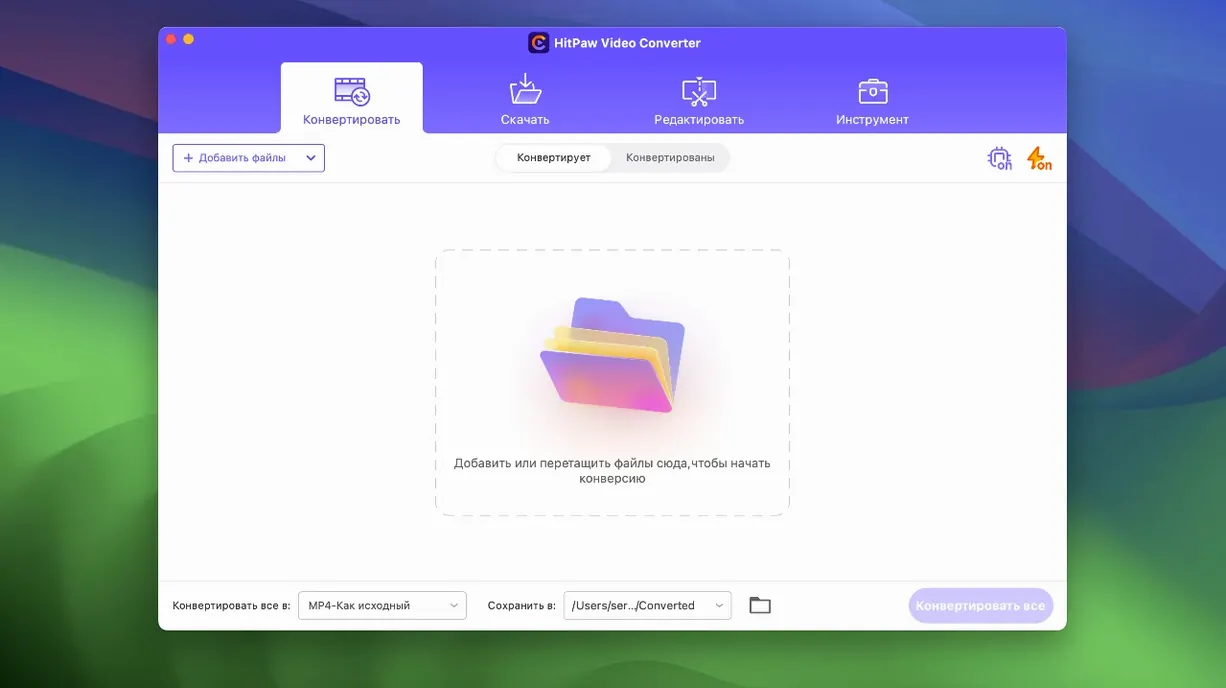
Version 4.5.0 of HitPaw Video Converter brings a smoother compression module, a cleaner editor display, and a new auto reframe feature. But before you get to those, you want to know if it will run on your Mac.
Check your macOS version and Intel processor first
HitPaw Video Converter needs macOS 10.15 or later and an Intel processor. If your Mac is older or runs on Apple Silicon, this version may not start. The interface is available in English, German, and many other languages, so you can switch if needed.
Convert and download
Once installed, you can convert video and audio files to more than 1,000 formats, including MP4, MOV, MKV, and MP3. It also downloads videos from over 10,000 websites, and supports Apple Music, Spotify, and Deezer. The AI-powered engine handles codecs like VP9, ProRes, and Opus.
Compress and edit
With the optimized compression module, you can shrink large files without losing much quality. The editor module now displays better, and the auto reframe feature helps you adjust videos for different platforms.
Gatekeeper blocks the signed TNT release
A few things tend to trip people up when setting up HitPaw Video Converter for the first time. The most frequent one is the Gatekeeper step. Because this is a signed TNT release, macOS will try to block it. During installation, you mount the disk image and then open the "Open Gatekeeper friendly" command — a small window appears. You press Enter in the Terminal window that pops up, which tells your Mac to allow the app to run. If you skip this, the app may appear to install but then refuse to open. Just repeat the step and it will work.
Another snag: the app is built for Intel (x86 64-bit). If you are on an Apple Silicon Mac, it may not launch at all, since the architecture requirement is strict. You will see a message about incompatible architecture. There is no workaround within this version — it is designed for older Macs.
Sometimes, after dragging the app into the Applications folder, the icon shows a crossed-out circle. That usually means Gatekeeper is still blocking it. Remount the disk image and run the bypass step again. Also check that your macOS version is 10.15 or later; anything earlier will refuse to run it.
Needs macOS 10.15+ and an Intel chip
Based on the system requirements, you need a Mac running macOS 10.15 (Catalina) or newer, with an Intel processor. The app does not list a specific amount of RAM or hard drive space, but converting video and downloading from websites typically uses a fair amount of both. Expect the app to behave like any media converter — it will use your CPU for encoding and decoding, so on older Intel machines, batch conversions might take a while. The interface is standard for a Mac application, with a toolbar and a main window for adding files.
The app supports codecs like VP9, ProRes, and Opus, which are common in modern video and audio work. If you work with ProRes footage from a camera or Opus audio from streaming, you should be able to convert those without issue. The auto reframe feature added in version 4.5.0 will analyze your video and adjust the frame to fit different aspect ratios automatically.
Switch among 16 interface languages
The interface language can be switched among sixteen languages, including Russian, English, German, Arabic, Indonesian, Spanish, Italian, Traditional Chinese, Simplified Chinese, Korean, Dutch, Portuguese, Turkish, French, Hindi, and Japanese. If you prefer working in your native language, you can change it in the settings.
The compression module, optimized in this version, lets you reduce file sizes while preserving quality — useful when you need to send a video by email or upload it to a site with size limits. The editor module display now shows your timeline and controls more clearly, which makes trimming or cutting clips easier.
For downloading, the app pulls from over 10,000 websites, and it also grabs music from Apple Music, Spotify, and Deezer. This is not always obvious, since many converters only handle YouTube or a handful of sites.
Works on macOS Sonoma with Intel Macs
Does it work on macOS Sonoma? The app requires macOS 10.15 or later, and version 4.5.0 is dated 2024-10-28, which suggests it was tested on recent macOS versions. As long as your Mac meets the Intel requirement, it should run on newer systems too.
Can I use it to convert DVD files? Yes, the app handles DVD content, including VOB format, as well as images, music, and video files. You can convert any of these without loss.
Is the auto reframe feature available for all videos? It was added in version 4.5.0 and works on videos you import into the editor. It automatically adjusts the frame for different platforms like social media or presentations.
Why does the download page call it HitPaw Univd? That is the internal name for this version of the app.
HitPaw Video Converter converts video formats for creators, but "hitpaw video converter cracked" offers no support or updates. The version here is a TNT team release, so those terms describe its nature. If you see references to hitpaw video converter mac or hitpaw video converter for mac, this is the same app.
- Optimized the compression module.
- Optimized the editor module display.
- Added auto reframe feature.
- macOS 10.15 or later
- Intel processor
Questions I keep getting
Does HitPaw Video Converter work on Apple Silicon Macs?
The product page lists Intel as the required architecture, so it may not run natively on M1 or M2 Macs without compatibility layers.
What formats can HitPaw Video Converter handle?
It supports over 1,000 formats, including common ones like MP4, MOV, AVI, VOB, MKV, and MP3.
How to install
- Mount the disk image and open the app with Gatekeeper friendly mode.
- Press Enter in the Terminal window to bypass Gatekeeper.
- Drag the app into the Applications folder.
Similar apps






Sign in or join the club to leave a comment.
Nobody has commented yet.