
- Version
- 2025.1 (14.0.0.176) Fix
- Studio or maker
- Luxion
- Languages
- Russian, English, German, Spanish, Italian, Chinese (Traditional), Chinese (Simplified), Korean, Polish, French, Czech, Japanese
- Activation
- K'ed by WhiteDeath
- Runs on macOS
- macOS 12 or later
- Chip type
- Apple Silicon, Intel 64-bit
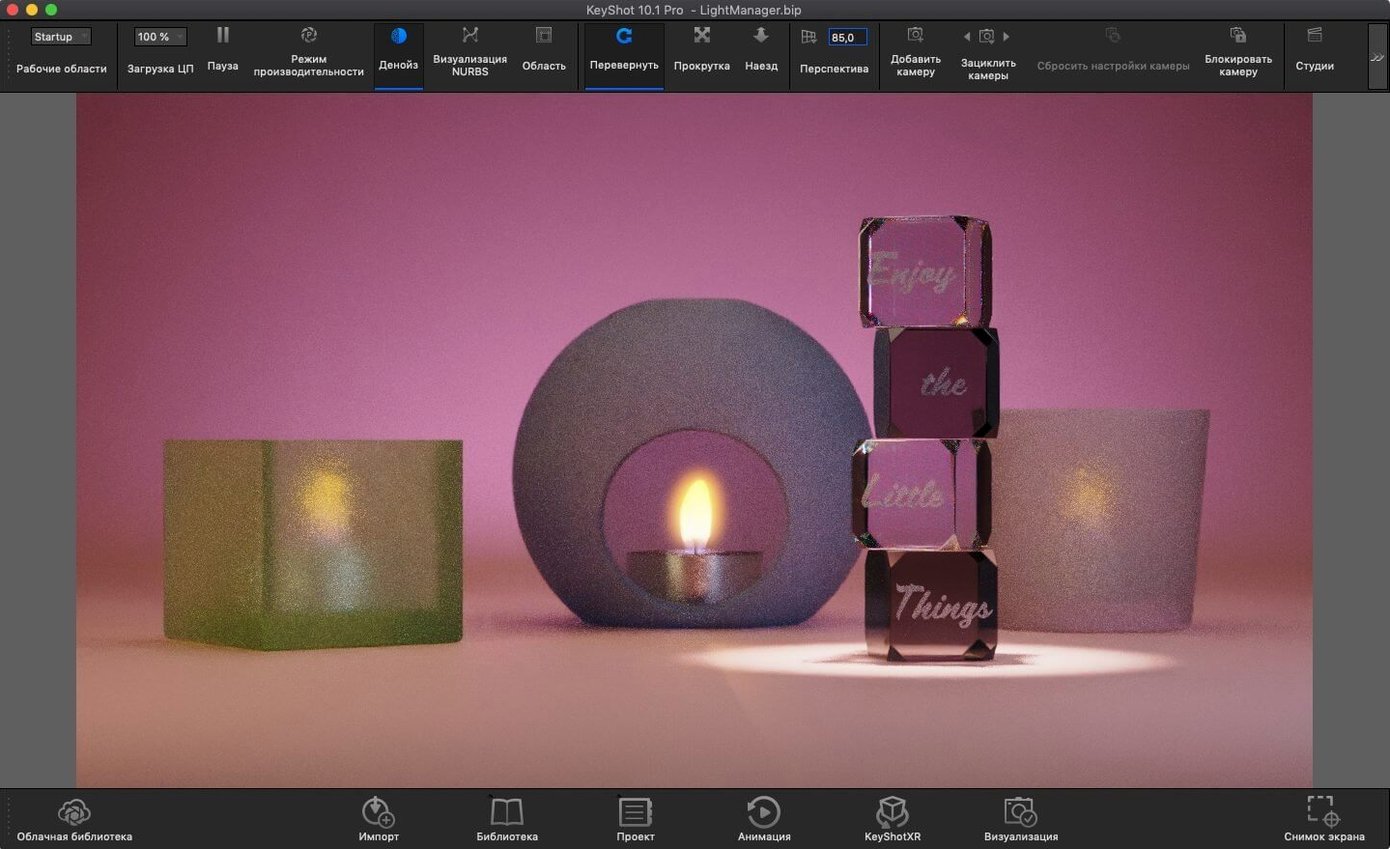
You just finished modeling a product concept in SolidWorks or Rhinoceros. Now you need a photorealistic render to show a client, fast. KeyShot Studio for macOS lets you import your model and start tweaking materials and lighting in real time, without waiting for a final render to preview.
Drag and drop an OBJ or FBX model onto the viewport
- Import a model using OBJ, FBX, or STEP — drag and drop onto the viewport.
- Click a surface and pick a material from the library. The view updates instantly.
- Use the new Light Tool (added in 2025.1) to place Physical Lights where you want them.
- Switch to real-time ray tracing mode. Move the camera. Watch shadows and reflections follow.
- Export an AR scene as USDz or GLB to view on your phone.
What makes it useful in class or studio
KeyShot Studio runs on macOS 12 and later, and supports both Intel and Apple Silicon. It handles complex CAD assemblies from Creo, CATIA, Inventor, NX, and many other formats. The interface is available in a dozen languages, so students can work in their own language. For a newcomer, the real-time WYSIWYG feedback cuts the guesswork out of lighting and materials.
What trips up new Mac users most
A few things trip up new users regularly. Here are the ones I hear about most often from colleagues and students.
The model imports but looks faceted or low-res
This usually happens when the CAD file has a coarse tessellation. KeyShot Studio respects the original geometry, so if your model came from SolidWorks or CATIA with a low polygon setting, the edges show. Go back to your modeling app and export with a finer mesh, or use the Re-tessellate Tool if your workflow supports it — the 2025.1 update added scripting support for that tool. For quick previews, you can also apply a smooth shade in KeyShot Studio's viewport settings.
Real-time rendering goes slow or stalls
Large assemblies with many parts can bog down the interactive ray tracer. Two things help. First, try hiding parts you aren't adjusting using the Scene Tree. Second, reduce the real-time sample count in the render settings — it lowers the quality temporarily but keeps the viewport responsive while you work. Once you are satisfied, bump the samples back up for a final render.
Physical Lights don't appear to emit anything
The Light Tool in 2025.1 makes placement easy, but a common mistake is forgetting to adjust the intensity. A Physical Light placed at default brightness can look invisible next to an HDR environment. Open the light properties and raise the power setting until you see a visible effect. Also check that the light isn't inside a solid object — move it slightly outside the model geometry.
AR export produces a file that won't open on a phone
KeyShot Studio exports USDz and GLB for AR. If the file doesn't load, the issue is often the scale. The model might be meters when the phone expects millimeters. Before exporting, set your scene units to match the real-world size of the object. Also, export with the default AR settings first; custom compression can sometimes break compatibility.
Claudia's coffee machine: rendering before the prototype exists
Claudia works at a small design studio near Hamburg. She gets CAD files from a client who uses Creo. Her job is to produce marketing renders of a new coffee machine before the prototype exists. She opens KeyShot Studio on her Mac, drags in the STEP file, and applies a brushed aluminum material to the body. She uses the new Light Tool to place a warm Physical Light behind the machine to simulate morning kitchen light. The client asks for a few variations — different color trims, a glass carafe instead of steel. Claudia duplicates the scene, swaps materials, and exports each variant as a glTF file for the client's web presentation. The whole process takes her about an hour instead of the half day it used to with traditional rendering.
Why sticking with the default HDR makes your model look flat
- Overusing the default HDR environment. Many newcomers stick with the included HDRi and wonder why their model looks flat. Try swapping to a different HDR or using Physical Lights. The real-time preview makes it painless to experiment.
- Ignoring the Scene Tree. When your model has dozens of parts, selecting surfaces by clicking on the viewport gets frustrating. The Scene Tree lets you pick parts by name and apply materials or hide them.
- Applying materials to the whole model instead of individual parts. KeyShot Studio lets you drag a material onto a specific surface. Dragging it onto the entire model overwrites everything. Use the right-click menu on a part to apply materials selectively.
- Skipping the material library. Some beginners try to build every material from scratch. The built-in library of metals, plastics, glass, and fabrics gives you a solid starting point. Just drop one on and tweak the settings.
- Forgetting to save scene states. If you want to show the same model from different angles or with different materials, use the Add Studio feature. The 2025.1 version added a hotkey for it, so you can save and switch between scene states quickly.
The new hotkey for Add Studio that saves menu digging
KeyShot Studio 2025.1 (14.0.0.176) Fix brought a handful of practical improvements that affect how you work day to day.
- Hotkey for Add Studio. Instead of digging through menus to save a new scene state, you can now press a key combination. This speeds up the workflow when you are iterating through material or lighting variations.
- Light Tool for Physical Lights. Placing a light used to involve a few extra clicks. The new Light Tool lets you position and orient Physical Lights directly in the viewport, which feels more natural for setting up a scene.
- Planar Light material. A new material type that works like a flat light source. Useful for simulating light panels, display screens, or subtle background illumination without adding geometry.
- AR and glTF export. You can now export to USDz, GLB, and glTF directly. If your client or team uses web viewers or AR apps, you can hand them a file that works without conversion steps.
- Re-tessellate Tool in the Scripting API. For users who automate their pipeline, this means you can trigger re-tessellation from a script rather than manually adjusting each import.
These changes don't reinvent the software, but they cut small delays out of common tasks. For a teacher or a working designer, that adds up over a week.
- Added a new hotkey for Add Studio.
- New Light Tool for placing Physical Lights more easily.
- Re-tessellate Tool now available in the Scripting API.
- macOS 12 or later
- Intel or Apple Silicon processor
Questions I keep getting
Does KeyShot Studio work on Apple Silicon Macs?
Yes, KeyShot Studio supports both Intel and Apple Silicon architectures natively.
What file formats can I import into KeyShot Studio?
It supports OBJ, FBX, 3DS, IGES, STEP, JT, Collada, Parasolid, and many CAD-native formats.
How to install
- Open the included installation and activation instructions.
- If the server shows a Host or Host name error, open Terminal.
- Run the provided command to add the local host mapping to
/etc/hosts. - Restart your Mac.
Similar apps






Sign in or join the club to leave a comment.
Nobody has commented yet.