- Version
- 6.8.0
- Studio or maker
- TablePlus Inc.
- Languages
- English
- Activation
- Included
- Runs on macOS
- macOS 12.6 or later
- Chip type
- Apple Silicon, Intel 64-bit
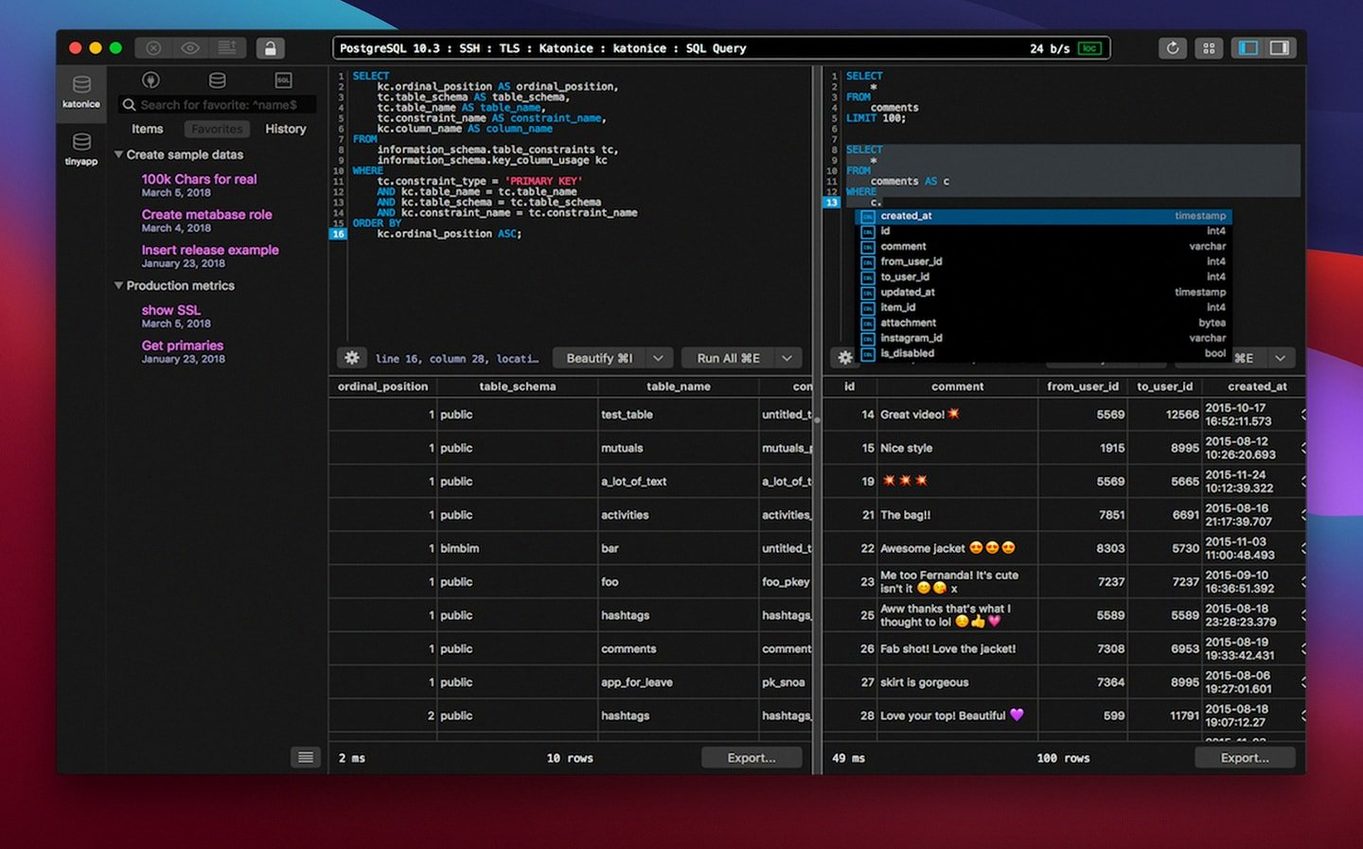
If you already work with databases through a command-line client or a heavy IDE, TablePlus offers a middle ground: a native macOS tool that handles MySQL, PostgreSQL, SQLite, and Microsoft SQL Server from one interface. Here is one realistic task from start to finish.
- Open a new connection. Choose your database type (PostgreSQL, for example) and enter the host, port, and credentials. The app uses native libss and TLS for connection encryption, so you do not need to configure extra tunneling software.
- Browse tables in a tab. Each connection opens in its own tab or window. Click a table name to see its rows and columns instantly. Keyboard shortcuts let you switch between tabs without lifting your hands from the keyboard.
- Write a query in the script editor. Click the SQL editor tab. The editor supports syntax highlighting and reports errors as you type, which helps when you are building a multi-line join or a subquery.
- Preview before you run. Check the code preview pane to see exactly what the database will execute. If you are unsure about a delete or update, safe mode blocks write operations by default, giving you a moment to review.
- Review results and close. The result set appears in a clean grid below the editor. When you finish, close the tab; the connection stays open in the background until you disconnect explicitly.
The whole workflow stays inside one window, which keeps context switching low. After a few sessions, the keyboard shortcuts and tabs start to feel natural, and the script editor’s error feedback saves the occasional typo-induced headache.
Dark mode and other preferences to adjust before your first query
Before you start running queries, a handful of preferences make the daily work easier. Open the preferences window and adjust these right away.
- Dark mode. If you work in a low-light room or just prefer less glare, turn on dark mode. It applies to the table grid, the script editor, and the connection list evenly.
- Safe mode. It is already on by default, but confirm it stays that way. Safe mode blocks update and delete statements unless you explicitly allow them for the current session. That extra click before a mass update is worth the habit.
- Editor font and size. The default monospace font works well, but you can increase the size if you are reading queries on a 13-inch screen for hours. Pick something that does not strain your eyes during a long debugging session.
- Keyboard shortcut layout. TablePlus supports custom shortcuts for common actions like running the current query, duplicating a tab, or toggling the sidebar. Spend five minutes matching them to what your fingers already know from other editors.
A DBA’s Monday morning routine for PostgreSQL instances
A database administrator I know manages a small fleet of PostgreSQL instances for an e-commerce backend. Every Monday morning she runs the same routine: check replication lag, review slow queries, and prune old session data.
With TablePlus, she opens each instance in its own window rather than cramming everything into tabs. That way she can arrange two windows side by side on an external monitor — one showing the production database, the other showing the staging environment. The keyboard shortcut for switching between windows is the same as for tabs, so the muscle memory carries over.
The script editor’s error reporting catches a missing join condition before she runs the query against production. She keeps a set of common maintenance scripts saved as plain files and drags them into the editor when needed. Syntax highlighting makes it easy to spot a mismatched parentheses or a forgotten alias.
After the update, she re-enables safe mode before moving to the next task. The whole process takes a few minutes and does not require switching to a terminal or a web-based admin tool.
How connection handling improved for PostgreSQL and MySQL
The latest build, dated March 5, 2026, does not introduce a redesigned interface or new database drivers. Instead, the changes are under the hood. Connection handling was updated to work reliably with newer versions of PostgreSQL and MySQL, which matters if your servers are on the latest point releases and older clients start failing with protocol errors.
The script editor received improvements to its syntax highlighter. It now flags a few more edge cases in multi-statement scripts — helpful when you paste a block of SQL from a colleague and want to see where the line breaks or missing commas are. Error reporting became slightly more precise for certain kinds of syntax mistakes, so the message points closer to the actual problem line rather than somewhere nearby.
For users who run TablePlus on Apple Silicon Macs, the app remains fully native. There are no Rosetta translation layers slowing down the interface when you scroll through a table with thousands of rows. The minimum macOS requirement is still 12.6 Monterey, so older Intel machines running Monterey or later are fine too.
- macOS 12.6 or later
- Intel or Apple Silicon
- Interface language: English
How to install
- Open the downloaded disk image.
- Drag the app to the Applications folder alias.
- Launch the app from Launchpad after the copy finishes.
Similar apps






Sign in or join the club to leave a comment.
Nobody has commented yet.