- Version
- 2025.31550
- Studio or maker
- Derivative
- Languages
- English
- Activation
- K'ed by TNT team
- Runs on macOS
- macOS 10.14 or later
- Chip type
- Intel 64-bit
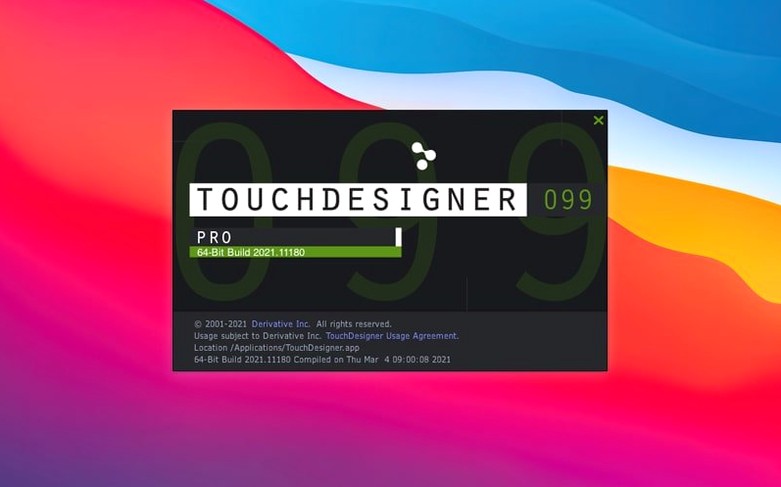
If you already build interactive installations or real-time visuals, you know that most tools separate the logic from the interface. TouchDesigner keeps both in one visual programming environment, so you wire up application logic and the user interface on the same canvas. It talks to lighting consoles, audio systems, sensors, and show-control gear over network protocols or direct connections — no middleman needed. The 2025 release (2025.31550) adds a few things that matter when you are pushing a project past the prototype stage:
- Point Operators (POPs) — a new family of operators for working with point clouds and particle data directly in the node graph.
- Most TOPs now natively handle 3D textures and 2D arrays, which saves you from writing custom shader workarounds for volumetric or layered data.
- Orbbec depth camera SDK updated to 1.10.16, so newer sensors work out of the box.
- Real-time 3D rendering and compositing happen in the same timeline, which is useful for projection mapping that needs to blend live camera feeds with generated content.
- Custom extensions and Python scripting let you build project-specific nodes or integrate with external APIs without leaving the environment.
These updates are not headline features — they are the kind of deeper changes that make a difference when you are tuning a live show or an installation that runs for weeks.
A projection mapping session from start to first light
A media designer I know was asked to map animated visuals onto a three-story art installation at a museum foyer. The surface had angled panels, a glass elevator shaft, and a curved ceiling — nothing rectangular. She opened TouchDesigner on her Intel Mac and started from a blank network. The first step was setting up the projector output window, then dragging in a video file TOP to play a test loop. She used the built-in compositing tools to layer a gradient over the footage, checked the alpha channel, and routed the result into a geometry COMP that fed the output.
For the mapping itself, she created a simple grid of points over a 3D model of the foyer. With the new POPs, she could scatter points across the model without writing a separate simulation. Each point carried a position and a color value that corresponded to the video pixel at that spot. She connected the POP network to the render TOP, adjusted the camera angle in the scene viewer, and watched the projection align with the real building corners on the first pass. The whole setup took about forty minutes, most of which was measuring physical surfaces and typing those coordinates into the network.
- Open Gatekeeper friendly. Mount the disk image and launch the installer.
- Bypass Gatekeeper. Press Enter in Terminal to allow the app to run.
- Place the app. Drag TouchDesigner into the Applications folder.
- Start building. The app is ready to use immediately — no extra setup.
Settings I change before a project
When I open TouchDesigner for a new piece, the default layout is fine for browsing, but I adjust a few things before I drop the first node. That way I can see early if a node is costing more than expected. I also change the autosave interval to five minutes — longer than the default because I often leave a network running for hours during testing, and I do not want it interrupting a live preview.
For projection mapping work, I enable the output viewer full-screen mode and disable the window decorations so the projector sees only the content. I keep the Python console open in a docked panel because I write short scripts to batch-rename operators or generate random positions for particle sources. If I am using a depth camera, I go to the device parameters panel and set the Orbbec or Kinect Azure source to match the sensor resolution before connecting it to the rest of the network.
What the 2025 version changed in everyday use
The most practical change in version 2025.31550 is that the TOPs now handle 3D textures and 2D arrays natively. Before, if you wanted to work with volumetric data — say, a stack of MRI slices or a time series of weather maps — you had to write a custom GLSL shader or pre-process the data into something the standard TOPs could read. Now you can feed a 3D texture directly into a blur TOP or a composite TOP and the operator understands the extra dimension. That saves a few hours of workaround every time you touch volume data.
The Point Operators are new, but they follow the same logic as the other operator families. You place a POP, connect it to a source of 3D data — a geometry COMP or a point cloud file — and the POP modifies position, color, or other attributes per point. I used them to build a simple particle trail for a live music visual. The network was about eight nodes: a noise POP to jitter positions, a reorder POP to shuffle the point order each frame, and a render TOP to display the result. It ran on the GPU without slowing down the rest of the show.
For anyone using Orbbec or Kinect Azure sensors, the updated SDKs (1.10.16 and 1.10.3) mean newer camera models are recognized without driver hacks. On my Intel Mac, the Orbbec camera was detected as soon as I plugged it in and added the device CHOP. It is a small fix, but in an interactive installation a dropped frame can break the illusion.
- Point Operators (POPs) introduced.
- Most TOPs now support 3D textures and 2D arrays natively.
- Orbbec SDK upgraded to version 1.10.16.
- macOS 10.14 or later
- Intel-based Mac
Questions I keep getting
Does TouchDesigner work on Apple Silicon Macs?
The current version runs on Intel-based Macs with macOS 10.14 or later. Derivative has not announced native Apple Silicon support for this release.
How to install
- Mount the disk image and open Gatekeeper-friendly mode.
- Press Enter in Terminal to bypass Gatekeeper.
- Drag the app into your Applications folder.
- The app is ready to use.
Similar apps



Sign in or join the club to leave a comment.
Nobody has commented yet.