
- Version
- 15.0.30
- Studio or maker
- Steinberg
- Languages
- English
- Activation
- K'ed by iamdumb
- Runs on macOS
- macOS 11 or later
- Chip type
- Apple Silicon, Intel 64-bit
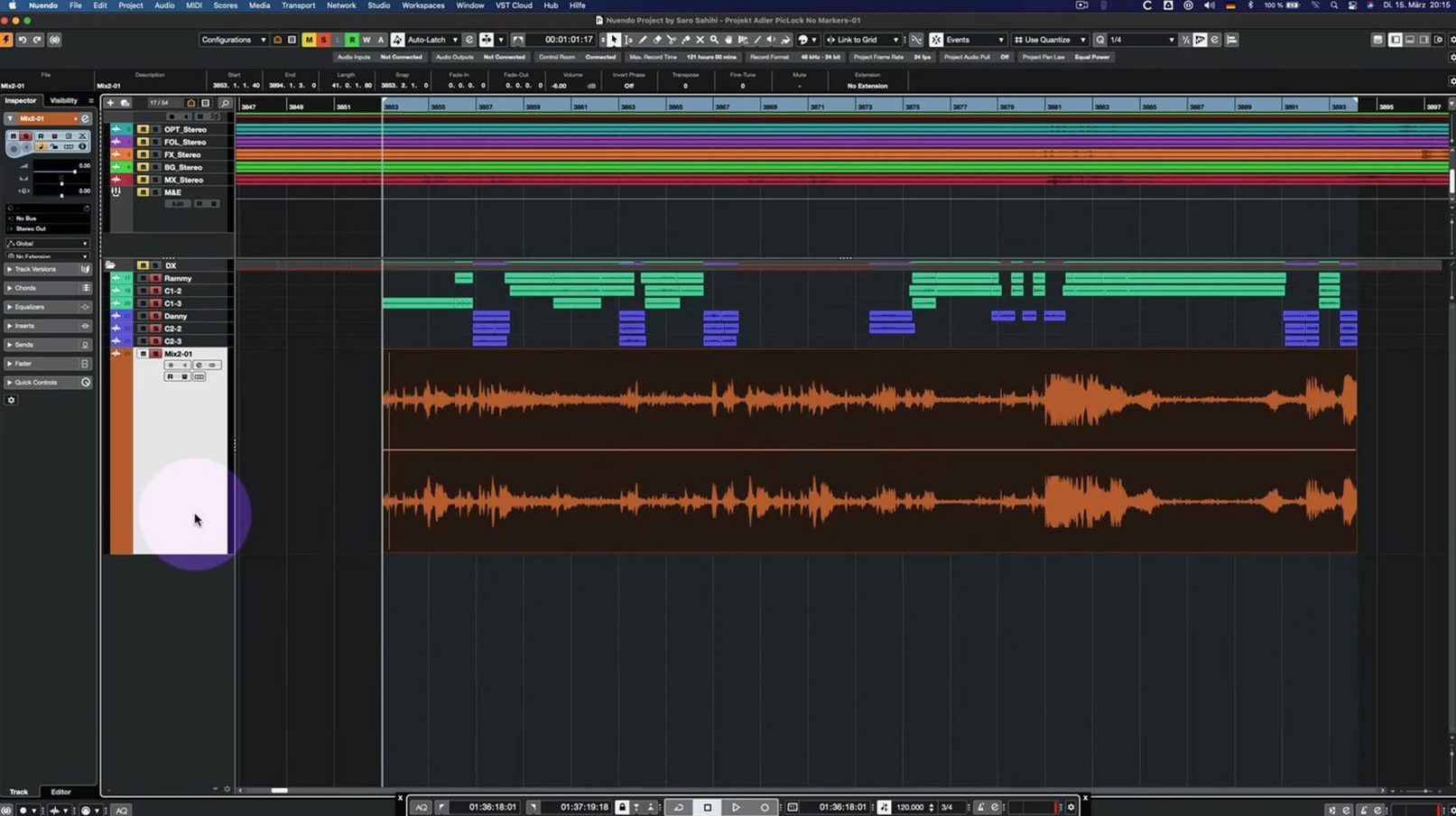
Nuendo 15 runs on both Intel and Apple Silicon Macs, starting from macOS 11. That covers most modern Macs, including the M1 and M2 series. The download is under 1.8 GB and the interface is in English.
If you are new to Nuendo, start with the Comp Tool and Group Editing. These let you work with multiple takes and edit groups of tracks at once. The Analyzer track is another feature to try: it shows visual feedback for your audio. Folder track routing and Group Channel behavior were updated in 15.0.30, so those are worth testing early.
For post-production work on film, television, games, or immersive audio, Nuendo handles surround and object-based formats. Imported track settings and track archives also improved in this version, making it easier to reuse setups from other projects. The Multiband Envelope Shaper plug-in now runs more efficiently when bypassed, which helps keep your session responsive.
Built for film and television sound editors
Nuendo 15 is built for people who work with sound in post-production, not for general music producers or hobbyists. The main groups include:
Film and television sound editors. Dialogue editing is a core use case. If you spend your day cutting ADR, cleaning up location sound, or matching takes, the Comp Tool with Group Editing in 15.0.30 makes a real difference. You can manage multiple takes across a scene without opening separate editors for each clip.
Game audio professionals. The folder track routing update matters here. Games often use complex track hierarchies for ambience, SFX, and dialogue that change depending on player location. Nuendo's folder track behavior, with the Group Channel changes in 15.0.30, keeps those hierarchies organized without breaking routing when you move things around.
Immersive audio producers. If you work in Dolby Atmos or other object-based formats, Nuendo is one of the few DAWs that treats those formats as native, not as an add-on. The Analyzer track in 15.0.30 gives you visual feedback that works in surround layouts, not just stereo.
Post-production teams with shared workflows. The imported track settings and track archives improvements mean you can move project templates between editors without losing custom routing or plug-in chains. That saves time when multiple people work on the same film or game.
If you only record music or produce beats, Cubase is probably a better fit. Nuendo's extra tools for video, surround, and post-production add complexity that you would not use.
Works on Intel Macs with macOS 11 or later
Will it run on my older Intel Mac? Yes, as long as you are on macOS 11 or later. Nuendo 15 supports both Intel and Apple Silicon, so a 2019 Mac Pro or a 2020 Intel iMac will run it. Performance depends on your session size and plug-in count, but the software itself installs fine.
Does it work with my audio interface? Nuendo uses Core Audio on Mac, so any interface with proper macOS drivers should work. Most modern interfaces from RME, Universal Audio, Focusrite, and others are supported. Check your interface manufacturer for macOS 11+ driver updates before installing.
Can I open old Nuendo projects? Steinberg maintains backward compatibility for project files within the same major version series. If you are coming from Nuendo 14, your projects open directly. For older versions, you may need to export or convert formats first.
Do I need a dongle? The version available here is pre-activated (K'ed by iamdumb), so you do not need a USB eLicenser or Steinberg's Soft-eLicenser. Install and use it directly.
Is the interface in English only? Yes, this release is in English. There is no option for other languages in this build.
Don't ignore the Analyzer track for spectrum analysis
The most common one is ignoring the Analyzer track. It is a separate track type that shows spectrum analysis and level metering for any audio passing through it. Beginners often add third-party plug-ins to get the same information, which uses extra CPU and clutters the mixer. The Analyzer track is lighter and built in.
Another mistake is using the standard Comp Tool without enabling Group Editing. In 15.0.30, the Comp Tool with Group Editing works across multiple tracks at once. If you are comping dialogue from two or three microphone takes, group them first. Otherwise you will spend time matching edits manually.
People also forget to check folder track routing after importing track archives. The 15.0.30 update improved how imported settings handle Group Channel behavior, but if you import an archive from an older project, the routing might not match your current template. Always verify folder tracks after import.
A smaller but frequent error is leaving the Multiband Envelope Shaper active on tracks that do not need it. The 15.0.30 update optimized its performance when bypassed, but many users still keep it enabled on every track out of habit. Bypass it when you are not using it, and the session stays more responsive.
Analyzer track visual feedback improved in latest update
The 15.0.30 update is a maintenance release with fixes and small enhancements rather than big new features. Here is what changed for everyday work:
- Analyzer track works better. The visual feedback for frequency analysis and metering was adjusted. If you rely on it for dialogue or sound design, the display updates more reliably.
- Folder track routing is clearer. The Group Channel behavior inside folder tracks was updated. If you use nested folders for game audio or film stems, moving tracks in and out of folders now preserves the correct routing.
- Imported track settings and archives are smoother. Bringing in settings from other projects used to cause conflicts with existing track layouts. The 15.0.30 update reduced those conflicts, especially with Group Channel assignments.
- Quick Link and MIDI behavior was adjusted. If you use Quick Link to connect tracks for editing, the MIDI port and channel associations now reset correctly when you disconnect and reconnect.
- Comp Tool with Group Editing got fixes. The tool that handles multiple takes across grouped tracks had some edge cases where edits did not align. Those are resolved in 15.0.30.
- Score Editor with locked global tracks no longer causes display errors when a project has locked tempo or time signature tracks.
- Direct Offline Processing interface no longer shows visual glitches when using VST Bass Amp or VST Amp Rack. Useful if you process dialogue or voice-over through those plug-ins offline.
- Multiband Envelope Shaper bypass performance was improved. The plug-in now uses almost no CPU when bypassed, so you can leave it inserted on template tracks without worry.
These changes are small individually, but together they make an already solid post-production workstation a little more predictable in daily use. If you are coming from an earlier 15.x build, the update is worth the download for the folder track and Comp Tool fixes alone.
- Many fixes and enhancements added across the application
- Analyzer track changes
- Folder track routing and Group Channel behavior updated
- Imported track settings and track archives handling improved
- Quick Link and MIDI port or channel behavior adjusted
- Comp Tool with Group Editing fixes
- Score Editor behavior with locked global tracks fixed
- Direct Offline Processing interface fixed for VST Bass Amp and VST Amp Rack
- Multiband Envelope Shaper plug-in bypass performance optimization
- macOS 11 or later
- Intel or Apple Silicon processor
- Download size: under 1.8 GB
How to install
- Download the Nuendo 15.0.30 disk image.
- Mount the image and run the installer.
- Follow the installation and activation instructions included in the package.
Similar apps






Sign in or join the club to leave a comment.
Nobody has commented yet.