
- Version
- 27.0.267
- Studio or maker
- Trimble Inc.
- Languages
- Russian, English, German, Spanish, Italian, Chinese (Traditional), Chinese (Simplified), Korean, Portuguese, French, Swedish, Japanese
- Activation
- Included
- Runs on macOS
- macOS 15 or later
- Chip type
- Apple Silicon, Intel 64-bit
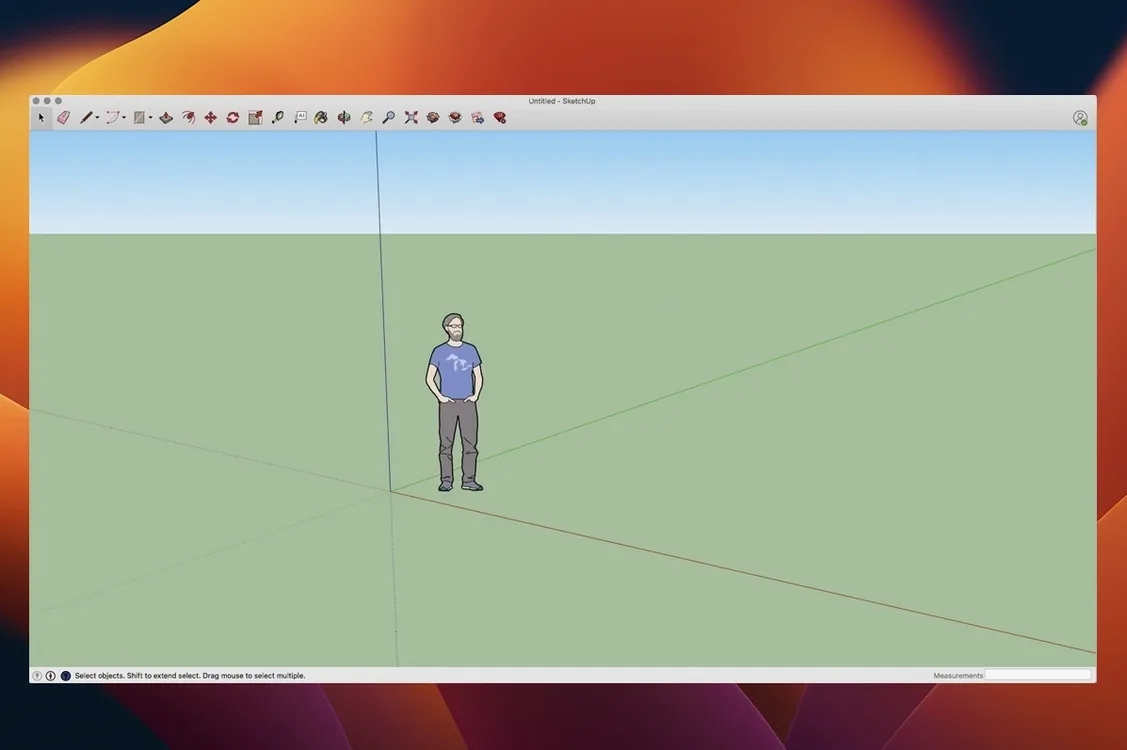
SketchUp Pro 26.2.242 brings several refinements to the Mac version. The 2026.2 release adds Analysis Hub for better project insights, improves LayOut graphics so plans and elevations update smoothly when the linked model changes, and fixes Mac-specific shortcuts and UI glitches. It also supports both ARM and Intel Macs, running natively on Apple Silicon.
Draw 3D models and turn them into plans and layouts
SketchUp Pro is a full 3D modeling workspace for design, documentation, and presentation. You draw in 3D directly, then use LayOut to turn your model into plans, sections, elevations, title blocks, and page layouts. When you edit the model, the LayOut file updates automatically. The software handles everything from quick concept sketches to detailed construction documents, and the Extensions migration tool in this version helps you move your plugins to the new build without losing work.
Languages and system requirements
The interface is available in English, German, French, Spanish, Italian, Portuguese, Swedish, Russian, Korean, Japanese, and both Simplified and Traditional Chinese. It runs on macOS 13 Ventura through macOS 26 Tahoe, with at least 8 GB of RAM and 6 GB of free disk space. The download works on Intel and Apple Silicon Macs alike.
From a floor plan sketch to a presentation board
A typical classroom or studio task: you have a rough floor plan on paper and need a clean set of drawings for a client meeting. Here is how SketchUp Pro and LayOut handle it from start to finish without leaving the Mac.
First, take a photo of your sketch or scan it, and bring the image into SketchUp as a reference. Set up the model with a few basic tools, tracing the walls to generate a 3D volume. Once the shell is done, add windows, doors, and furniture components. You can work to a precision of one-thousandth of an inch, which is useful when you are matching existing building dimensions.
When the model is ready, switch to LayOut. Create a page with a title block, then insert a viewport that points to your SketchUp scene. Adjust the scale, add dimensions, and annotate materials. The critical part: if you later change the ceiling height or move a wall in the model, the elevation drawing on your LayOut page reflects that change automatically. You do not need to export images or re-crop anything.
From the same model you can also produce an animated walkthrough. Set a camera path and export a flythrough to share with the team. That saves explaining the 3D space over email or a static PDF.
Native ARM and x86 support for smooth Mac performance
SketchUp Pro versus Blender
Blender is a powerful free tool for modeling, animation, and rendering. However, its interface and workflow are built around a different audience. Blender expects you to know terms like nodes, keyframes, and mesh editing before you can produce a simple architectural plan. SketchUp Pro, by contrast, keeps the learning curve lower for building-oriented tasks. The LayOut integration is something Blender does not offer at all. If you mainly need architectural documentation and quick concept models, SketchUp Pro saves you the extra step of exporting to a separate 2D layout tool.
SketchUp Pro versus Vectorworks
Vectorworks is a strong option for architects who want a combined 2D CAD and 3D modeling environment. Its workflow is more structured around layers and sheet sets from the start. SketchUp Pro is more flexible for early-stage sketching and iterative changes. The Extensions migration tool in version 26.2.242 also makes it easier to keep your plugin collection working after an upgrade, which Vectorworks handles differently through a module system. For quick design iterations and visual presentations, SketchUp Pro feels closer to a whiteboard than a drafting board.
SketchUp Pro versus free Mac apps like FreeCAD
FreeCAD is open source and works on Mac, but it relies heavily on parametric modeling. If you want to draw a volume by pushing and pulling faces, FreeCAD does not behave that way. SketchUp Pro's direct 3D drawing approach is faster for most architectural tasks. The trade-off is cost — FreeCAD is free — but the bundled LayOut, automatic annotations, and animated walkthroughs are features you would otherwise assemble from separate applications.
Extensions migration saves plugin reinstall time after updating
The Extensions migration feature in this build means you do not have to reinstall every plugin manually after updating. When you first launch the new version, it finds your existing extensions and offers to move them. That saves time, especially if you rely on a handful of tools for your daily work.
The Mac shortcut and UI fixes in 26.2.242 address some small but irritating issues from earlier versions. For instance, keyboard shortcuts for common commands now work more consistently across the interface, and the toolbars redraw properly when you switch between monitors with different resolutions. These are the sort of fixes you notice only after they stop annoying you.
LayOut's graphics improvements mean that linked viewports update more reliably. If you have ever opened a LayOut file and seen a red placeholder where your elevation should be, that happens less often now. The model and the page stay in sync with fewer manual refreshes.
Drag files between SketchUp and the Finder or export to common formats
Because SketchUp Pro supports both ARM and x86 architectures natively, it runs as a standard macOS application on any current Mac. You can drag files between SketchUp and the Finder, export models to common formats for use in other tools, and use macOS native sharing features to send walkthroughs to clients.
The software also plays well with macOS display management. The UI fixes in this version improve behavior when you move the window between a laptop screen and an external monitor. For a teacher or designer who docks a MacBook at a desk, that reliability matters.
If you use cloud storage or version tracking, SketchUp Pro's file format works with standard macOS file management. You can keep your .skp models in a shared folder, and LayOut documents reference them correctly as long as the relative path stays the same. That fits with how many small teams collaborate without a dedicated server.
- macOS 13 Ventura, 14 Sonoma, 15 Sequoia, or 26 Tahoe
- Apple Silicon (M1 or later) or Intel 64-bit processor
- 8 GB RAM minimum
- 6 GB available hard-disk space
How to install
- Open the downloaded disk image.
- Drag the app to the Applications folder.
- Open and install SketchUp 2026 License.
- Launch the app from Launchpad after installation.
Similar apps






Sign in or join the club to leave a comment.
Nobody has commented yet.