- Version
- 2025.08.11
- Studio or maker
- Franek, Max Cahill, Bibiki, Fáyer
- Languages
- English
- Activation
- Not required
- Chip type
- Apple Silicon, Intel 64-bit
- Tried out on
- macOS Sequoia, MacBook Pro (M3 Pro 2023)
- First released
- 15.08.2024
- Voice languages
- Music only
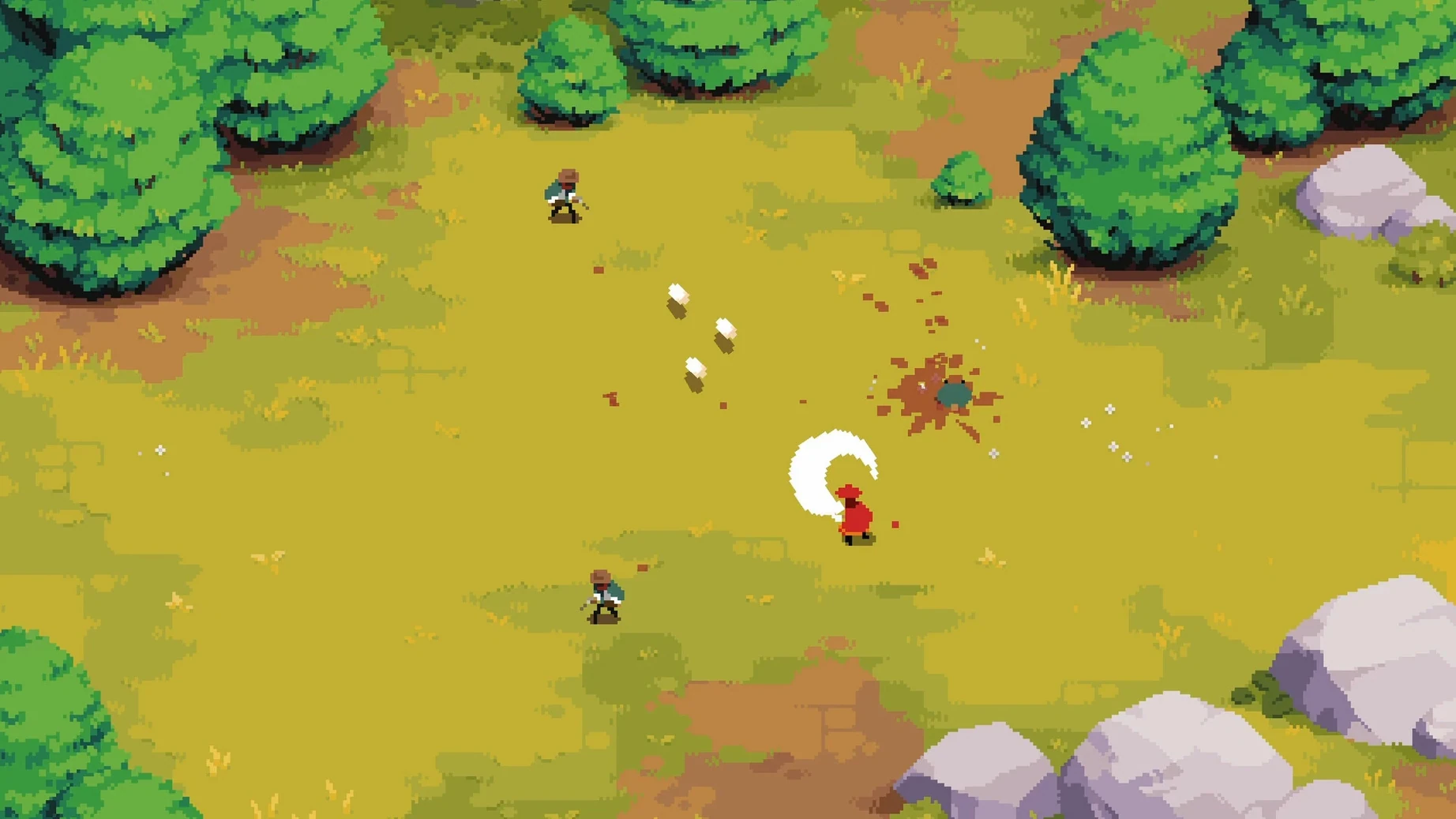
The current version of Arco, dated 2025.08.11, sharpens the tactical layers that matter most to returning players. Each campaign still stars a different main character with a separate ability set, so switching between them changes not just your moves but how you approach entire battles.
- Enemy variety spans warriors from different nations, colonizers, and monsters — each demands a different rhythm in combat.
- Progress unlocks new abilities, allies, and resources, giving you more ways to shape each run.
- The pixel-art world hides tactical opportunities in forests, plains, and deserts, not just visual flavor.
- Voice acting appears as musical accompaniment, keeping the atmosphere thick without cluttering the audio.
- The soundtrack carries the emotional weight of your decisions, so playing with sound matters.
Combat clash feedback now shows before the animation
The latest release focuses on polish rather than new systems. The simultaneous-turn combat now gives clearer feedback when your action clashes with an enemy's move — you see the outcome described before the animation plays, which helps you learn from mistakes faster. The pixel-art environments in forests and deserts have received lighting adjustments that make enemy patrol routes easier to read at a glance. Progress tracking across campaigns also got a small update: unlocked abilities and allies now carry over between runs if you start a new game with the same main character, so you are not rebuilding every resource from scratch. These changes do not rewrite the game, but they reduce friction for anyone replaying campaigns.
Starting a session by choosing one of four characters
I usually start a session by picking one of the four characters. Each has a separate ability set, so I choose based on the kind of combat I want. With my preferred character, I step into a forest area first. The pixel-art world shows me the terrain — trees block line of sight, open patches invite ambushes. I move cautiously because the simultaneous-turn system means every step I take happens at the same time as enemy actions. I trigger a fight with a monster. I line up my attack, wait for the turn resolution, and watch how the enemy responds. After winning, I check the new abilities I unlocked. Sometimes I find an ally that joins my group, which alters my options in the next battle. I play through two or three more encounters like this, then save before the next campaign chapter. The session takes about forty minutes, and every decision I made changed the story direction slightly.
Reviewing resources and equipping counters before a boss fight
When I know a boss fight is coming, I approach it systematically. First, I review the resources I have gathered from earlier battles — allies, items, and unlocked abilities. I equip abilities that counter the boss's known move patterns, which I learned by studying enemy warriors from previous campaigns. Next, I travel through plains or desert zones to find optional fights that give me extra resources without risking my main party. I avoid colonizer patrols that could weaken my characters before the main event. Once I feel ready, I enter the boss area. I position my characters on the tactical map so that their simultaneous-turn actions complement each other — one attacks while another supports. I commit to the turn, watch the resolution, and adjust my plan for the next round based on what the boss did. This workflow turns each boss encounter into a puzzle I solve with the tools I chose earlier.
For experienced players, Arco rewards patience and experimentation. The story bends around your choices, and the tools you gather make every campaign feel distinct.
- macOS 11.0 or later
- Architecture: Intel or Apple Silicon
- Interface language: English
How to install
- Open the mounted disk image to see its contents.
- Drag the app onto the Applications folder alias — this keeps it in the right place for Launchpad and Spotlight.
- Once the copy finishes, open the app from Launchpad and start playing.
Similar games



Sign in or join the club to leave a comment.
Nobody has commented yet.