- Version
- Build (17399420) Rev 1 [Wineskin]
- Studio or maker
- Valve
- Languages
- Russian, English, German, Bulgarian, Danish, Italian, Chinese (Traditional), Chinese (Simplified), Korean, Dutch, Norwegian, Polish, Portuguese, Romanian, Thai, Turkish, Ukrainian, Finnish, French, Czech, Japanese
- Activation
- Not required
- Chip type
- Apple Silicon
- Tried out on
- macOS Tahoe, Mac mini 2024 M4
- First released
- 1.11.2004
- Voice languages
- English
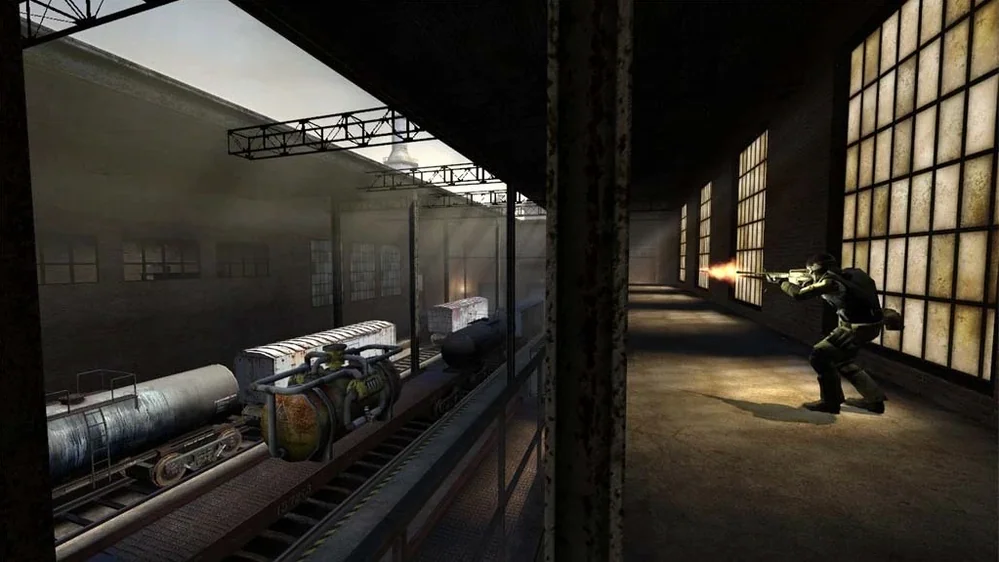
Multiplayer shooters often feel like they are all about reflexes, but Counter-Strike: Source asks for more than that. The core problem it solves is simple: how do you coordinate with a team to achieve an objective under pressure, with limited resources and permanent consequences? There is no respawn during a round, so every move matters.
Round by round: what you actually do
Each match splits you into two teams: terrorists and counter-terrorists. A round starts with a buy phase. You spend money earned from previous rounds on weapons, armor, and grenades. Then the clock starts. As a terrorist, you might plant a bomb and defend it until it detonates. As a counter-terrorist, you prevent the plant or defuse the bomb. The tension comes from map knowledge and sound. Footsteps, gunfire, and reload clicks all give away position. You hold angles, trade kills with teammates, and decide when to save your weapon for the next round instead of forcing a fight. Physics adds an extra layer — objects like barrels and doors react to bullets and grenades, which can change sightlines or create cover.
What the Mac version includes
This package runs on Apple Silicon through Wineskin and works with macOS Tahoe. It is a single-player version of the game, meaning the multiplayer component is not included. Cross-platform play with PC is available only through the Steam version. The game uses the Source engine and includes several interface languages such as English, German, French, Japanese, and Korean. You can switch languages by editing a config file after installation.
A scenario: a teacher’s quiet afternoon setup
I brought Counter-Strike: Source into the game club last term, but only after school hours and with the multiplayer disabled — exactly what this package offers. One student, Clara, wanted to learn the basics of team tactics without the pressure of live opponents. She spent the first session alone on de_dust, walking through corridors and learning to read the minimap. She practiced peeking corners and listening for the click of her own footsteps so she could better predict enemy movement later. For her, the value was in the repetition: no voice chat, no timed round stress, just the map geometry and her own pace. After two weeks, she could call out positions and common choke points by memory. That knowledge carried into the club’s LAN events when we eventually moved to Steam-based play.
Check the Fix file before your first round
Before you jump into a round, take a few minutes to confirm the game runs as expected on your Mac. These steps help avoid surprises.
- Open the Fix file from the disk image right after copying the app, even if the game launches fine the first time. It applies a small adjustment that prevents occasional launch failures later.
- Run one offline round on a classic map like de_dust. Play through the entire buy phase and at least one attack or defend sequence. This confirms that controls, sound, and physics all work.
- If the game seems quiet or the text looks wrong, check the config file early. You will save yourself a restart later.
- Close other applications before starting. The game uses the Source engine, which prefers dedicated resources, though I have not measured any specific impact.
Switch the language from Russian to English
Most of the defaults are fine, but three adjustments make a real difference from the start.
- Language: Open the app package contents, find the
configs.user.inifile, and edit the linelanguage=russianto whatever you prefer, such aslanguage=english. Save the file before launching the game. This is the only reliable way to switch between the twenty-one interface languages included. - Video settings: Inside the game menu, set your resolution to match your display’s native ratio. The Source engine scales well, but a mismatched aspect ratio can stretch the HUD. I usually set the field of view to 90 if the option appears.
- Mouse sensitivity: Turn it down slightly below the default if you are new to the game. Lower sensitivity gives you finer aim control when holding angles, which matters more than quick flicks in Counter-Strike: Source.
These changes take about five minutes total and make the first round feel less like fumbling and more like play.
- OS: macOS Tahoe
- Architecture: Apple Silicon
Questions I keep getting
Does this version include multiplayer?
No, the macOS package here is a single-player build. Multiplayer and cross-platform play with PC are only available through the Steam version.
How do I change the language?
Open the app package contents, find configs.user.ini, and edit it in TextEdit. Change the language setting from 'russian' to your preferred language, then save the file.
How to install
- Mount the downloaded disk image.
- Drag the app into the Applications folder alias.
- Launch the app from Launchpad after copying completes.
- If the game shows an error at launch, run the Fix file inside the disk image.
- To change the language, open the app package contents and edit configs.user.ini in TextEdit.
- Change the language setting from language=russian to the desired language value and save the file.
Similar games






Sign in or join the club to leave a comment.
Nobody has commented yet.