
- Version
- 2.3.30
- Studio or maker
- Team Soda
- Languages
- Russian, English, German, Spanish, Chinese (Traditional), Chinese (Simplified), Korean, Portuguese, French, Japanese
- Activation
- Not required
- Chip type
- Apple Silicon, Intel 64-bit
- Tried out on
- macOS Tahoe, Mac mini 2024 M4
- First released
- 16.10.2025
- Voice languages
- Music only
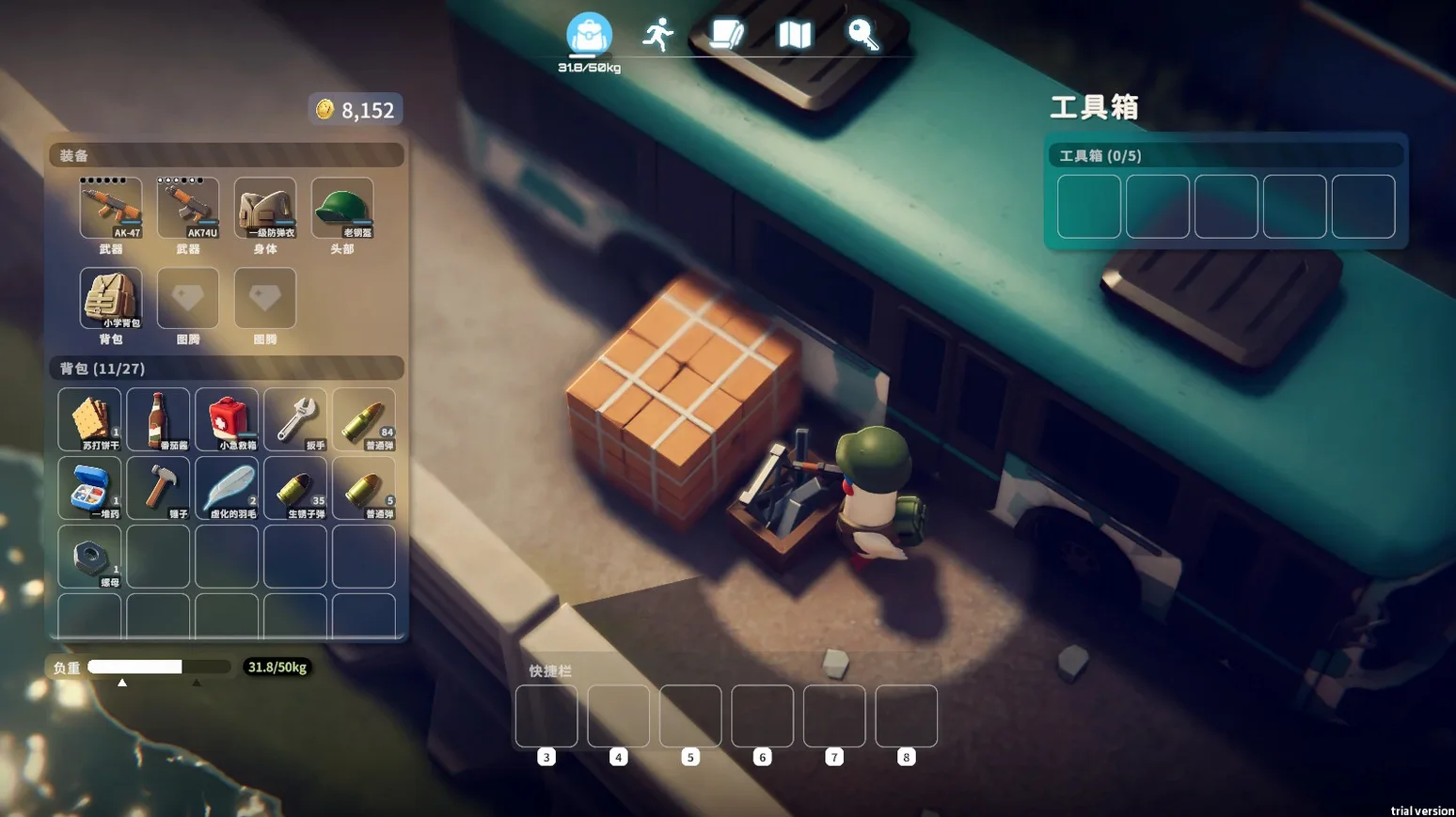
Over 50 hours of content sits inside a single playthrough of Escape from Duckov, a top-down PvE extraction shooter where ducks are the ones running, looting, and shooting. You start from zero, gather resources, and work your way toward escape — but the loot shifts over time, so no two runs feel the same.
The build I checked runs on macOS Tahoe with a 2024 Mac mini M4, and it supports both ARM and 64-bit x86 Macs, so it fits alongside the other tools you already keep on your machine. Weapons can be modified to suit your style, and the branching skill tree lets you shape your duck into something that survives longer, hits harder, or carries more.
It’s a PvE experience, so you’re fighting the environment and its inhabitants rather than other players. That makes it a good pick for evenings when you want tension without the unpredictability of a live lobby. The language options cover English, German, Spanish, French, Japanese, Korean, and both Chinese variants, so it’s easy to share with a multilingual household.
If your Mac already handles your daily apps without complaint, Escape from Duckov should slide right into your game library. Just drag it into Applications and you’re ready.
How a busy parent fits it into a week
A teacher friend of mine — also in Hamburg, but at a different school — has two kids and about forty minutes of quiet time after they’re in bed. She likes action games but hates losing progress because she has to stop abruptly. With Escape from Duckov, she can pick up a raid, gather some scrap, and extract before her window closes. The shifting loot and weather changes keep each short session feeling fresh, and the branching skill tree means even a fifteen-minute run advances her duck’s abilities. She told me she spent a whole week just improving her shelter and crafting better gear before attempting the harder maps.
Where it sits alongside other macOS tools
Escape from Duckov runs as a standard Mac app, so it behaves like any other program you install. You can keep it on a separate desktop space using Mission Control, which is handy if you want to glance at a crafting recipe in a browser without quitting the game. I also noticed that the game respects macOS’s built-in screen recording, so you can capture a funny duck death with QuickTime Player if you feel like sharing it. The disk image installs cleanly, and because the app doesn’t require activation, you can move it to an external drive if your internal storage is tight.
Game won’t launch after drag-and-drop install
A few people have asked me about issues they hit during the first few hours. Here’s what I’ve heard and how to sort them out.
- Game won’t launch after drag-and-drop install. This usually means the app didn’t copy fully. Check that the file size matches the expected size. If it’s smaller, delete it and drag the app again from the disk image, waiting until the copy finishes completely.
- Controls feel unresponsive or keyboard mapping seems off. Escape from Duckov uses standard key bindings, but if you have third-party input utilities running (like BetterTouchTool or Karabiner-Elements), they can interfere. Try quitting those apps temporarily and see if the controls tighten up.
- Loot doesn’t appear to change between sessions. The loot variation is tied to in-game time and weather. If you keep doing short runs without waiting for the weather system to cycle, the loot pool feels static. Let a few minutes pass in the shelter before heading out, and you’ll see the variety.
Most of these resolve quickly, and the game’s single-player nature means you can experiment without penalty. If you’re looking for an extraction shooter that respects a Mac user’s workflow and schedule, this one fits.
- Version 2.3.30 is the current listed build.
- macOS 11.0 or later
- Apple Silicon or Intel (64-bit x86)
How to install
- Open the downloaded disk image.
- Drag the app onto the Applications folder alias — this keeps your games tidy and easy to find.
- Once copying finishes, launch the app from Launchpad.
Similar games





Sign in or join the club to leave a comment.
Nobody has commented yet.