- Version
- 1.25.1.0 Native
- Studio or maker
- Giants Software
- Languages
- Russian, English, German, Hungarian, Vietnamese, Danish, Indonesian, Spanish, Italian, Catalan, Chinese (Traditional), Chinese (Simplified), Korean, Dutch, Norwegian, Polish, Portuguese, Romanian, Turkish, Ukrainian, Finnish, French, Czech, Swedish, Japanese
- Activation
- Not required
- Chip type
- Apple Silicon, Intel 64-bit
- Tried out on
- macOS Tahoe, Mac mini 2024 M4
- First released
- 12.11.2024
- Voice languages
- English
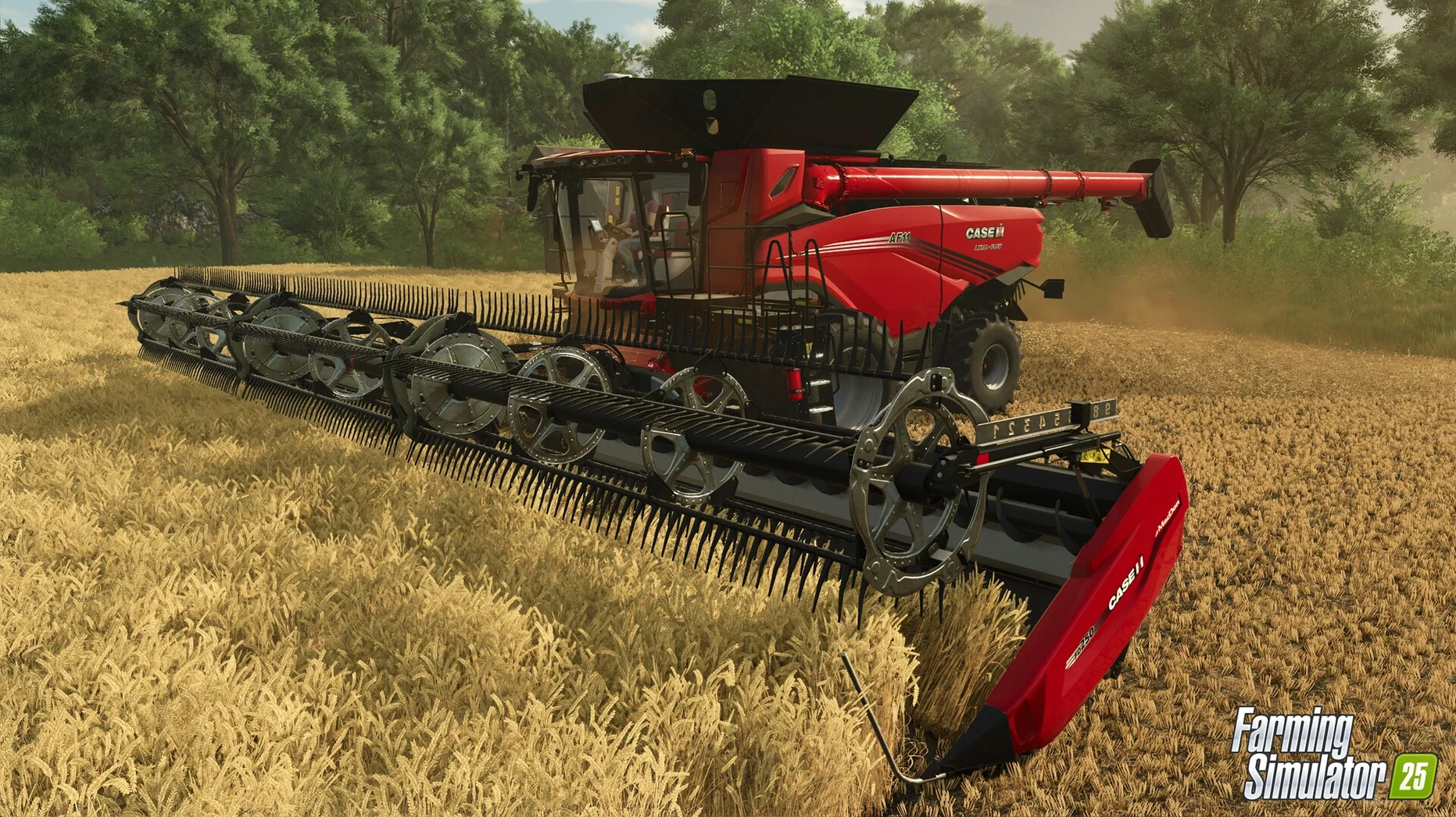
You settle into the cab of a harvester as a storm front rolls in over the East Asian map. Hail starts to rattle the roof, and you wonder whether the spinach field will survive the night. Farming Simulator 25, version 1.23.1.0, lets you live that moment across three continents, with more than 400 machines and a deformation system that keeps tire tracks in the mud long after you’ve driven away.
- You like a slow, deliberate rhythm. This is a game about planning, planting, waiting, and harvesting. There are no quick rounds or fast wins.
- You enjoy tinkering with systems. Choosing between crops like peas, green beans, or spinach, managing weather that can bring hurricanes, and watching the landscape change with each season all reward attention to detail.
- You prefer cooperative play. The single-player mode is solid, but the real draw for many is running a farm together in multiplayer, sharing tasks across the map.
- You might not like it if you want constant action. The pace is measured. Field work takes real-world minutes, and machines move at realistic speeds.
- You might bounce off if menus and management feel like work. Keeping an eye on finances, weather forecasts, and equipment upkeep is part of the loop.
- You might not care for the visual fidelity. The GIANTS Engine 10 update looks good, but the focus is on simulation, not spectacle.
If the idea of guiding a tractor through a hailstorm at dusk, then checking the damage in the morning, appeals to you, this is likely a farm simulator torrent worth considering. If you need faster feedback or prefer a tighter narrative, it might not hold your attention.
The first hours can feel overwhelming, especially if you are new
The first hours in Farming Simulator 25 can feel overwhelming, especially if you are new to the series. I see similar patterns each year when new players join the after-class game club. Here are the ones that come up most often.
Starting too big too fast
That usually leaves you with no money for seeds, fertilizer, or fuel. A better approach is to start with the equipment you are given, work a few harvests, and expand gradually. The game rewards patience, not ambition.
Ignoring the weather forecast
Planting a field of rice just before a hurricane hits is a lesson you only learn once. The game includes hurricanes and hail as real weather events, and they can flatten crops or flood fields. Check the forecast regularly, especially on the East Asia map where storms can arrive quickly. I keep a note on my desk that says "weather before work."
Forgetting to check tire tracks for field work
The deformation feature means tire tracks stay in the field. That is great for immersion, but it also means you can drive over freshly planted soil and compact it. Beginners often drive across the field to reach the other side, not realizing they are ruining the seedbed. Stick to headlands or established paths until the crop is up.
Other Mac farming simulators take different approaches
There are a few other farming simulators on Mac, but they take different approaches. Here is how Farming Simulator 25 compares with three common alternatives.
Stardew Valley
Stardew Valley is a smaller, pixel-art farming game focused on relationships, exploration, and dungeon combat. It runs on almost any Mac, including older Intel machines without a dedicated GPU. The farming is simpler: you water crops, feed animals, and sell produce. There is no GPS steering, no deformation system, and no giant harvesters. Farming Simulator 25 is for someone who wants realistic machinery, weather that damages crops, and dozens of crop types including rice, spinach, and green beans. Stardew Valley is great for a cozy evening. This game is for a weekend of planning and executing a full harvest cycle.
Pure Farming 2018
Pure Farming 2018 also tries for realism, but it has not been updated in years. It runs on macOS 10.12 or later and supports Intel Macs, but it lacks Apple Silicon support. That means it runs through Rosetta 2 on newer Macs, and performance can be uneven. Farming Simulator 25 runs natively on Apple M1 and later, and it includes the GIANTS Engine 10 with tire deformation and weather events like hail. Pure Farming 2018 has fewer machines and a smaller modding community. If you want the latest equipment from more than 150 manufacturers and access to ModHub creations, the Giants Software title is the better fit.
Harvest Moon: Light of Hope
Harvest Moon is a life-simulation game with farming elements, aimed at a younger audience. It has a story, characters to befriend, and a town to rebuild. The farming is very simple: you till, plant, water, and harvest in small plots. There is no GPS, no co-op multiplayer, and no forestry. For classroom use, I would recommend Harvest Moon to students who want a gentle introduction to the genre. Farming Simulator 25 is for older students or adults who want a deep simulation of modern agriculture with real brands and complex machinery.
Version 1.23.1.0 addressed stability issues when switching maps
Version 1.23.1.0 arrived on September 9, 2026. The official notes say bug fixes and game improvements. In everyday use, that means a few things worth knowing.
The update addressed some stability issues that could occur when switching between maps, especially the East Asia setting with its rice paddies. Players who had been saving and loading games on that map reported fewer crashes after the update. The GPS-assisted steering also became more reliable when used with certain mod vehicles from ModHub. Before the patch, some third-party tractors would lose the GPS line after turning at a headland. That no longer happens.
Multiplayer sessions also benefited. The co-op mode had a problem where a joining player would sometimes see different crop growth stages than the host. That mismatch caused confusion during harvest coordination. The update synchronized the growth data more reliably. For anyone running a farm with friends, this makes the shared work much smoother.
Even after updates, a few things still trip people up
Even after the updates, a few things trip people up. Here are the ones I hear about most often in the game club.
The game says the DMG file is damaged or cannot be opened
This usually happens when macOS Gatekeeper blocks the installation. The fix is straightforward: right-click or Control-click the DMG file, then select Open from the menu. That bypasses the automatic block. Once you have copied the app to your Applications folder, you can open it normally from Launchpad.
The game runs but the field textures look odd or flicker
On Intel Macs with integrated graphics, the GIANTS Engine 10 can sometimes struggle with the deformation system. The tire tracks and mud textures are computationally expensive. If you see flickering ground textures, try lowering the graphics quality in the settings menu. The game still looks good at medium settings, and the performance gain is noticeable.
I cannot find the rice farming tools I expected
Rice farming in the East Asia map uses specialized equipment. Not all of it appears in the starting equipment. Check the shop under the rice category. If you cannot find what you need, ModHub has several user-created rice tools that work well.
The multiplayer invite does not reach my friend
Co-op multiplayer requires that both players are on the same version of the game. If you updated to 1.23.1.0 but your friend is still on an earlier version, the invite will not appear. Ask your friend to update, then restart the game and try again. Also check that both of you have accepted the game's network permissions in macOS firewall settings.
Can I play on a MacBook Air with 8 GB of RAM?
Over the years, a few questions come up again and again. Here are the answers I give in the club.
Can I play this on a MacBook Air with 8 GB of RAM?
The minimum requirement is 8 GB, and that is what the game uses. It will run on a MacBook Air with an M1 or later chip, but you should close other applications while playing. The game needs about 45 GB of storage, so make sure you have enough free space. On an Intel Mac with 8 GB, you may need to lower the graphics settings for smooth gameplay, especially on the East Asia map with its detailed rice fields.
Do I need an internet connection to play?
No for single-player. The game works entirely offline once installed. You only need an internet connection for multiplayer, for downloading mods from ModHub, or for receiving updates. If you plan to play solo on a laptop without Wi-Fi, you are fine.
Is the game translated into other languages?
Yes. The game includes 24 languages, among them English, German, Spanish, French, Japanese, Korean, Simplified Chinese, and Turkish. The voice language is English only, but all menus, tutorials, and interface text are available in your chosen language. That makes it usable in many classrooms.
Can I use a controller or steering wheel?
Yes, the game supports game controllers and steering wheel peripherals. The GPS-assisted steering feature is designed to work with a wheel for realistic driving. Many players in the club use an Xbox or PlayStation controller and find it easier than keyboard and mouse for tractor work.
How do I install mods from ModHub?
Open the game, go to the main menu, and select the ModHub option. You can browse by category or search for specific mods. Download them directly inside the game, and they appear in your save game slots. No manual file moving is needed. Be aware that mods are user-created and may not always be updated for the latest game version.
The Mac-native release of Farming Simulator 25, version 1.25.1.0, is now available. This build runs directly on Apple Silicon and Intel Macs without translation layers.
- Apple Silicon or Intel 64-bit Mac
Questions I keep getting
Does Farming Simulator 25 run on Apple Silicon Macs?
Yes, it supports both Intel and Apple Silicon Macs, as long as you have macOS 11.3 or later.
What crops are new in this version?
Spinach, peas, and green beans are included as new crops alongside the usual staples.
Can I play with friends on this version?
Yes, the game supports cooperative multiplayer, so you can farm together on the same map.
How to install
- Open the downloaded disk image file.
- Drag the app into the Applications folder alias inside the disk image.
- After copying finishes, open the app from Launchpad.
Similar games






Sign in or join the club to leave a comment.
Nobody has commented yet.