
- Version
- 1.0.1180.1/1.41 REV 1 [Wineskin] Update
- Studio or maker
- Rockstar Games
- Languages
- Russian, English, German, Spanish, Italian, Chinese (Traditional), Korean, Polish, Portuguese, French, Japanese
- Activation
- Not required
- Chip type
- Apple Silicon
- Tried out on
- macOS Tahoe, Mac mini 2024 M4
- First released
- 14.04.2015
- Voice languages
- English
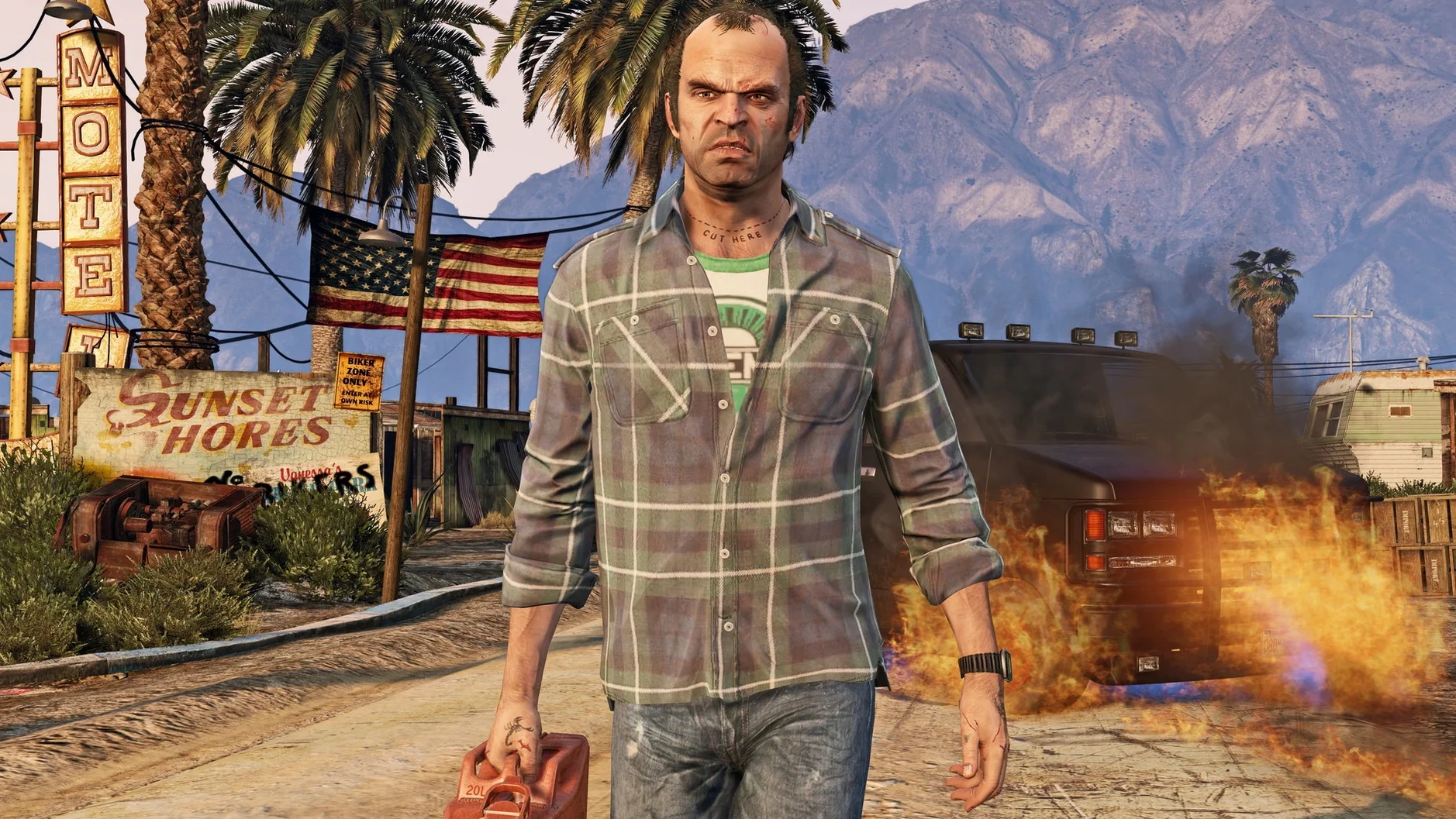
Grand Theft Auto V puts you in Los Santos, a sprawling city with hills, countryside, and beaches. You switch between three main characters—Michael, Franklin, and Trevor—each with their own story. The game centers on a series of risky heists, and you'll spend your time planning them, driving across the map, and handling whatever goes wrong.
Minute to minute, you might be scouting a bank, stealing a getaway car, or just exploring the city. The switching mechanic means you can jump from a chase to a quiet moment in another character's life, which keeps the pace varied. Missions mix driving, shooting, and stealth, but the real draw is the freedom to ignore the story and wander.
The current version runs on Apple Silicon Macs through Wineskin, and the interface supports English, German, Spanish, and several other languages. It's a big game, so give yourself time to settle into its rhythm.
The character wheel shows each character's current activity
A few things in Grand Theft Auto V don't advertise themselves but make the daily play noticeably easier. The character wheel, for instance, lets you switch between Michael, Franklin, and Trevor instantly, but it also shows each character's current activity and location. A quick glance tells you who is available for a mission and who is busy with their personal life, saving you from driving halfway across the map only to find they are not ready.
The game saves your vehicle choices in a subtle way. If you leave a car in a character's garage, it tends to stay there. Los Santos has plenty of traffic, but having a preferred car parked where you left it is a small relief when you are in a hurry. The quick GPS option on the pause map is another time-saver. Instead of manually setting waypoints, you can select a mission or a store directly, and the route appears on your minimap without extra steps.
The phone contacts are worth checking early on. Each character has a list of contacts for services like calling for a taxi, ordering a helicopter, or requesting a ride from a friend. These are easy to overlook when you are focused on the heist planning, but they save real time once you use them. A taxi call gets you across Los Santos without driving yourself, which is useful when you want to arrive at a mission fresh rather than after a long drive.
The most common mistake is rushing between missions without exploring
The most common mistake is treating it like a linear game. Grand Theft Auto V opens up quickly, and new players sometimes rush from mission to mission without pausing to explore. The side activities—parachuting, street races, random encounters—are not filler. They give you money, skills, and a better feel for the map. Skipping them makes the main heists harder because you have less cash for equipment and less familiarity with escape routes.
Another misstep is ignoring the character-specific skills. Each of the three protagonists has a special ability: Michael slows time during gunfights, Franklin can slow time while driving, and Trevor enters a rage mode that reduces damage taken. Beginners often forget these exist or save them for emergencies. Using them frequently in combat and chases makes a real difference. The game gives you a brief tutorial, but it is easy to miss in the early chaos.
Managing money is another area where players trip up. The heists pay well, but only if you invest in the right crew members and equipment beforehand. New players sometimes spend their savings on cars or clothes before a big job, leaving themselves with a weaker team and worse gear. The game tells you the recommended approach, but it is tempting to ignore it. A little restraint before a heist pays off afterward.
Start by completing the first story missions until the world opens up
Start by completing the first few story missions until the world opens up. The introductory sequence is linear, but once you can freely roam Los Santos, take a half hour to drive around and note where the shops, safehouses, and mission markers are. The minimap is helpful, but knowing the major intersections and shortcuts from memory speeds up everything later.
Switch characters often, even when you do not need to. The game encourages it, and each character has their own side missions and random events. Checking in on Franklin, Michael, and Trevor every so often keeps their individual stories moving and unlocks abilities and money opportunities you would miss if you stuck to one protagonist.
When you see a random event on the map—a blue dot or a question mark—go there. These are often simple encounters that reward you with cash, vehicles, or contacts. They are easy to ignore, but they build your resources steadily. Also, visit the stores early.
Finally, adjust your settings in the pause menu before doing anything else. The default camera and control sensitivity might not suit your style. Crank up the brightness if you are playing in a dark room, and set the aiming to your preferred mode. It takes two minutes and saves you frustration during the first chase.
- macOS: not specified
- Architecture: Apple Silicon
Questions I keep getting
Can I switch between characters at any time?
Yes, the game lets you switch between the three main characters, both during missions and while exploring the open world.
How to install
- Open the downloaded disk image.
- Drag the application to the Applications folder shortcut—this keeps it organized with your other apps.
- After copying finishes, open the app from Launchpad.
- If the game shows an error at launch, run the file named Fix from the disk image—it resolves common startup issues.
Similar games






Sign in or join the club to leave a comment.
Nobody has commented yet.