- Version
- 1.0 fix
- Studio or maker
- Feral Interactive
- Languages
- Russian, English, German, Spanish, Italian, Chinese (Traditional), Chinese (Simplified), Korean, Polish, Portuguese, French, Japanese
- Activation
- Not required
- Chip type
- Intel 64-bit
- Tried out on
- macOS Sequoia, MacBook Air (M1. 2020)
- First released
- 24.06.2014
- Voice languages
- Music only
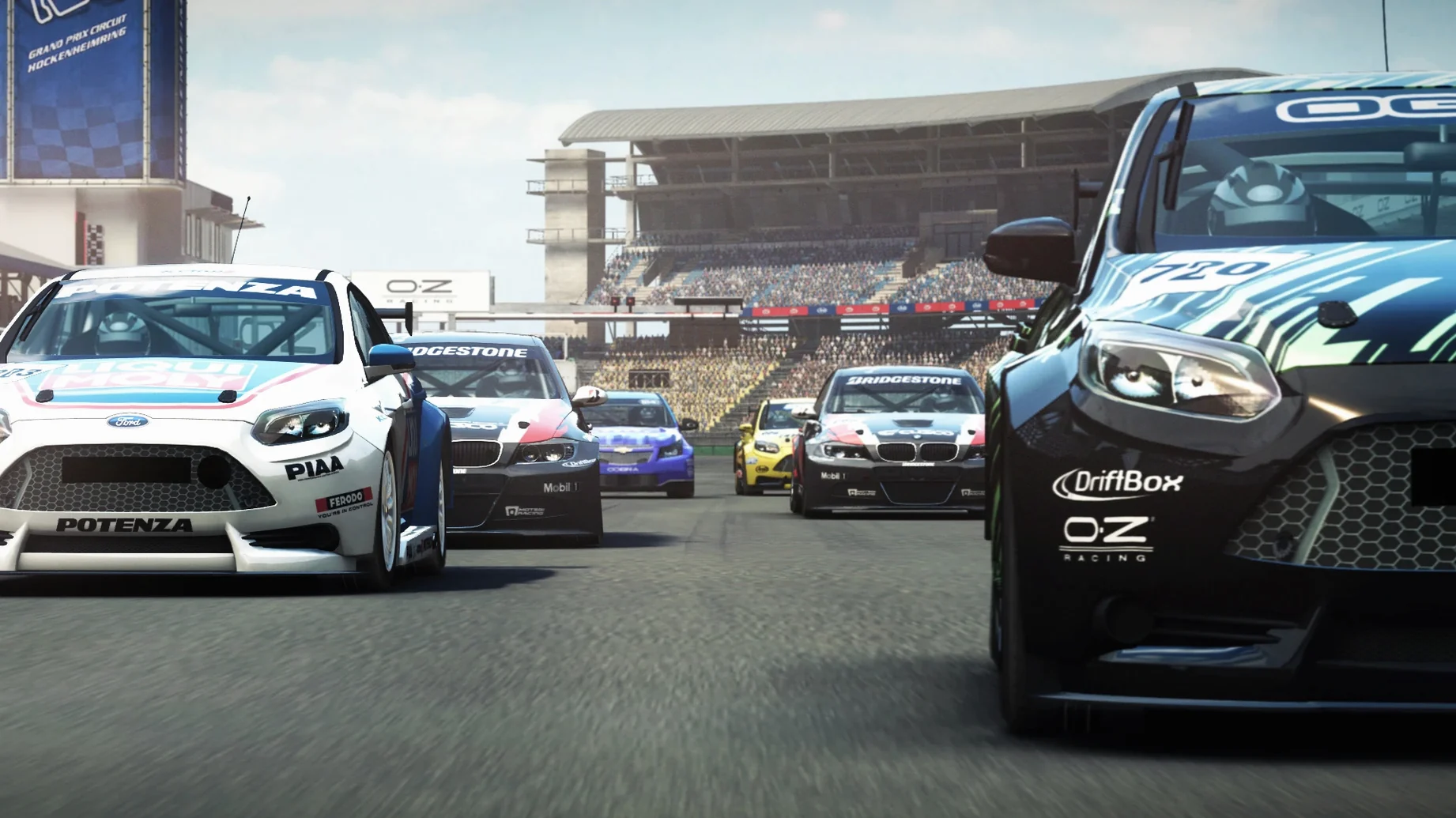
GRID Autosport runs on Intel Macs running macOS 10.11 or later. The 1.0 fix build is an x86 64-bit app, so it works on Intel models natively. On Apple Silicon Macs (M1, M2, M3) it runs through Rosetta 2. We tested the package on macOS Sequoia on a MacBook Air (M1, 2020) without issues.
Key terms explained
Difficulty scaling — You can set the challenge from very easy to ultra-realistic, adjusting assists, AI aggression and damage levels.
Interface languages — The game includes English, German, Spanish, Italian, French, Portuguese, Polish, Russian, Korean, Traditional Chinese, Simplified Chinese, and Japanese.
Data folder — After launching the game for the first time, you need to point it to the GridAutosportData folder on your drive. That folder contains the game assets.
A weekend league racer's setup
One of our club members runs a small online league for colleague friends on Friday nights. He wanted a game that felt serious enough for a short championship but didn't demand daily practice. GRID Autosport fit because he could tune the difficulty to suit mixed skill levels. With the AI set to medium aggression and damage on 'normal', rookies could finish a race without spinning out every corner, while experienced drivers still needed to brake properly. The gamepad support meant everyone used the same controller type, no one had an advantage from a wheel setup.
Adjust difficulty to normal or hard before your first race
Before your first race, open the options menu and adjust these three things:
- Set the difficulty to 'normal' or 'hard' — The default is balanced for a general audience. If you have racing game experience, bump it up one notch. If you play mostly arcade racers, leave it on the easier side until you learn the track layouts.
- Turn on the racing line — This visual aid shows the ideal path through corners. It is not a crutch; it helps you learn the 100 tracks faster. You can switch it off later once you memorise the flow of each circuit.
- Map your gamepad controls — The game recognises most modern controllers, but the button layout may not match your preference. Spend two minutes remapping accelerate and brake to the triggers if they are not already set that way.
Workflow: starting a quick championship
If you want a structured evening of racing without building a custom event from scratch, this is the fastest path:
- Choose Championship mode — From the main menu, select Championship. Pick a discipline that uses cars you enjoy. The game offers several series, each with its own car class.
- Pick a vehicle from the available roster — You have 100 cars to choose from. Each championship restricts you to a specific class, so browse the garage first to see which cars are eligible.
- Select the number of races — A short championship runs five to eight events. This fits a two-hour session. The game autogenerates a calendar from the 100 tracks.
- Adjust AI difficulty per race — Before each event, you can tweak the AI strength. If you are leading the championship, raise it for the next race to keep the pressure on. If you fell behind, lower it slightly to avoid a frustrating evening.
- Race and review — After crossing the finish line, the game shows your grid position, lap times and championship points. Use the replay tool to see where you lost time on the track.
- Operating system: macOS 10.11 or later
- Architecture: Intel (x86 64-bit); runs on Apple Silicon via Rosetta 2
Questions I keep getting
Does GRID Autosport work on macOS Sequoia?
Yes, we tested the 1.0 fix build on Sequoia with a MacBook Air (M1, 2020) and it ran correctly.
How to install
- Copy the files from the disk image to your computer. This keeps the game data in one place.
- Launch GRID Autosport from the copied folder.
- When prompted, choose the GridAutosportData folder so the game can find its assets.
Similar games


Sign in or join the club to leave a comment.
Nobody has commented yet.