- Version
- 1.3.3
- Studio or maker
- Playdead
- Languages
- Russian, English, German, Spanish, Italian, Chinese (Simplified), Korean, Polish, Portuguese, Turkish, French, Japanese
- Activation
- Not required
- Chip type
- Apple Silicon, Intel 64-bit
- Tried out on
- macOS Tahoe, Mac mini 2024 M4
- First released
- 2.08.2011
- Voice languages
- Music only
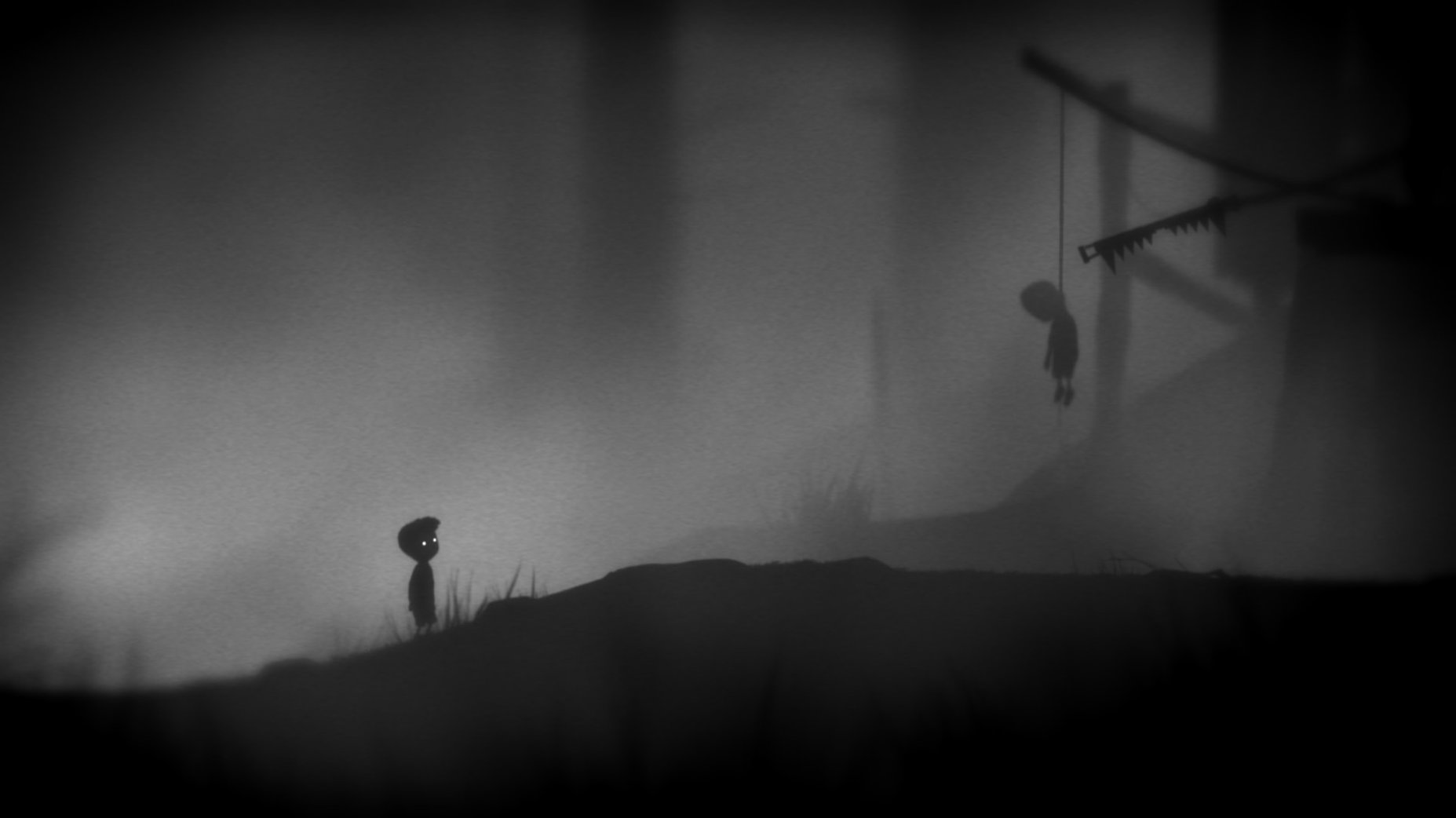
The puzzle isn't figuring out where to go — it's surviving the dark forest, the traps, and the creatures that lurk in the shadows. LIMBO is a monochrome 2D platformer from Playdead, where every step could be your last. The boy's search for his missing sister takes you through a world that feels both ancient and alien.
- A wrong move means death, but checkpoints are generous.
- The black-and-white silhouette art style strips away distraction, leaving only atmosphere and danger.
- No dialogue, no tutorials — the game teaches through its environment and your own curiosity.
- Version 1.3.3 brings general improvements and minor bug fixes to the macOS version.
- Full support for both Intel and Apple Silicon Macs, running on macOS 10.13 or later.
It's a short game — maybe three or four hours — but every second is deliberate. For anyone who wants a platformer that trusts them to figure things out on their own.
Game loads and saves without hiccups
The current build lists improvements and minor bug fixes. In practice, that means the game loads and saves without the little hiccups earlier macOS versions sometimes threw at it. The checkpoint system feels consistent — when you die (and you will), you return to the last lit spot without having to wonder whether it saved. Nothing about the art, the puzzles or the silence changed, and that is exactly right.
Scenario: a language teacher borrowing the silence
One afternoon a colleague from the English department asked if I knew a game where students could focus on narrative without reading a single word. I pointed her to LIMBO. She ran it on an older Intel MacBook Air in her classroom, no issues. The class watched the first twenty minutes in pairs, then wrote down what they thought was happening. No dialogue, no subtitles — just the boy, the forest, and the sound of his breathing. The game sparked more discussion than any short film she had used before. The monochrome art kept distractions low, and the lack of text meant no one was left out because of reading speed.
Workflow: getting through the first puzzle area without frustration
New players often get stuck early because they rush. Here is how to approach the first large outdoor section methodically.
- Walk into each new screen slowly. The camera pans with you, and traps are telegraphed by the environment — a disturbed patch of ground or a rope that looks out of place. If you sprint, you miss those cues.
- Use the box as a tool, not a step. Early on you find a wooden box you can push. Push it into the light to scare away the giant spider, then pull it under the low ledge to climb up. Letting go of the box at the wrong moment resets the spider encounter.
- Wait for the bear trap to snap on its own. In the clearing with two traps, stand just in front of the first one until it triggers on the empty ground. Then walk past safely. The game rewards patience over speed.
- Jump at the very edge of a platform. The physics are weighty — the boy does not float. Hold the direction until his foot leaves the ground, or you will grab the edge and hang, losing momentum.
- Let the checkpoint tell you when it is safe. After you solve a puzzle, the screen flickers white briefly. That is the auto-save. If you die before the flicker, you redo the puzzle. Wait for it.
These steps get easier after the first ten minutes. The game never changes its rules, so once you learn one trap, you can apply that lesson to later sections.
- macOS 10.13 or later
- Intel or Apple Silicon processor
- Interface languages: Russian, English, German, Spanish, Italian, Simplified Chinese, Korean, Polish, Portuguese, Turkish, French, Japanese
How to install
- Open the downloaded disk image file.
- Drag the LIMBO app into your Applications folder.
- Once the copy finishes, launch the game from Launchpad.
Similar games





Sign in or join the club to leave a comment.
Nobody has commented yet.