- Version
- 1.21.7 [Legacy Launcher 167.7 Stable]
- Studio or maker
- Mojang AB
- Languages
- Russian, English, Ukrainian
- Activation
- Not required
- Chip type
- Apple Silicon, Intel 64-bit
- Tried out on
- macOS Tahoe, Mac mini 2024 M4
- First released
- 18.11.2011
- Voice languages
- Music only
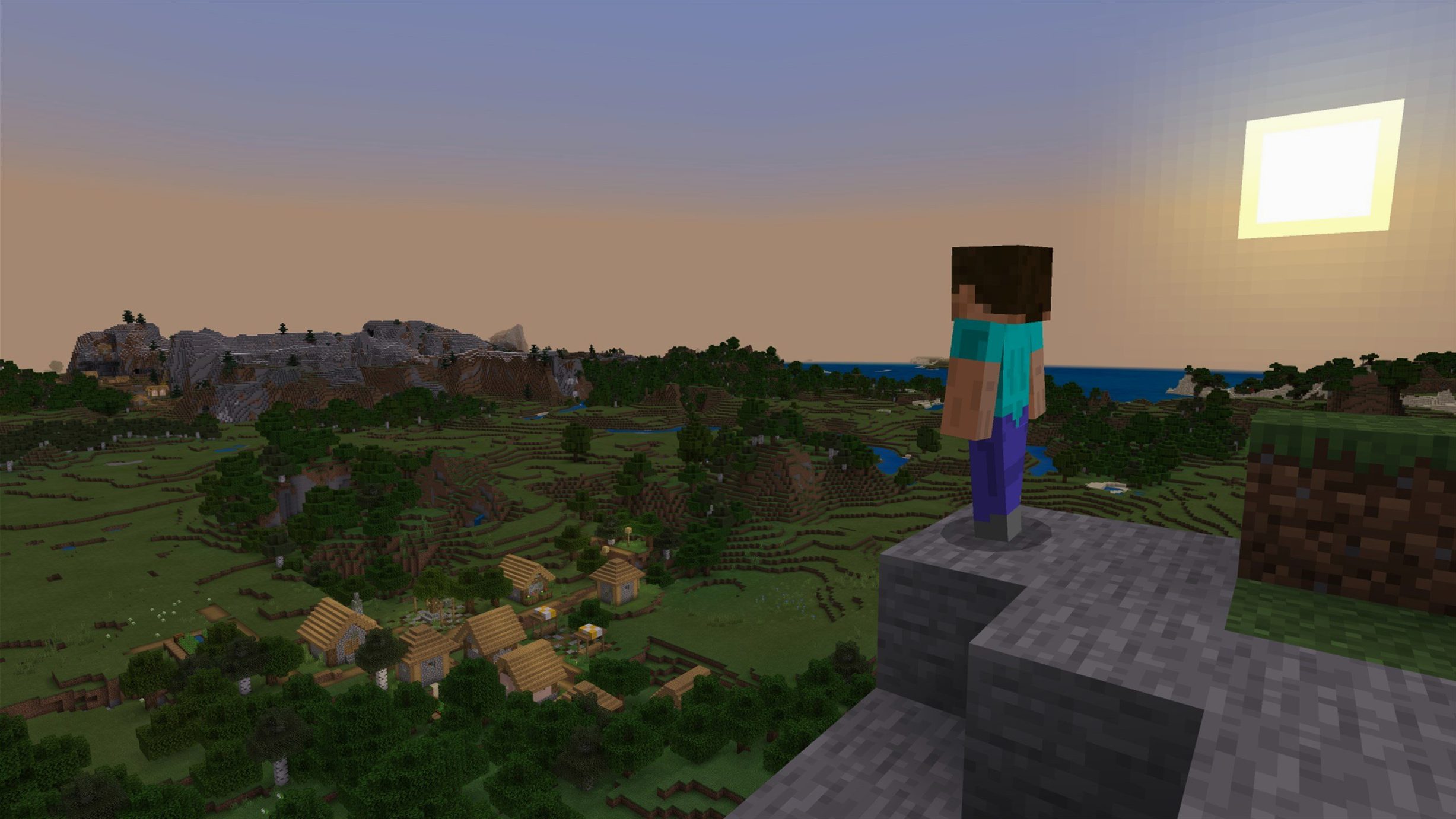
Minecraft Java Edition runs on both Intel and Apple Silicon Macs, as long as you have a 64-bit system. Version 1.21.7, released June 30, 2025, brings a few small additions: a new 3x3 painting and the Lava Chicken music disc. More importantly, it fixes resource pack loading, text rendering, startup crashes on some AMD graphics, and texture leaks after reloading resources. The game itself is a three-dimensional sandbox world made of cubic blocks. You can explore, build structures and items, and fight opponents. Controls work well with a keyboard and mouse, and performance is generally smooth on any recent Mac that meets the system requirements—older Intel models may need lower render distance settings. If you want to torrent Minecraft Java for Mac, this version is the one to look for.
Settings to change first
When you start Minecraft Java Edition for the first time, the defaults are playable but not ideal for everyone. I usually recommend opening the Settings screen from the main menu before you launch a new game. The first thing to adjust is the render distance. The default of nine or ten blocks works on older Intel Macs, but on Apple Silicon systems you can push it to twelve or fifteen without noticeable slowdown. This gives you more time to spot approaching enemies or interesting terrain.
Next, check the Graphics section. The setting is under Accessibility. While you are there, enable dynamic FOV if you find the camera motion a little abrupt during combat. Dynamic FOV smooths the view bob when you take damage or run.
Sound is worth a look too. The default music and effects volume are both at full. The Lava Chicken music disc that came with version 1.21.7 plays at normal music volume, so this adjustment helps it sit in the background rather than dominate.
Finally, go to the Controls section and check your key bindings. The default setup works, but swapping the sprint and crouch keys makes quick escapes easier. Many players map sprint to Shift and crouch to Control, the opposite of the default. The game remembers this per user profile, so you only set it once.
Learn block-breaking rhythm on Easy difficulty
Start a new single-player world on Easy difficulty for the first hour. This lets you learn the block-breaking and placing rhythm without frustration. Mining your first coal with a stone pickaxe teaches you the timing better than any tutorial. Once you have a basic shelter and a bed, the pressure drops and you can explore at your own pace.
Keep the resource pack that came with version 1.21.7 for now. Older packs sometimes cause texture flicker because the data pack version jumped to 81 and the resource pack version to 64. The bundled pack matches these numbers exactly, so you avoid the texture leak bug that was fixed in this release. If you download third-party packs, check that they are updated for the new resource pack version. Otherwise you get missing blocks or stretched textures.
Make a habit of saving your game before trying a new structure or a long exploration. Minecraft Java Edition does not auto-save as often as some other sandbox games. Use the Escape menu and select Save and Quit whenever you finish a building session. This way you keep your progress even if the Mac needs to restart for a system update.
If you plan to play multiplayer on a local network, run the dedicated server application from the game folder once before joining. The launcher creates the necessary configuration files on first launch. Without this step, the server might not appear in the LAN browser. A friend who skipped it once spent twenty minutes wondering why his world was invisible.
Play entirely offline after one launch
Minecraft vs. Terraria
Terraria shares the block-based building and exploration idea, but its world is two-dimensional and side-scrolling. The focus is more on combat, crafting, and boss progression. Minecraft Java Edition gives you a full 3D environment where you carve mountains and build towers. Terraria runs on older Macs with less memory, but it lacks the first-person perspective and the procedural generation that creates valleys, oceans, and caves. If you want a deeper survival loop with clear goals, Terraria fits. If you want to shape the terrain itself, Minecraft is the one.
Minecraft vs. Roblox
Roblox is a platform of user-created games rather than a single sandbox. You play experiences made by others, from obstacle courses to role-playing worlds. Minecraft Java Edition is one game with one rule set. Roblox requires a constant internet connection and an account. Minecraft works offline after installation. The block style is similar, but Roblox’s blocks are larger and less detailed. For a quiet afternoon building a village without leaving your desk, Minecraft feels more contained and private.
Minecraft vs. Vintage Story
Vintage Story is a survival sandbox that emphasizes realism — tools degrade, seasons change, and food spoils. It runs on Mac through a native build, but its development is slower than Minecraft’s. The crafting system in Vintage Story is more complex: you shape tools by holding different mouse buttons. Minecraft Java Edition keeps crafting simple: place ingredients in a grid and collect the result. Vintage Story appeals if you want a survival challenge. Minecraft works better for creative building without the pressure of rusting gear or starving every few minutes.
Version 1.21.7 fixes unreliable resource pack loading
Does Minecraft Java Edition need an internet connection to play?
No. After you install the game and launch it once to generate the necessary files, you can play entirely offline. The launcher checks for updates when you open it, but you can cancel that step and still start the game. This is useful on a train or in a classroom where Wi-Fi is limited.
Can I use my existing save files from the Windows version?
Yes, as long as the save folder structure is the same. On Mac, saves are stored in the Minecraft directory under the saves folder. Copy the Windows save folder there. The game version must match or be close — saves from older versions sometimes fail to load if the data pack number changed. Version 1.21.7 uses data pack 81, so saves from 1.21.6 or earlier should work, but very old saves from version 1.1x might not.
Will this version run on an older Mac like a 2015 MacBook Pro?
It should, but you will likely need to reduce the render distance to six or seven blocks and disable particle effects. The game is 64-bit only, so any Mac that runs macOS 10.9 or later and has a 64-bit processor should launch. Performance depends on the Intel graphics chip. The game also supports Apple Silicon, so newer Macs get a smoother experience.
Is the music included or do I need to download it separately?
Music is included with the installation. The Lava Chicken music disc from version 1.21.7 is one of the new tracks. You do not need to download sound packs separately. If you want silence, you can turn the music volume to zero in settings.
Can I mod this version of Minecraft?
Yes, the Java Edition supports mods and resource packs. You place mod files in the mods folder and resource packs in the resourcepacks folder. Be careful with mods that change the data pack version — they can conflict with the version 81 update. Check the mod author’s notes for compatibility with 1.21.7 before installing.
New painting and music disc in the latest update
Version 1.21.7 came out on June 30, 2025. The headline additions are a new 3x3 painting and the Lava Chicken music disc. But the real difference in daily play comes from the fixes. Resource pack loading was unreliable in earlier versions — sometimes custom block textures would not appear until you restarted the game. That is fixed now. Text rendering also got a clean-up. Letters in chat and item names no longer blur at certain UI scales.
The startup crash on some AMD graphics systems is resolved. If you use a Mac with an external AMD eGPU, you would have seen a black screen on launch before this patch. That no longer happens. Texture leaks after resource reload were another annoyance: switching resource packs mid-session used to leave ghost textures on blocks. The developers patched that too. The resource pack version is now 64 and the data pack version is 81, which means any third-party content you use must match these numbers. Older packs may still load but might look incomplete.
In earlier builds, Qualcomm graphics users on certain Windows laptops had visual glitches. That fix is included even though the main audience for this version is Mac. The launcher itself, Legacy Launcher 167.7 Stable, did not change much — it still shows the play button and the version dropdown. After the update, your existing saves and settings remain untouched.
For classroom use, the improved resource pack handling means I can switch between a default look and a themed pack during a club session without restarting. The Lava Chicken disc is a small addition, but students enjoy collecting it and playing it on a jukebox in their builds. The 3x3 painting fills a gap — previous sizes were 1x1 and 2x2, so this new size fits better on small walls. It is a minor change, but it shows the developers still care about the details that make building enjoyable.
- Added a new 3x3 painting.
- Added the Lava Chicken music disc.
- Updated the data pack version to 81 and the resource pack version to 64.
- 64-bit system
- Architecture: Intel or Apple Silicon
Questions I keep getting
Does Minecraft Java Edition run on Apple Silicon Macs?
Yes, Minecraft Java Edition runs on both Intel and Apple Silicon Macs. It requires a 64-bit system.
What is new in Minecraft Java Edition 1.21.7?
Version 1.21.7 adds a new 3x3 painting and the Lava Chicken music disc. It also includes bug fixes for resource pack loading, text rendering, startup crashes on some AMD graphics, and texture leaks after resource reload.
How to install
- Open the Minecraft Launcher.
- If the launcher does not show the latest release automatically, select Latest Release from the menu next to the Play button.
Similar games


Sign in or join the club to leave a comment.
Nobody has commented yet.