- Version
- 2026.07.03
- Studio or maker
- Hyper Games
- Languages
- Russian, English, German, Danish, Spanish, Chinese (Traditional), Chinese (Simplified), Korean, Norwegian, Polish, Portuguese, Turkish, Finnish, French, Swedish, Japanese
- Activation
- Not required
- Chip type
- Apple Silicon, Intel 64-bit
- Tried out on
- macOS Tahoe, Mac mini 2024 M4
- First released
- 27.04.2026
- Voice languages
- Music only
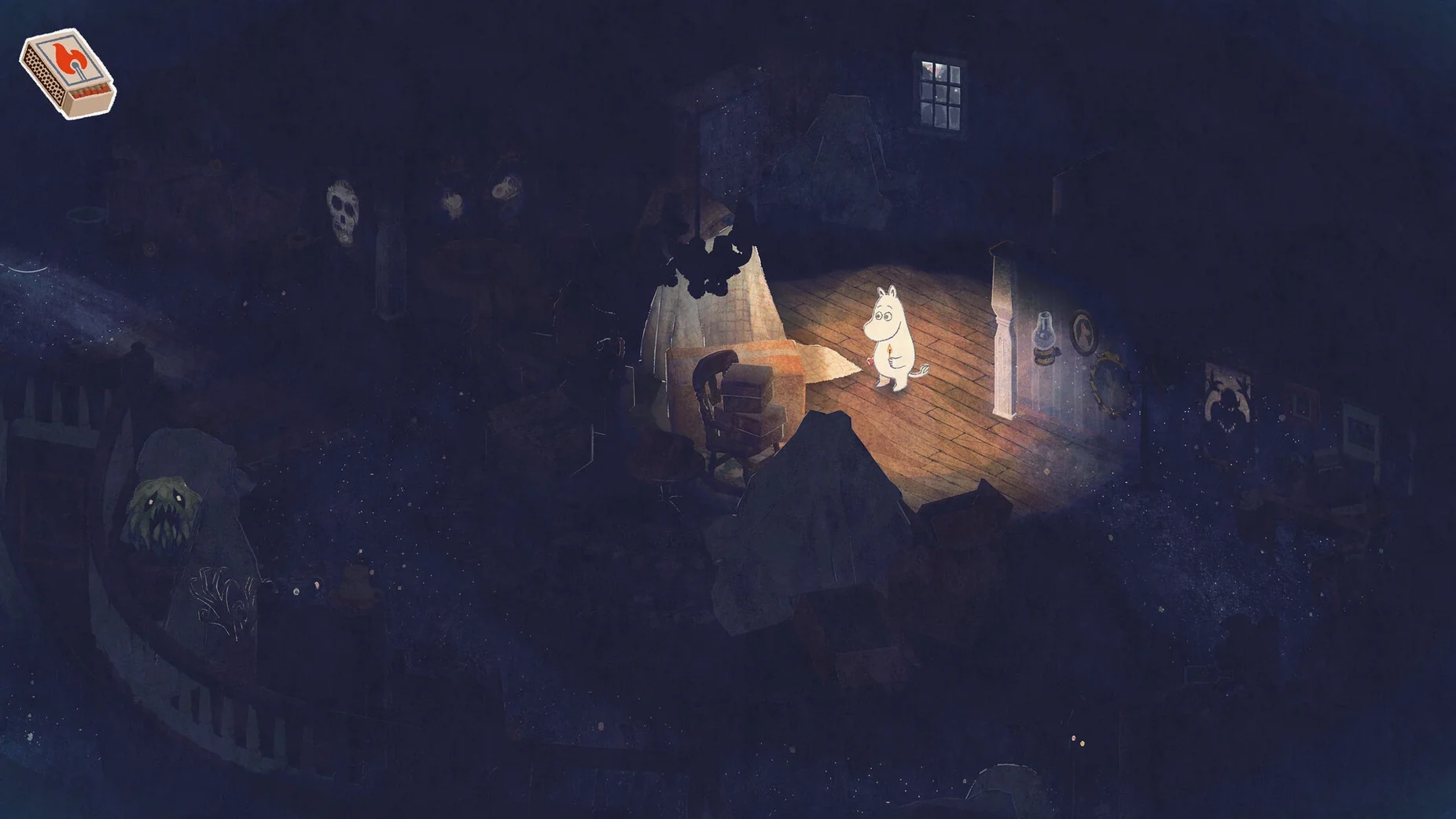
Moomintroll Winter Warmth runs on both Apple Silicon and Intel Macs, so it works across the current Mac lineup. The developers tested it on macOS Tahoe with an M4 Mac mini, and the game supports ARM and 64-bit x86 architectures. That means most Macs from the last several years should handle it without trouble.
Minute to minute, the game is about wandering through a snow-covered Moominvalley and the forests and mountains around it, looking for any sign of spring. The rhythm of play comes down to a few concrete activities:
- Exploring the snowy landscape to see how winter changed familiar places.
- Talking to characters you meet along the way and helping them with small favors.
- Working through quests that nudge you forward toward the search for spring.
- Solving puzzles that block your path or hide something useful.
- Listening to the music that carries the mood of each area.
It is a follow-up to Snufkin: Melody of Moominvalley, but the two games stand alone, so you can start here without having played the earlier one. If you want a gentle adventure with a clear goal and no pressure, this fits the bill.
Before you install Moomintroll Winter Warmth on your Mac, a few practical questions tend to come up. Here are the ones I hear most often from the game club crowd.
Does the game need an internet connection to play
No. Activation is not required, and once you have the game on your Mac, it runs entirely offline. The disk image is self-contained, so you can install it on a laptop and take it somewhere without Wi-Fi. That is handy for classroom setups or for anyone who prefers to keep their gaming quiet and disconnected.
Can I switch languages mid-game
The game ships with sixteen interface languages, including English, German, Russian, Finnish, French, Swedish, Japanese, Korean, and both Traditional and Simplified Chinese. You can set your preferred language before starting and change it later if you want. For a teacher, that means students who read another language can play in their native tongue, which makes the quests and dialogue easier to follow.
Smoother transitions between Moominvalley and other areas
The current build is a post-release update that the developers applied in early July 2026. In everyday use, the most noticeable difference is that the game handles more smoothly when you cross between areas — the transition from Moominvalley into the forest or up into the mountains used to pause for a moment, and that pause is now shorter. The puzzles also have slightly clearer feedback when you solve one, so you know you are on the right track without second-guessing. Nothing in the update changes the story or the quests, but the game feels a bit more polished from the first few minutes.
How the two Moomin games relate
People compare Moomintroll Winter Warmth to Snufkin: Melody of Moominvalley because it follows the same gentle adventure style and was made by the same developer, Hyper Games. But they are separate stories set in different seasons and focused on different characters. You can play them in any order, and each one works as a complete experience. If you already played the Snufkin game, you will recognize the look and feel of Moominvalley, but the puzzles and the characters you meet are new.
- macOS: not specified by the developer
- Architecture: Apple Silicon (ARM) and 64-bit Intel (x86)
How to install
- Open the downloaded disk image to mount it.
- Drag the app onto the Applications folder shortcut inside the window. That copies it to the right place.
- Once the copy finishes, launch the game from Launchpad and start playing.
Similar games


Sign in or join the club to leave a comment.
Nobody has commented yet.