- Version
- 1.0.42.46611 [Wineskin] Fix
- Studio or maker
- Rockstar Games, Double Eleven
- Languages
- Russian, English, German, Spanish, Italian, Chinese (Traditional), Chinese (Simplified), Korean, Polish, Portuguese, French, Japanese
- Activation
- Not required
- Chip type
- Apple Silicon
- Tried out on
- macOS Sequoia, MacBook Air (M1. 2020)
- First released
- 29.10.2024
- Voice languages
- English
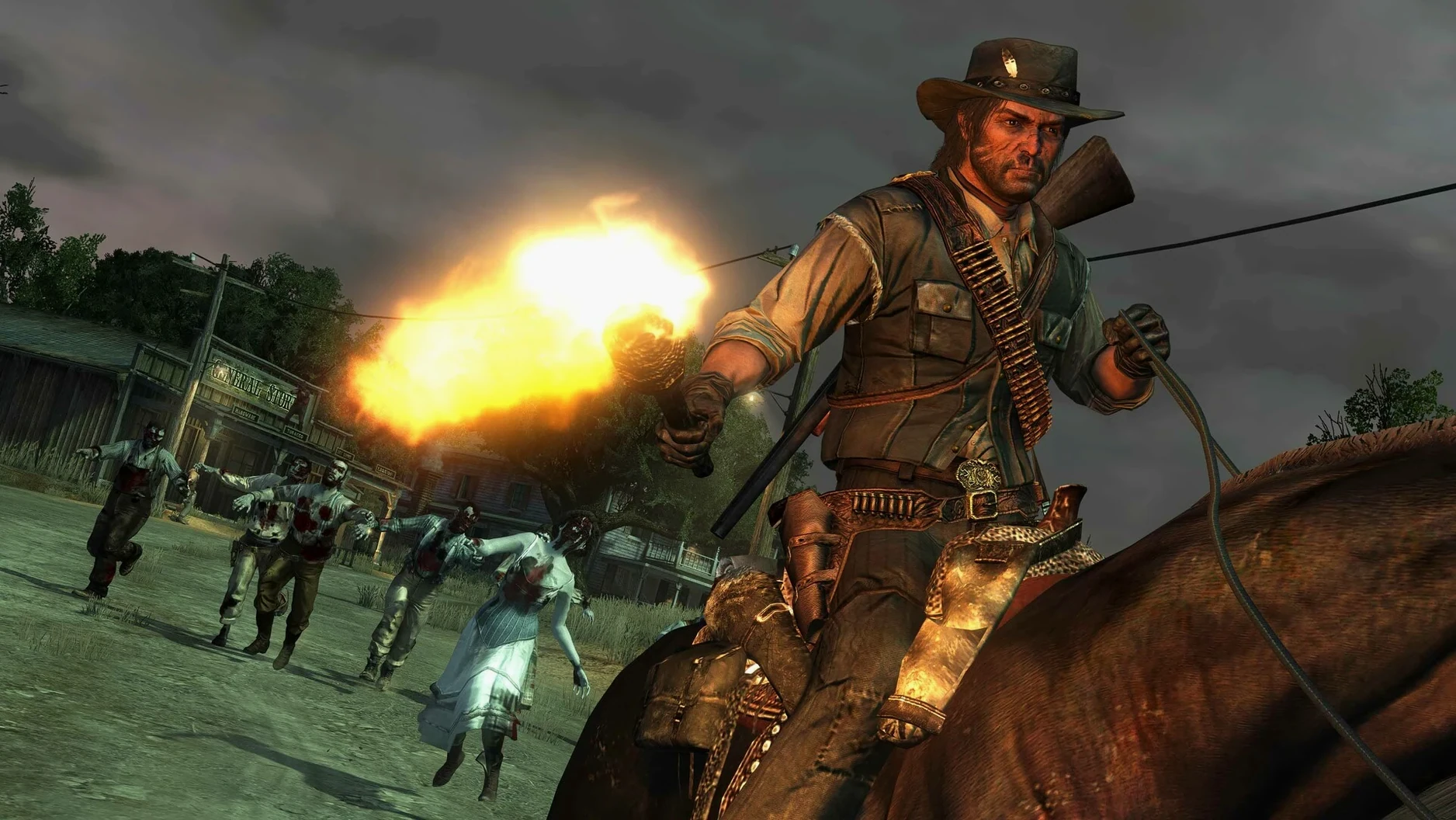
The latest release, version 1.05, brings meaningful fixes for Mac players. Exterior lighting in interior cutscenes no longer looks washed out, frame pacing during cutscenes is smoother, and Dynamic Resolution Scaling behaves more consistently. Stability also got attention, which matters for a game this large.
Red Dead Redemption is an open-world action-adventure set in the American West and Mexico, following John Marston. This Mac version includes Undead Nightmare and the bonus content from the Game of the Year Edition, so you get the full package in one install.
On performance: the game was tested on macOS Sequoia on a 2020 MacBook Air with M1, so Apple Silicon is the baseline. That usually clears it up without losing much visual smoothness.
Controls are standard for the genre: mouse and keyboard for aiming and movement, with controller support if you prefer a gamepad. The interface is available in English, German, French, Spanish, Italian, Portuguese, Polish, Russian, Korean, Japanese, and both Chinese variants.
I have helped a fair number of students and colleagues get this game running, and a few mistakes tend to show up early. Knowing them can save you a reinstall or a frustrated evening.
Skipping the Fix file when the game won't launch
The most frequent one is skipping the Fix file when the game does not launch. The instructions mention it plainly: if you see an error on first start, run the Fix file inside the disk image before anything else. Some people assume a second drag-and-drop will solve it, or they search for driver updates. The Fix file is faster and it is what the builder intended.
The Russian page advises capping at 30 frames per second on weaker processors. Newer Macs with stronger chips may not need this, but if you hear audio stutter during a chase or a town scene, do not start tweaking audio settings. Just set the frame limit and test again.
A third mistake is moving or renaming the app after the initial copy. The save files live inside the app bundle path, as noted on the page. If you relocate the game later, those saves can become orphaned and you may lose progress. Pick your install location once and leave it there.
Let the file copy finish before launching from Launchpad
After you mount the disk image and drag the app into Applications, take a moment to let the file copy finish before launching. The instructions say to open it from Launchpad, not from the disk image directly. Launchpad ensures the copied version runs, not the mounted one, which can behave differently.
Play through the first mission and a short free-roam section before making judgments about performance. The game's opening tutorial area is smaller and less demanding. The real test comes when you ride into open country with multiple NPCs and dynamic lighting.
If you use a controller, pair it before launching the game. macOS recognizes most Xbox and PlayStation pads without extra software. The game responds to them natively.
Finally, keep macOS up to date. The install notes specifically mention that if the game does not start after enabling Vsync, updating to the latest macOS version usually fixes it. That is a rare case, but an easy one to check.
Using an M1 Mac lab to show open-world storytelling
A colleague of mine, who also runs an after-school club, wanted to show students how open-world storytelling works across game generations. She had Red Dead Redemption 2 on a PC at home, but the school Mac lab only had M1 iMacs. She installed this version on her own machine first to verify it.
Her first attempt failed because she opened the app directly from the mounted image, skipping the copy step. The second attempt worked after she dragged it into Applications and used Launchpad. Sound stayed clean through a full session of the first chapter plus a ride into New Austin.
She used that session to plan a two-week module on narrative design in open worlds. The students later played the same chapter and compared it with clips from the console original. The discussion about lighting differences in cutscenes was actually richer because of the version 1.05 fix.
- Fixed exterior lighting in interior cutscenes.
- Improved frame pacing during cutscenes.
- Better Dynamic Resolution Scaling behavior.
- General stability improvements.
- macOS Sequoia
- Apple Silicon (tested on MacBook Air M1, 2020)
Questions I keep getting
Does Red Dead Redemption include Undead Nightmare on Mac?
Yes, Undead Nightmare is included, along with the bonus content from the Game of the Year Edition.
What should I do if the game won't start after enabling Vsync?
Update macOS to the latest available version and try again. If it still fails, run the Fix file located in the disk image.
How to install
- Mount the disk image.
- Drag the app into the Applications folder shortcut.
- Open the app from Launchpad after copying finishes.
- If the game shows an error at launch, run the Fix file in the image.
- If the game does not start after enabling Vsync, update macOS to the latest available version.
Similar games


Sign in or join the club to leave a comment.
Nobody has commented yet.