- Version
- v99i
- Studio or maker
- Matt Dabrowski
- Languages
- Russian, English, German, Spanish, Chinese (Simplified), Korean, Portuguese, French
- Activation
- DRM-free
- Chip type
- Apple Silicon, Intel 64-bit
- Tried out on
- macOS Ventura, MacBook Air (M1. 2020)
- First released
- 2.07.2019
- Voice languages
- Music only
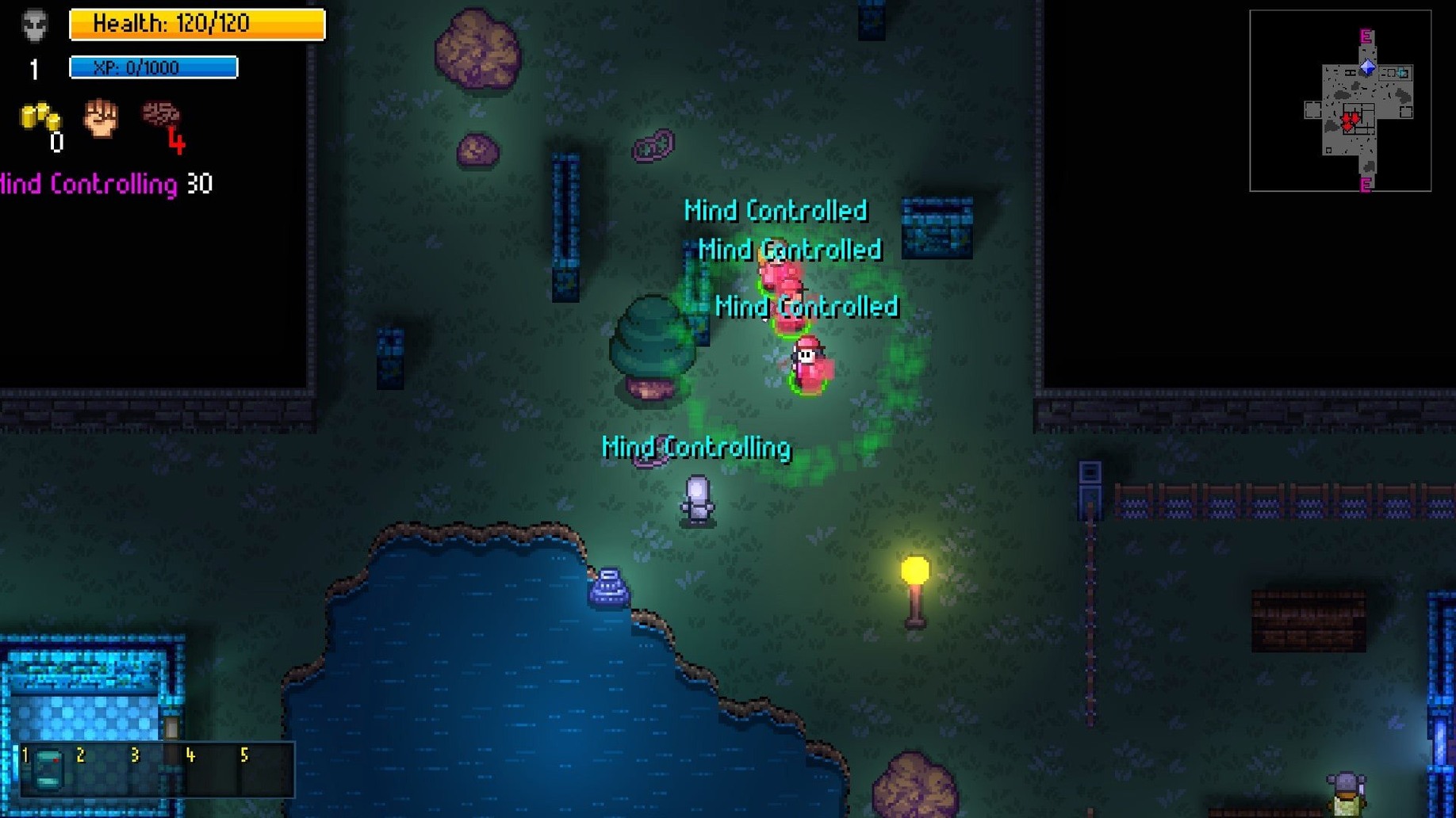
Streets of Rogue is a roguelite game about choice, freedom, and chaotic missions in a procedurally generated city.
Which character should I start with?
Try the Soldier for a straightforward combat introduction. If you prefer sneaking, choose the Hacker or the Doctor to learn how abilities and items can solve problems without a fight.
How do I complete missions?
Each mission has multiple solutions. You can kill, hack, bribe, or use the environment — like blowing up a wall to reach a target. Experiment with different approaches to see what fits your playstyle.
What about multiplayer?
Streets of Rogue supports local or online multiplayer for up to 4 players. It is a good way to learn the game together, as each player can pick a different character and combine their skills.
Works on both Apple Silicon and Intel Macs
Can I run Streets of Rogue on a newer Mac? Yes, the game supports both ARM and 64-bit x86 architectures, and it was tested on macOS Ventura. That means it works on Apple Silicon Macs as well as Intel models still running macOS Ventura or later. No special configuration is needed beyond mounting the disk image and running the standard installation.
Will I need an internet connection to play? The game itself does not require a constant connection. However, online multiplayer does use network access. Locally, you can play solo or with friends on the same machine without being online. The game is DRM-free, so there is no additional launcher or activation step after installation.
Does the game have subtitles or language options? Yes. The interface and text are available in eight languages: Russian, English, German, Spanish, Simplified Chinese, Korean, Portuguese, and French. The voice language is listed as musical accompaniment, meaning characters communicate through sounds rather than spoken dialogue, so you do not need to worry about voiceover language compatibility.
Launches cleanly and works with Mission Control or Stage Manager
Streets of Rogue installs cleanly into the Applications folder. From there, you can launch it like any other Mac app. If you use macOS Mission Control or Stage Manager, you can switch between the game and other open windows without issue. The game does not require additional background services or third-party software.
Because it is DRM-free, you can also copy the game folder to an external drive and play it on another compatible Mac. This is useful if you oversee a school game club or want to share the game with a friend who already has a copy. Just remember that online multiplayer will need both players to have the same version.
For multiplayer sessions, macOS screen sharing works if you want to show a local game to someone remotely, though the game itself handles its own online connections. The game does not interfere with macOS notifications, but you may want to enable Do Not Disturb during play to avoid interruptions.
Standard macOS installer with a simple mount-and-run setup
Streets of Rogue runs as a standard macOS application. The build is version v99i, which is the current release. The installation process is straightforward: mount the disk image, run the installer, and choose a destination — the Applications folder is recommended. No extra steps like signing in or entering a code are needed.
The game supports both ARM and 64-bit x86 processors, so it will run on Macs from the Intel era and on Apple Silicon machines. If you are on an M1 or later Mac, the game runs through Apple's compatibility layer without any configuration. On Intel Macs, you simply install and play.
Text and interface are fully localized in the eight listed languages. You can change the language in the game's settings. The music plays through your system audio output, and you can adjust volume or mute it using macOS sound controls or the in-game options if available.
- macOS Ventura
- Intel or Apple Silicon
Questions I keep getting
How many characters are available?
There are 20 distinct characters, including a soldier, doctor, bartender, scientist, hacker, and gorilla.
How to install
- Mount the downloaded disk image.
- Run the standard installation procedure.
- Choose the installation destination when prompted. Selecting the Applications folder is recommended.
Similar games



Sign in or join the club to leave a comment.
Nobody has commented yet.