
- Version
- 1.2.0
- Studio or maker
- Allerton Apps
- Languages
- Russian, English, German, Spanish, Italian, Chinese (Simplified), Korean, Polish, Portuguese, French, Japanese
- Activation
- Not required
- Chip type
- Apple Silicon, Intel 64-bit
- Tried out on
- macOS Tahoe, Mac mini 2024 M4
- First released
- 17.03.2026
- Voice languages
- Music only
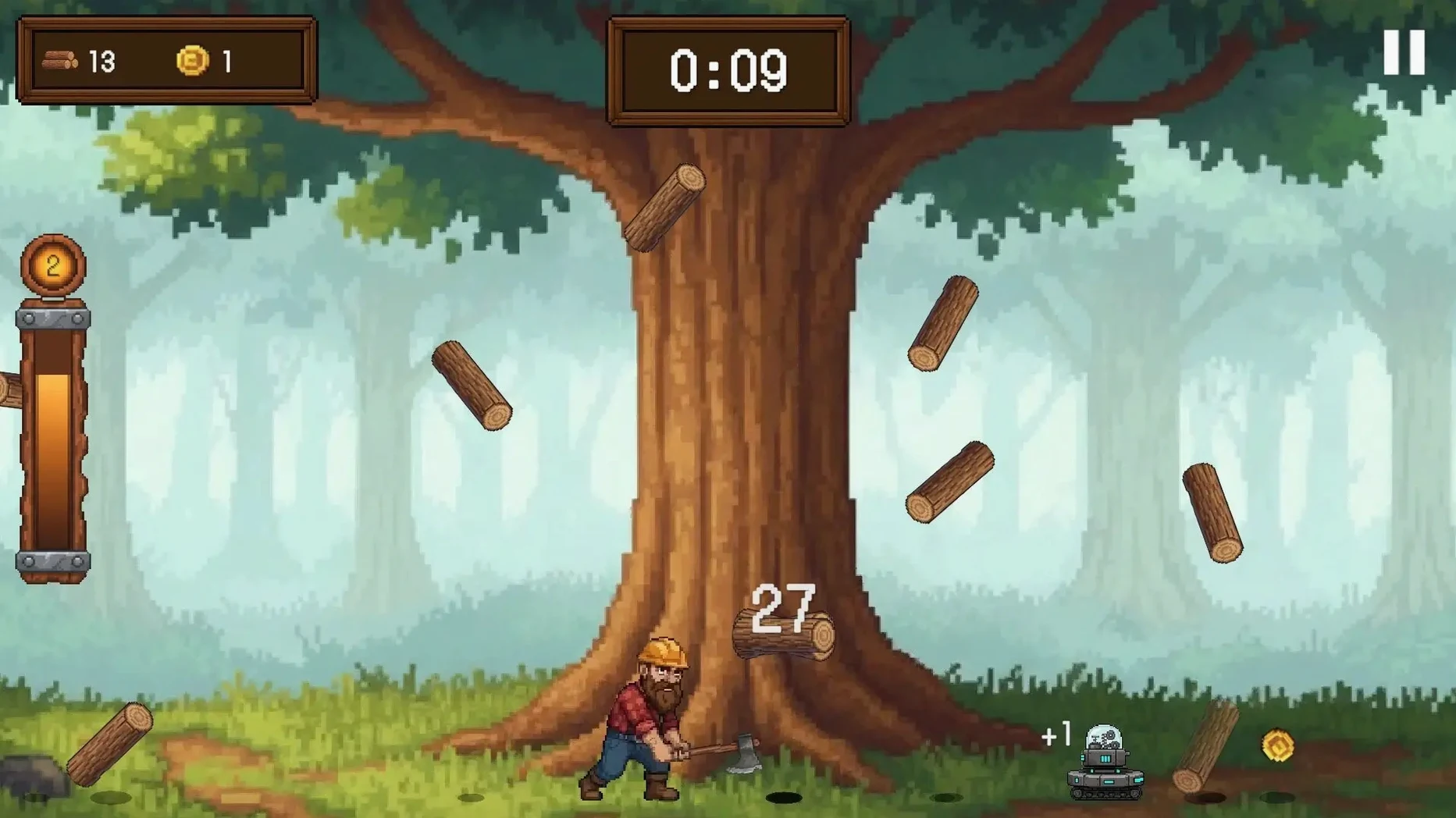
Timber Rush 1.2.0 lets you swing at a single giant tree until it drops logs, gold, and power-ups. Each hit turns into upgrades, chaos, and large numbers — the kind of loop that either clicks or doesn't.
| Detail | Value |
|---|---|
| Developer | Allerton Apps |
| Release date | March 17, 2026 |
| macOS version tested | macOS Tahoe (Mac mini 2024 M4) |
| Architecture | Both Intel and Apple Silicon |
| Languages | English, German, Spanish, Italian, French, Japanese, Russian, Polish, Portuguese, Simplified Chinese, Korean |
You will enjoy this if you like incremental games where decisions stack quickly and a run can swing on a single special log — lightning, time stop, or magnetize everything. You might not if you prefer story, handcrafted levels, or any sense of permanence. The game loops fast, resets often, and rewards the patient math-minded player. Audio is music only, no voice or sound effects to distract you.
Timber Rush does not explain itself much
Timber Rush does not explain itself much, and that is part of the appeal. The first few runs will feel short — you swing, collect, die, upgrade, repeat. Here are a few things worth knowing before you sink into the loop.
- Spend logs early, not later. The skill tree unlocks automation and bonus drops, and the sooner you put points into it, the faster each run builds momentum.
- Try every character and axe you unlock. Each changes how logs drop, how gold accumulates, or how power-ups behave. One character might feel slow but synergize with a skill tree path you had not considered. Switching keeps the game from becoming a single strategy problem.
- Watch for special logs. Lightning clears a chunk of the tree in one hit, time stop lets you plan your next few swings without pressure, and magnetize pulls everything toward you. Missing one because you were clicking too fast costs you a run-shaping moment.
- Mind the potions tab. Potions are easy to overlook during early runs, but a well-timed potion can double the effect of a power-up or extend a synergy window. Get into the habit of checking what you have before you commit to a long swing streak.
The game saves your progress automatically, so closing it mid-run is safe. You will pick up right where you left off, which matters when a run stretches longer than expected during a lunch break or after class.
The skill tree rebalance shortens the early slog
Version 1.2.0 is the current release, and it brought several small but meaningful adjustments. The skill tree was rebalanced so that certain automation upgrades unlock sooner, which shortens the early slog. Where you might have spent ten minutes grinding toward a first automated log collector, now you reach it in fewer runs.
Special logs also received tuning. Lightning now clears slightly more of the tree per hit, and the magnetize effect has a wider pull radius. These changes make the chaos moments more rewarding without making them feel overpowered. You still have to aim your swings and manage your resources; the upgrade just gives you a better payoff when a special log appears.
Character balance was adjusted too. Some characters that felt weak in earlier versions now have clearer strengths, particularly those that boost gold drops over log drops. If you tried and dismissed a character early on, give it another shot with 1.2.0 — the difference is noticeable after a few runs.
Timber Rush appears after the younger students leave
I teach maths until early afternoon, then the game club runs for an hour before the last bell. Timber Rush usually makes an appearance toward the end of club time, after the younger students have gone home and the older ones want something they can play while talking.
A session starts with a quick glance at the skill tree. I check which upgrades I left unfinished from the last run — maybe I was two nodes away from a synergy that doubles log drops when gold is above a threshold. I allocate points, choose an axe that complements that path, and pick a character whose starting bonus aligns with the plan.
The first swing lands. Logs scatter, gold trickles in, and I watch for a special log icon. If lightning appears, I time my next swing to land right after the strike clears a section. If magnetize shows up, I let it pull everything close before I swing again, so I collect more in one sweep.
After a few minutes, the numbers start climbing. Gold hits triple digits, then four. The skill tree offers a new branch — potions or automation. I take automation, because the game club only has so many minutes left, and I want the tree to keep dropping logs while I chat with a student about their homework.
When the bell rings, I close the game. Progress saves, and I know that tomorrow the skill tree will be waiting, one upgrade closer to the next big synergy. That is the appeal, really — a loop that fits neatly between lessons and never demands your full attention, but rewards it when you give it.
- macOS version not specified by the developer; compatible with both Intel and Apple Silicon Macs.
How to install
- Mount the downloaded disk image.
- Drag the app to the Applications folder alias.
- Once copying finishes, launch the app from Launchpad.
Similar games






Sign in or join the club to leave a comment.
Nobody has commented yet.