- Version
- 1.01 [Wineskin]
- Studio or maker
- Aspyr (Mac), Crystal Dynamics
- Languages
- Russian, English, German, Hungarian, Greek, Danish, Spanish, Italian, Chinese (Simplified), Dutch, Polish, Portuguese, Slovak, Turkish, Ukrainian, Finnish, French, Czech, Swedish, Japanese
- Activation
- Not required
- Chip type
- Apple Silicon
- Tried out on
- macOS Sequoia, MacBook Air (M1. 2020)
- First released
- 14.02.2024
- Voice languages
- Russian, English, German, French, Japanese
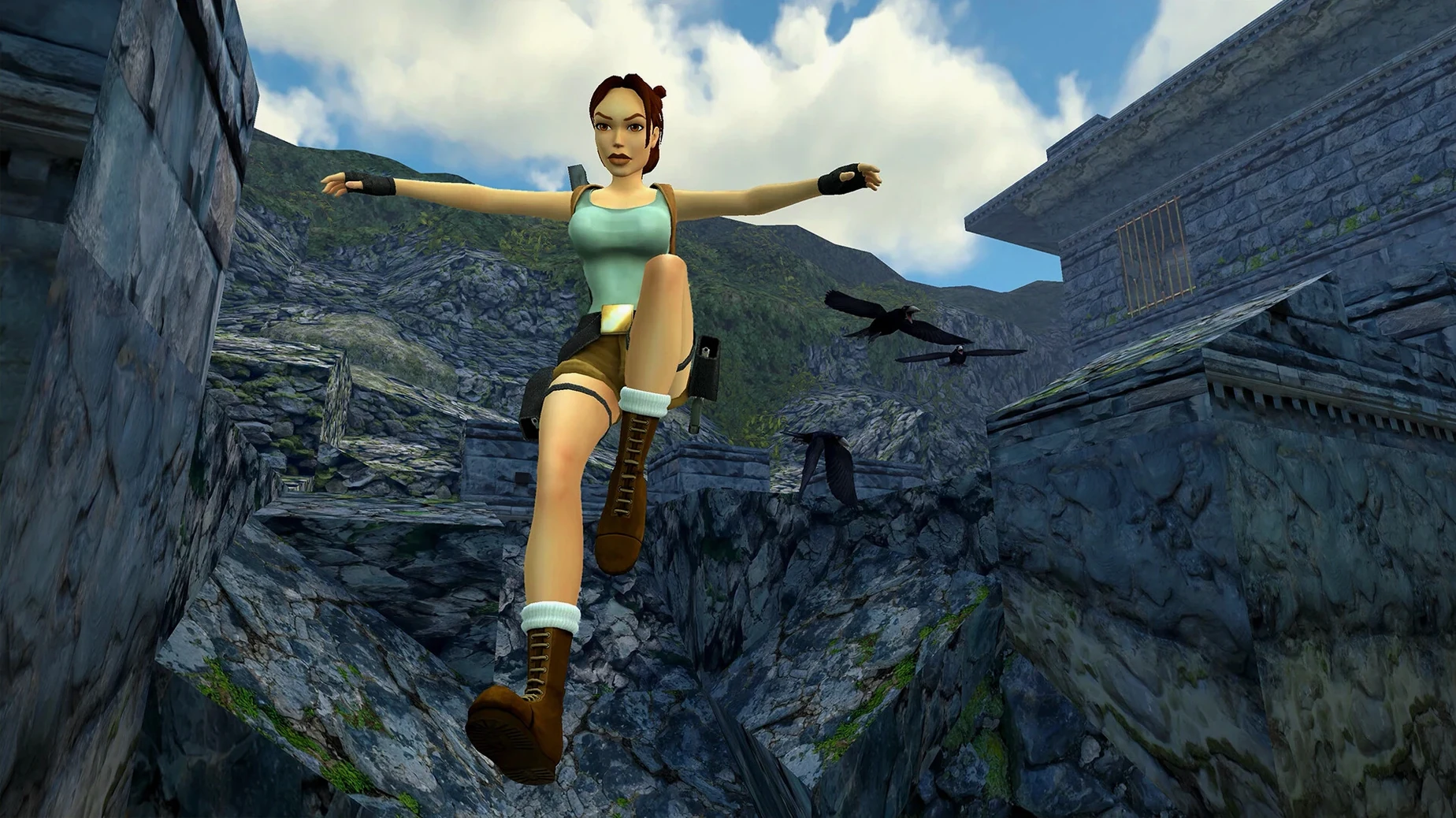
The Mac version of Tomb Raider I-III Remastered Starring Lara Croft runs on Apple Silicon Macs with macOS 26.2. It uses version 1.01 [Wineskin] and does not require activation. The collection includes all three classic games plus Tomb Raider III's expansion, The Lost Artifact.
Jump, climb, solve, fight
Platforming — You spend most of your time jumping between ledges, shimmying along narrow beams, and pulling up onto higher ground. Every step matters; a mistimed jump means a deadly fall.
Puzzle solving — Each level is a locked room. You pull switches, push blocks, and find keys or levers to open the next area. The puzzles are about observation and memory, not speed.
Combat — Lara faces animals, human enemies, and ancient creatures. You aim and shoot with her twin pistols, plus find bigger weapons like the shotgun or uzi. Ammo is limited, so picking your fights matters.
Exploration — Levels are large, interconnected spaces. You backtrack, find secret rooms, and sometimes choose which order to tackle objectives. The map is not given; you learn the space by moving through it.
Graphic switching — A single button press switches between the new remastered visuals and the original 1990s polygon graphics. It is useful for comparing or for a nostalgia check.
Common questions before starting
Do I need a fast internet connection to play? No. There is no online requirement. The game is fully offline once installed.
Will it take up much space? The collection includes three full games plus expansions. Expect it to use a few gigabytes. The exact size depends on the version, but it is not unusually large for a modern game.
Can I play with a controller? Yes, modern Mac controllers work. The game detects them automatically. You can also use the keyboard and trackpad if you prefer.
Does it have the same levels as the original games? Yes. Every level from Tomb Raider I, II, and III is here, plus the expansion packs Unfinished Business, Golden Mask, and The Lost Artifact. Nothing is cut.
What if I remember the old controls and want them back? The remastered version offers both control schemes. You can choose the classic tank controls or a more modern setup. The option is in the settings menu.
Workflow: starting a new game and switching graphics
Here is a simple way to begin and get a feel for the remaster.
- Open the disk image. After downloading, find the .dmg file and double-click it. A window appears with a game icon and an Applications shortcut.
- Copy the app. Drag the game icon onto the Applications shortcut. This copies it to your Mac. Wait until the copy finishes — it may take a minute.
- Launch the game. Open Launchpad or go to your Applications folder and double-click Tomb Raider I-III Remastered Starring Lara Croft. The game starts.
- Choose a game. The main menu lets you pick Tomb Raider I, II, or III. Start with the first one if you are new. Each game has its own save files.
- Check the graphics. While the opening level loads, press the graphic switch key (listed in the controls menu). You see the view change from sharp, updated textures to the blocky, low-polygon original look. Press it again to go back. Try it once early — it helps you see what the remaster changed.
- Save often. The game does not auto-save in the old way. Use the save option in the menu. Create a new save slot when you reach a checkpoint or before a tricky jump.
Tomb Raider I-III Remastered updates the classic trilogy with enhanced graphics and modern controls for nostalgic fans.
- The collection includes the three original games with their expansion content.
- You can switch to the original polygonal graphics at any time.
- macOS 26.2
- Apple Silicon processor
- Activation not required
Questions I keep getting
Does the collection include all expansion packs?
Yes, it includes Tomb Raider III with The Lost Artifact, as well as the expansion content for the first two games.
Can I switch between old and new graphics?
Yes, you can toggle between the updated remastered graphics and the original polygonal look at any time during gameplay.
Which languages are supported for voice and text?
Voice languages are Russian, English, German, French, and Japanese. Interface text supports 20 languages including Spanish, Italian, and Chinese.
How to install
- Open the downloaded disk image file.
- Drag the app icon into the Applications folder shortcut inside the disk image.
- Once copying finishes, launch the game from Launchpad or the Applications folder.
- If the game shows an error on first launch, run the file named Fix inside the disk image before trying again.
Similar games
Sign in or join the club to leave a comment.
Nobody has commented yet.