- Version
- 2.0.0.1
- Studio or maker
- Acid Nerve
- Languages
- English, German, Spanish, Portuguese, French
- Activation
- DRM-free
- Chip type
- Intel 64-bit
- Tried out on
- macOS Sonoma, MacBook Air (M1. 2020)
- First released
- 14.04.2015
- Voice languages
- Music only
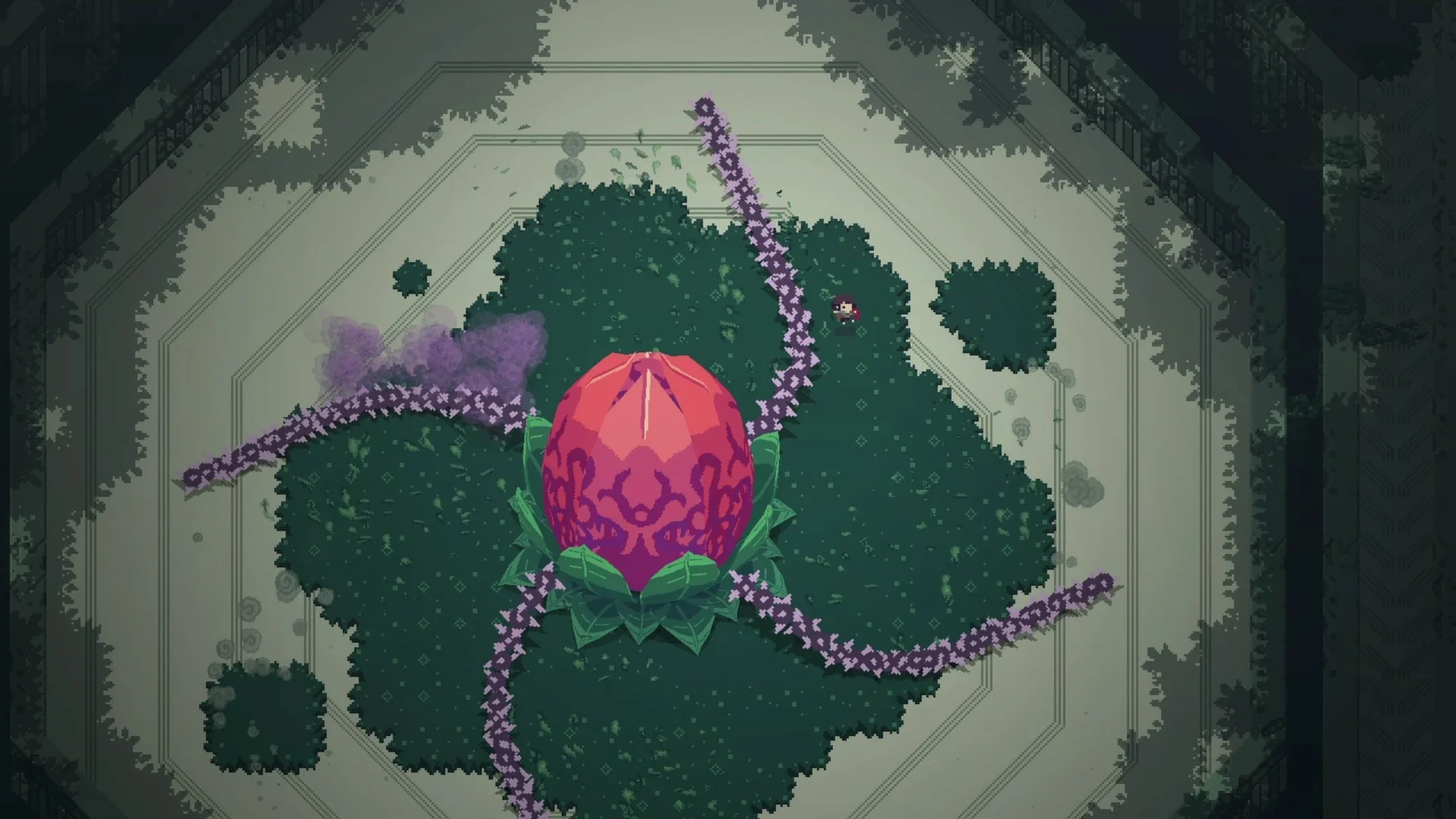
The current version 2.0.0.1 of Titan Souls for Mac is the same release that launched in 2015 — no new content, no patches. What you get is the original action-adventure game by Acid Nerve, where each fight is a puzzle: one arrow, one weak point, one hit to win or die trying.
Short boss-rush sessions for precision-focused players
- Players who enjoy boss-rush designs with a minimalist combat system
- Exploring the world for secrets and forgotten titans hidden in distant corners
- Short, intense sessions — each titan fight is quick but demands precision
Requires macOS 10.9+, x86 64-bit, and a recommended gamepad
- The build is x86 64-bit only; it will not run on Apple Silicon natively (Rosetta 2 may work, but testing is yours)
- Requires macOS 10.9 or later, 4 GB RAM, and a gamepad is recommended
- Interface languages are English, German, Spanish, Portuguese, and French
Runs quietly alongside desktop apps via Mission Control
Titan Souls is a compact game, so it works well alongside the usual desktop tools without demanding much attention. The game itself runs as a standard window, meaning you can use Mission Control to switch between it and a browser if you want to check a map or a hint. I sometimes keep a text editor open on a second virtual desktop to jot down which titan weaknesses I have already found — the game does not provide a built-in journal, so a simple Notes app entry helps.
Because the build is DRM-free, you can store the disk image on an external drive or a cloud folder and install it on another Mac without re-authorizing. The game does not write any background processes or agents, so it will not interfere with school software or other applications. I also found that the game respects the macOS volume controls, which is useful if you prefer to listen to your own soundtrack while exploring ruins — the original audio is musical accompaniment only, so nothing is lost by muting it.
If you use a gamepad, macOS Sonoma recognized mine immediately after connecting it via Bluetooth. The game does not require additional driver software for standard controllers.
Forty-minute session on a MacBook Air with a gamepad
On a Sunday afternoon, I sat down with the MacBook Air, a gamepad connected, and the game already installed in the Applications folder. The plan was to play for about forty minutes — enough time for a few attempts at titans I had not yet beaten.
I opened Titan Souls from Launchpad. The screen showed the title, and I pressed a button to start. Within seconds I was standing in the ruins, the arrow already in hand. I moved toward the nearest glowing door, which led to a titan arena. The giant was a slow-moving stone creature with a single glowing crystal on its back. I ran, aimed, and fired. My first arrow missed. I retrieved it from the wall it had stuck to, then tried again — this time the titan turned, and my arrow hit the crystal. It shattered, and the titan fell.
One death followed another in the next arena. A fast creature with multiple armored plates required me to bait its charge, then shoot at a precise moment. I died four times before landing the hit. Each death sent me back to the start of the room, but the load was quick and the attempt felt fair.
After the session, I quit the game via the menu bar. The system memory usage returned to normal, and there were no leftover processes.
Use a gamepad and take notes after each titan fight
- Play with a gamepad from the start. The game recommends one, and it makes aiming and dodging feel more natural. I tried keyboard controls once and switched back immediately.
- Take notes after each titan. The game does not mark which titans you have defeated or what strategies worked. A simple list on paper or in a text file saves you from repeating the same arena.
- Explore the edges of the map. Some titans are hidden behind walls that look like regular scenery. If you see an unusual crack or a gap, try firing your arrow into it or walking close to it. The world holds secrets that are easy to miss.
- Memorize the arrow retrieval. Your arrow returns to your hand after you fire it, but it does not pass through obstacles. If the arrow lodges in a wall, run to it and pick it up. Do not panic — just move and retrieve.
- Quit cleanly. Use the Quit option in the menu or press Command-Q. The game does not auto-save during a titan fight, so if you close the window mid-arena, you will have to start that encounter over.
- macOS 10.9 or later
- Intel processor (x86 64-bit)
- 4 GB RAM
- 400 MB available storage
- 1 GB video RAM
- Gamepad recommended
Questions I keep getting
Does Titan Souls have controller support on Mac?
Yes, a gamepad is recommended for the best experience, though keyboard and mouse work too.
How to install
- Mount the downloaded disk image.
- Drag Titan Souls into the Applications folder alias.
- After copying finishes, open the app from Launchpad.
Similar games

Sign in or join the club to leave a comment.
Nobody has commented yet.