- Version
- 1.2 fix
- Studio or maker
- Crystal Dynamics, Feral Interactive
- Languages
- Russian, English, German, Arabic, Spanish, Italian, Chinese (Simplified), Korean, Dutch, Polish, Portuguese, French, Czech
- Activation
- Not required
- Chip type
- Intel 64-bit
- Tried out on
- macOS Sequoia, MacBook Air (M1. 2020)
- First released
- 4.03.2013
- Voice languages
- Russian, English, German, Arabic, Spanish, Italian, Polish
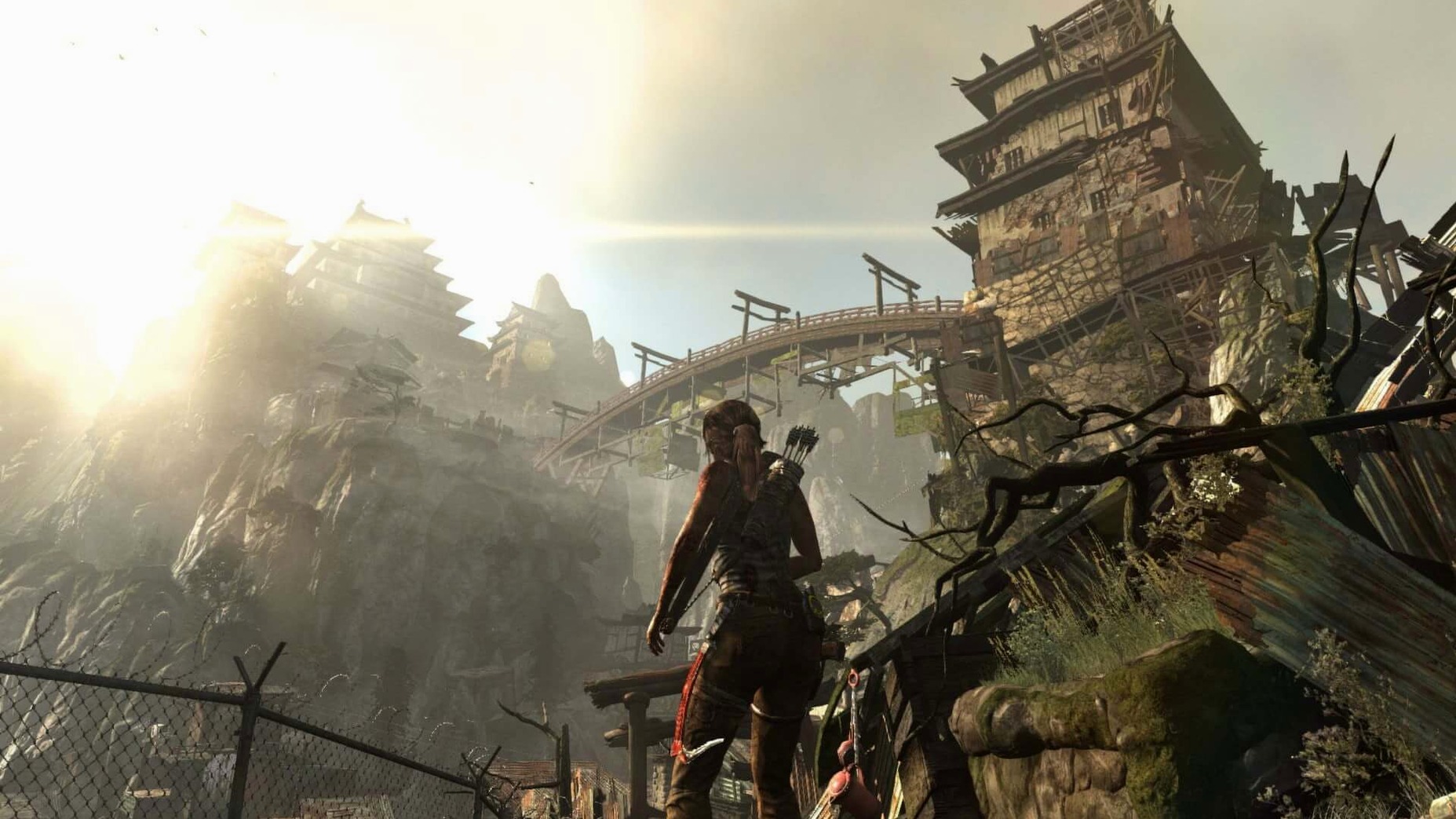
Anyone who teaches or runs a game club knows the students who want action and story in equal measure. They are the ones who will appreciate this game.
Survive a shipwreck and a hostile island
The story follows a young Lara Croft after her ship breaks apart near an unknown island. She must find food, build shelter, and defend herself against the island's dangerous inhabitants. The game balances exploration, puzzle solving, and combat.
Learn stealth and combat skills
Lara can use a bow, climb cliffs, and sneak through ruins. The game teaches these abilities gradually, so players never feel lost. The controls work well with keyboard and mouse or a gamepad.
Plays fully offline after installation
Can you play it offline? Yes, the game works entirely on its own once it is installed. There is no need for an internet connection to play the single-player campaign.
Does it work with a controller? The original Mac release supports gamepads. Many students at my club prefer them for the combat and platforming sections, but the keyboard and mouse controls are also well mapped.
Is the game long? The main story takes most players between twelve and fifteen hours to finish. Finding all the collectibles and optional tombs adds several more hours, which makes it a good fit for a club that wants a campaign that lasts a few weeks.
Will it run on an older Mac? The game requires macOS 10.14 or later and an Intel processor. It runs on Mac models from mid-2012 onward, so many school computers that are a few years old can handle it. The 14 GB of disk space is the main thing to check ahead of time.
Change the language in a config file before launch
When you launch the game for the first time, a few adjustments make the experience better.
- Language. If you want a language other than the system default, open
/Applications/Tomb Raider.app/Contents/Config/nsteame_settings/NemirtingasSteamEmu.jsonand change the language value before you start. The game supports thirteen interface languages and seven voice languages, so it is easy to match your classroom or club needs. - Graphics quality. The game offers several preset levels.
- Audio mix. Dialogue, effects and music each have their own sliders. I usually raise the dialogue volume a little, because the story cutscenes carry important clues about where to go next.
- Control layout. The default keyboard bindings can be remapped inside the options menu. Students who are used to other third-person games often want to adjust the aim or sprint keys right away.
Suits action-adventure fans who like stealth and exploration
This version of Tomb Raider is a good match for several kinds of Mac players.
Action-adventure fans who enjoy a mix of stealth, combat and exploration will like the pace. The game does not rush you into fights; you can scout an area, mark enemies with the survival instinct, and decide whether to engage or slip past.
Players who value story. The reboot tells Lara's origin in a grounded way. The shipwreck, the stranded friends, and the gradual uncovering of the island's history give the action a reason beyond just surviving. That narrative drive keeps players invested through the quieter moments of climbing and puzzle solving.
Teachers running a game club. The game offers a single-player campaign that students can play at their own pace. There is no online multiplayer or microtransactions, so you do not have to manage accounts or worry about unexpected costs. The gradual skill progression and clear objectives also make it easy to pause and discuss game design choices during club time.
Mac users with older hardware. Because the game was released in 2013 and optimized by Feral Interactive, it runs on systems that cannot handle newer titles. If you have a mid-2012 MacBook Pro or an iMac from that era, the game is likely to work well as long as you meet the 14 GB disk requirement.
The island is not linear. Side tombs and optional areas reward players who look around.
- macOS 10.14 or later
- Intel processor
- 14 GB free disk space
Questions I keep getting
Does this version include all the downloadable content?
Yes, this is the Game of the Year edition, which includes all bonus content from the original release.
Can I change the language after installation?
Yes. Open the file at /Applications/Tomb Raider.app/Contents/Config/nsteame_settings/NemirtingasSteamEmu.json and edit the language value.
How to install
- Mount the downloaded disk image.
- Drag the game folder into the Applications shortcut inside the disk image.
- Wait for the copy to finish, then open the game from Launchpad.
- To change the interface language, find the config file at /Applications/Tomb Raider.app/Contents/Config/nsteame_settings/NemirtingasSteamEmu.json and edit the language value.
Similar games

Sign in or join the club to leave a comment.
Nobody has commented yet.