
- Version
- 18.7.1
- Studio or maker
- maintain
- Languages
- English
- Activation
- k'ed by Magic Mike
- Runs on macOS
- macOS 15 or later
- Chip type
- Intel 64-bit
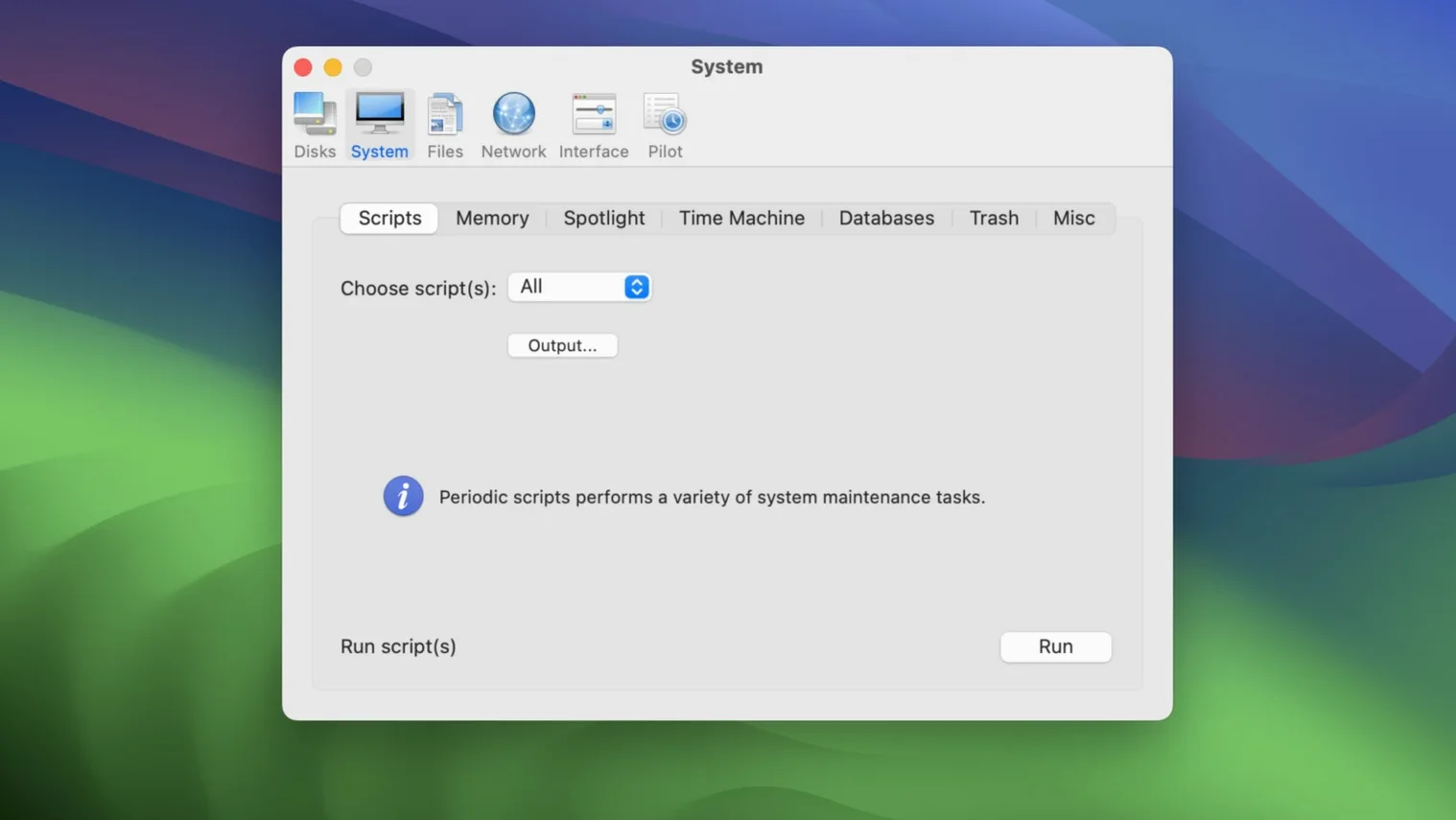
Five categories. That’s how Cocktail Sequoia Edition (version 18.7.1) organizes its cleaning, repairing, and optimizing tools. You pick a category, choose a task, and run it. For a quick pass, the automatic pilot mode performs routine maintenance with a single click.
| Detail | Value |
|---|---|
| Version | 18.7.1 |
| Developer | maintain |
| Categories | 5 |
| macOS | macOS 15 (Sequoia) |
| Architecture | Intel 64-bit |
Start with the first category, Cleaning. Select what to sweep—user caches, logs, or trash—and hit run. Cocktail handles the rest, then shows what it removed. When you want a broader check, the automatic pilot runs several tasks at once. It’s a straightforward way to keep a Mac tidy without learning each tool’s details.
How Cocktail differs from Onyx and CleanMyMac
If you have looked at Mac maintenance tools before, you have probably come across Onyx and CleanMyMac. Onyx works similarly to Cocktail: it groups tasks into categories, lets you run maintenance scripts, and clears caches. Where Cocktail differs is in the automatic pilot mode. Onyx asks you to open separate tabs and run each task yourself, whereas Cocktail’s one-click mode bundles several routines together. That makes a difference when you want a fast check before starting your day.
CleanMyMac has a more visual interface with large buttons and progress bars, and it suggests optimizations based on what it finds. Cocktail is plainer: you choose what to do, it does it, and you see a text summary. Some people prefer the directness. CleanMyMac also includes malware scanning and a large uninstaller, features Cocktail does not aim to offer. Cocktail stays focused on system cleaning, repair, and optimization, and it is a smaller download as a result.
A third option is TinkerTool System, which gives access to hidden system settings alongside cleaning tools. Cocktail keeps its scope narrower—five categories, each with a clear purpose. If you know what you need, you can find it faster.
Why 18.7.1 is built specifically for macOS 15 Sequoia
Version 18.7.1 is built for macOS 15 Sequoia. That means it works with the current file system layout and permission structure. Earlier Cocktail editions were made for older macOS versions, and you would need a separate copy for each. With 18.7.1, you get one utility that covers the latest macOS.
In daily use, the main difference from previous editions is compatibility. If you upgraded to Sequoia and ran an older Cocktail edition, you might have seen warnings or incomplete results. Version 18.7.1 avoids that. The interface and the five categories are the same, so you do not need to relearn anything. The automatic pilot mode still runs the same set of routines, and the cleaning panel still lists the same file types.
For a teacher managing a school computer, the value is predictability. Once you set up a routine—say, running the cleaner every Friday—the same tasks complete the same way each time.
A workflow for weekly maintenance
Here is a simple routine I use on the iMac in our game club room. It keeps the machine ready for students without surprises.
- Run the cleaner. Open Cocktail and go to the Cleaning category. Select user caches, system logs, and trash. Click run. Wait for it to finish and read the summary. This takes about a minute on a typical school day.
- Repair permissions. Switch to the Repair category. Run the permissions repair tool. This fixes any file access issues that accumulate when students install and delete software quickly.
- Clear temporary files. In the same category, run the temporary files cleaner. These build up during video editing projects in the club.
- Use automatic pilot. Once a month, instead of the manual steps, click automatic pilot. It runs cleaning, repair, and optimization in sequence. Walk away. When you come back, the system is ready.
This workflow avoids unnecessary repetition. The daily or weekly tasks take under five minutes. The monthly pass handles things you might forget.
How one IT coordinator tames clutter on 20 school iMacs
Karin runs the computer lab at a secondary school in Bremen. She manages twenty iMacs used by different classes every day. Before she found a routine, each machine accumulated clutter fast—leftover downloads, cache files from web research, and old system logs from software installs.
She now uses Cocktail Sequoia Edition on one machine to test updates, then applies the same routine to the others. The automatic pilot mode is her main tool. She sets it to run after the last class on Friday. On Monday, every lab iMac starts clean. The five categories let her check specific areas if a student reports a problem, without running a full sweep. For example, if a machine feels slow, she runs the optimization tools first. If a program misbehaves, she repairs permissions. She does not need to guess what is wrong.
For a school environment, that clarity matters. Cocktail does not suggest what to do—it just does what you tell it. That is exactly what Karin wants.
- macOS 15 (Sequoia)
- Intel 64-bit Mac
- Interface languages: English
Questions I keep getting
Is Cocktail Sequoia Edition only for macOS Sequoia?
Yes, this edition is built for macOS 15 (Sequoia). Earlier Cocktail editions are offered separately for older macOS versions.
What does the automatic pilot mode do?
Automatic pilot performs maintenance tasks with a single click, so you don’t have to choose each cleanup or repair step manually.
How to install
- Follow the included installation instructions to place Cocktail in your Applications folder.
- Use the included activation instructions to enable the full version.
Similar apps






Sign in or join the club to leave a comment.
Nobody has commented yet.