
- Version
- 2.2.92
- Studio or maker
- Shadow Launch Technology Limited
- Languages
- Russian, English, Vietnamese, Chinese (Traditional), Chinese (Simplified), Korean, Japanese
- Activation
- K'ed by Antibiotics
- Runs on macOS
- macOS 10.15 or later
- Chip type
- Apple Silicon, Intel 64-bit
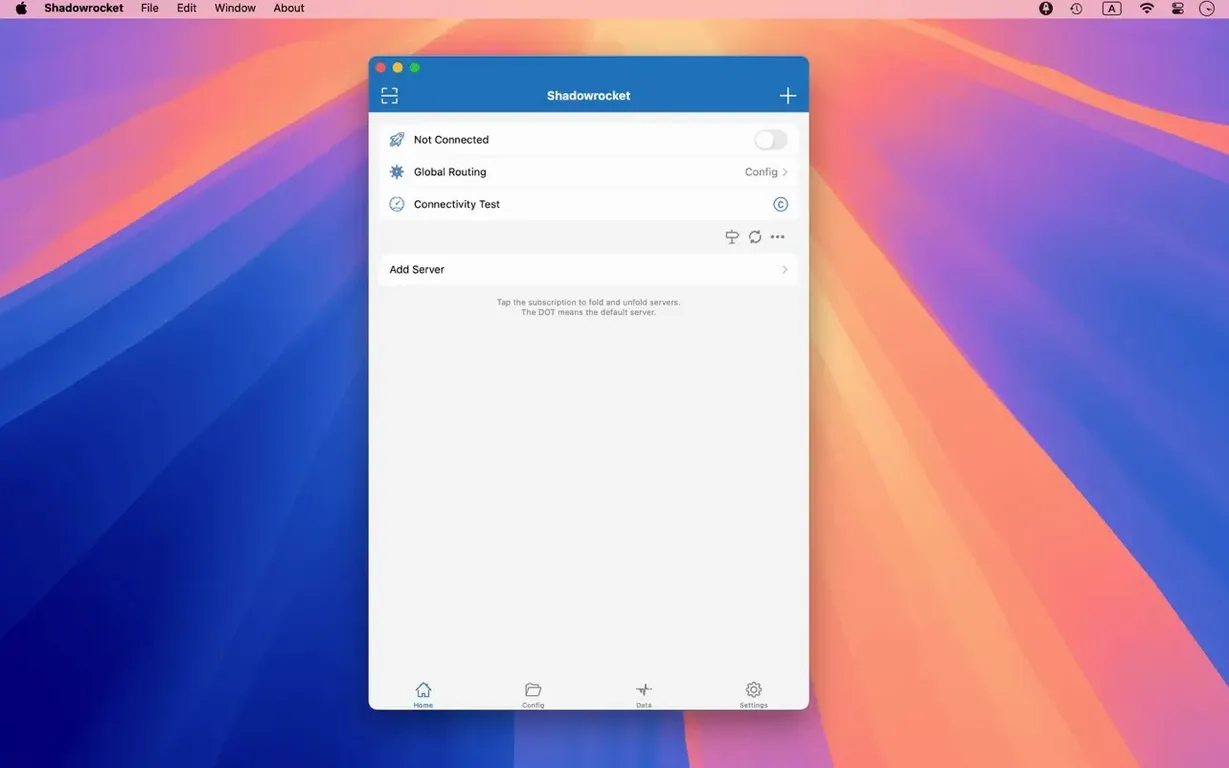
Shadowrocket for Mac works on any Mac running macOS 10.15 or later, on both Intel and Apple Silicon. It is a proxy client that sorts traffic by rules: domain matches, domain suffixes, domain keywords, CIDR IP ranges, or GeoIP location. A newcomer can set it up in a few minutes and start seeing what it does.
Add a server or import a rule file
- Add a server using Shadowsocks, V2Ray, or SOCKS5. The app walks you through it.
- Import a rule file from a URL or from iCloud Drive. Rules tell the client which traffic goes through the proxy and which goes direct.
- Open the traffic monitor. It shows how much data goes over Wi‑Fi and over the proxy connection, plus the network speed.
- Turn on URL rewriting for a site you know. Rewriting lets you change request URLs on the fly.
- Enable HTTPS decryption (if you need it) to inspect and log secure traffic. The app records HTTP, HTTPS, and DNS requests from your Mac.
What the rules do
Rules are the core of Shadowrocket. You can block ads by setting domain or user-agent rules. You can direct certain domains to go through the proxy and others to bypass it. The multi-level proxy support means you can chain servers. Everything is logged so you can see what is happening.
Map DNS locally for website testing
A few helpful features do not announce themselves. The app supports local DNS mapping, which means you can assign a specific IP address to a domain name on your machine. This is useful for testing a website before changing its public DNS records, or for blocking a domain by pointing it to 127.0.0.1.
Script filters are another tucked-away tool. You can write small scripts that modify traffic before it leaves your Mac. The app also has full IPv6 support, so if your network uses IPv6, you do not need a separate configuration.
The traffic measurement panel does more than show numbers. It separates data usage by direct Wi‑Fi and proxy connections, which helps you see how much of your traffic is being routed through your proxy server versus going straight to the internet.
DNS settings are flexible. Shadowrocket supports DNS over HTTPS, DNS over TLS, and DNS over QUIC. You can choose the method that works best with your network. There is also a local DNS mapping section where you can override DNS responses for specific domains.
Route blocked video traffic through a proxy
Consider a teacher who uses web-based teaching tools in a school where the network blocks streaming video sites. The teacher sets up a Shadowrocket rule that sends traffic to a specified domain suffix through a proxy server that allows educational video content. Meanwhile, all other traffic stays on the school's direct connection so that internal resources like the gradebook and file server remain accessible. The traffic monitor confirms that only the video requests are redirected. The teacher can also enable HTTPS decryption to log requests and see exactly which URLs the browser is calling, which helps troubleshoot why a certain video does not load.
Other teachers in the same scenario can import the same rule file from iCloud Drive, so each classroom gets identical rules without manually configuring every machine. The domain keyword matching is handy for blocking ad-heavy sites that might distract students during class.
Start with one server and a simple rule file
- Start with one server and a simple rule file before adding multiple servers or chaining proxies. A single Shadowsocks server with a basic domain-suffix rule lets you confirm the proxy works before you build complexity.
- Keep the traffic monitor open in the menu bar for the first few hours. You will see which apps and domains send requests. This helps you decide which rules to adjust or which domains to add to a direct-connect rule.
- Use the logging feature to spot unexpected connections. If an app tries to reach a server you do not recognize, you can add a rule to block it or send it to the proxy.
- Set up a GeoIP rule early if you know which regions your traffic comes from. It saves you from writing many individual domain rules.
- Test URL rewriting on one site first. Pick a site whose URL structure you understand, and rewrite one path segment to confirm the syntax works before applying it more broadly.
- If you plan to use HTTPS decryption, install the certificate on a test browser profile first. That way you can verify it works without affecting your main browsing session.
- macOS 10.15 or later
- Intel or Apple Silicon
- Interface languages: Russian, English, Vietnamese, Traditional Chinese, Simplified Chinese, Korean, Japanese
Questions I keep getting
Does Shadowrocket support multiple proxy protocols?
Yes, it supports Shadowsocks, V2Ray, and SOCKS5 proxy protocols.
Can I import my own rule files?
Yes, you can import rule files from a URL or from iCloud Drive.
What languages does the interface support?
The interface is available in Russian, English, Vietnamese, Traditional Chinese, Simplified Chinese, Korean, and Japanese.
How to install
- Open the downloaded disk image.
- Drag the app into the Applications folder alias.
- Launch the app from Launchpad after copying finishes.
Similar apps






Sign in or join the club to leave a comment.
Nobody has commented yet.