

- Version
- 1.0.17.0
- Studio or maker
- Kalifornia Dynamic
- Languages
- English
- Activation
- k'ed by GUISEPPE
- Runs on macOS
- macOS 11 or later
- Chip type
- Apple Silicon
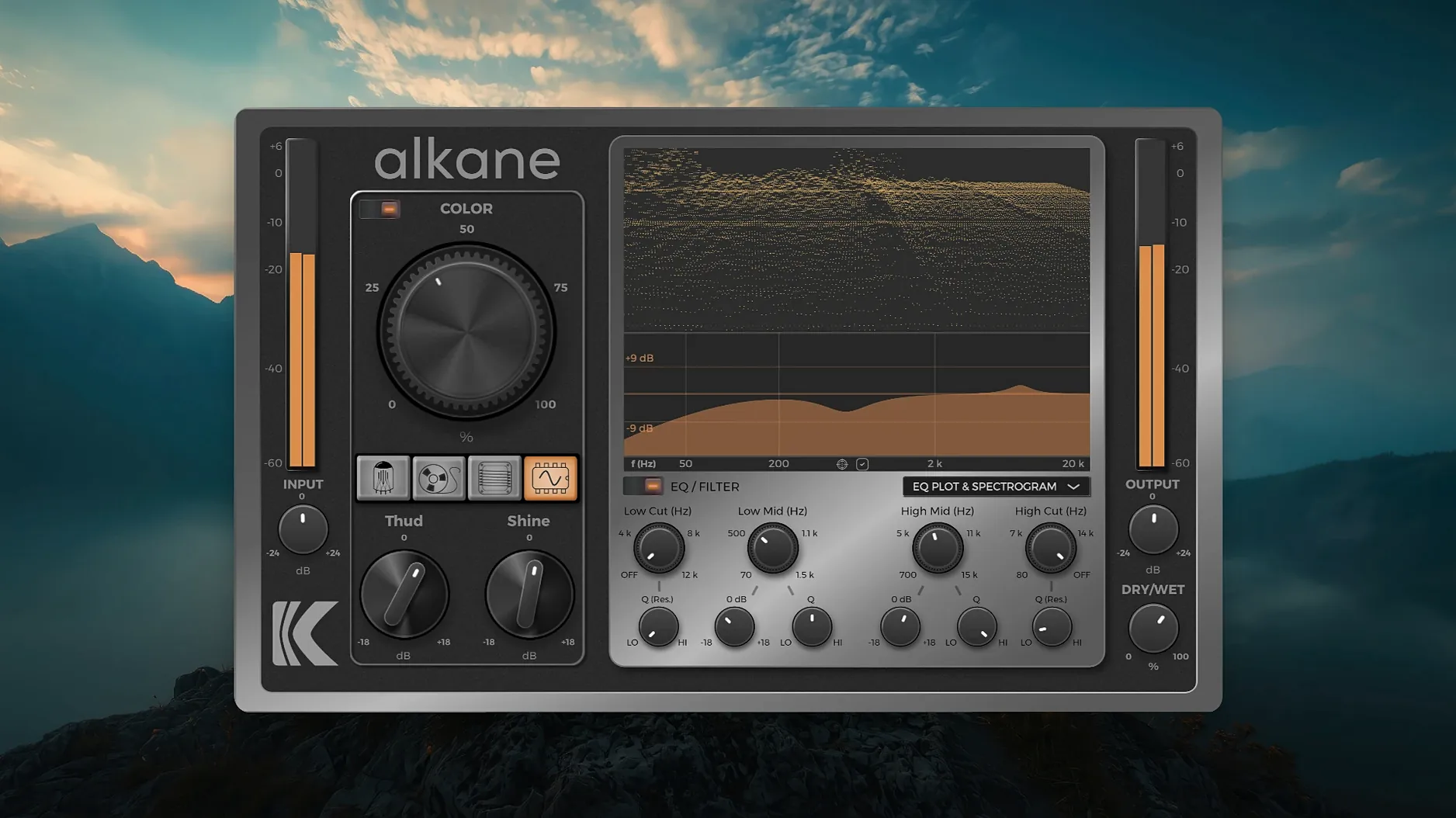
Kalifornia Dynamic KD Alkane is a quad-circuit harmonics processor that shapes tone through saturation and distortion, available as an audio plug-in for macOS.
| Detail | Info |
|---|---|
| Version | 1.0.17.0 |
| Developer | Kalifornia Dynamic |
| Formats | AAX, AU, VST3 |
| macOS | 11 and later |
| Architecture | Apple Silicon |
The Color module is where the character lives. It feeds harmonic saturation into the signal path, letting you push vocals, drums, bass, or full mixes from subtle warmth to aggressive grit. A two-band parametric EQ sits alongside it, so you can shape the tone before or after the harmonics, depending on how you route the circuit. The visualizer helps you see what you are hearing: a 3D spectrogram shows the harmonic content in real time, while the EQ plot and parameter editor keep every adjustment transparent. KD Alkane works inside Pro Tools, Logic, and Cubase, and the standard installation procedure means you can get it running quickly. For anyone exploring the alkane vst free download route, this version supports macOS 11 and later on Apple Silicon, and it comes in AAX, AU, and VST3 formats to fit most setups.
Most beginners load KD Alkane on a track and start twisting every knob at once. The four circuit models — Tube, Tape, Transformer, Synth — each respond differently to input level. A quiet kick drum through the Synth circuit gives you clean harmonics; the same signal pushed hot into the Tube model can turn into something that sounds broken. Start with one circuit, listen for five seconds, then adjust the input gain before you touch the Color module or the EQ.
Another common mistake is treating the two-band parametric EQ as a corrective tool after the harmonics. The EQ sits in the signal path, and its high-pass and low-pass filters can be used before the saturation hits. If you cut low rumble with the high-pass filter first, the harmonics processor works on a cleaner signal and the bass stays defined rather than becoming mud. Try placing the EQ before the Color module, then listen to the difference.
Runs as an audio unit or VST3 inside your DAW with 8x oversampling
KD Alkane works as an audio unit or VST3 plugin inside your DAW, but it also plays well with macOS system tools. The 8x oversampling means you can run it on a bus track inside Logic while using Audio MIDI Setup to route external hardware into the same chain. For sound designers who use GarageBand for quick sketches, the AU version loads without extra configuration. If you are replacing a crashed or missing plugin in a session — what some call a replace k'd mac situation — the AAX version for Pro Tools fits that workflow, and the kalifornia dynamic alkane crack discussions online point to this being a straightforward install once you have the correct format.
On macOS 11 and later, the ARM-native architecture means KD Alkane does not need Rosetta 2, so it launches alongside your DAW without translation overhead. You can also use it inside Audio Hijack or other AU-compatible audio routing apps if you want to process system audio or microphone input in real time. This is not something the developer advertises, but it works if you experiment with the signal flow.
Cycle through all four circuits on a single track to hear character changes
After installing KD Alkane, open a session with a single track — a voice recording, a drum loop, or a bassline. Insert the plugin and cycle through the four circuits one by one. Write down which circuit changes the character in a way you like. The Tube model adds gradual saturation; Tape gives a soft compression feel; Transformer introduces low-end weight; Synth is the most aggressive. Knowing which circuit matches which source saves time later.
Use the 3D spectrogram in the visualizer to confirm what your ears hear. Push the Color module to a level where the spectrogram shows new harmonics appearing around 3-5 kHz, then back off slightly. That is often the sweet spot for adding presence without harshness. The EQ plot in the same window shows you the filter curves, so you can see if the high-pass filter is cutting too much low end before you commit to the sound.
Save the session as a template with KD Alkane on a bus track set to mix at 50 percent. This gives you a parallel saturation bus you can send any track to. The plugin is not a set-and-forget tool — you will adjust the Color module and EQ per source — but having a baseline template means you spend less time routing and more time listening.
- macOS 11 or later
- Apple Silicon
- English interface
How to install
- Close all open DAWs or music applications. This avoids conflicts during installation.
- Download the installer package. Make sure you grab the version for your Mac.
- Open the downloaded disk image. It mounts like a virtual drive.
- Double-click the installer package to start. The setup wizard guides you through.
- Follow the on-screen prompts. Choose your plug-in folder if asked, then finish.
Similar apps

Sign in or join the club to leave a comment.
Nobody has commented yet.