- Version
- 3.5.4
- Studio or maker
- Native Instruments
- Languages
- English
- Activation
- K'ed by TEAM HCiSO
- Runs on macOS
- macOS 12 or later
- Chip type
- Apple Silicon, Intel 64-bit
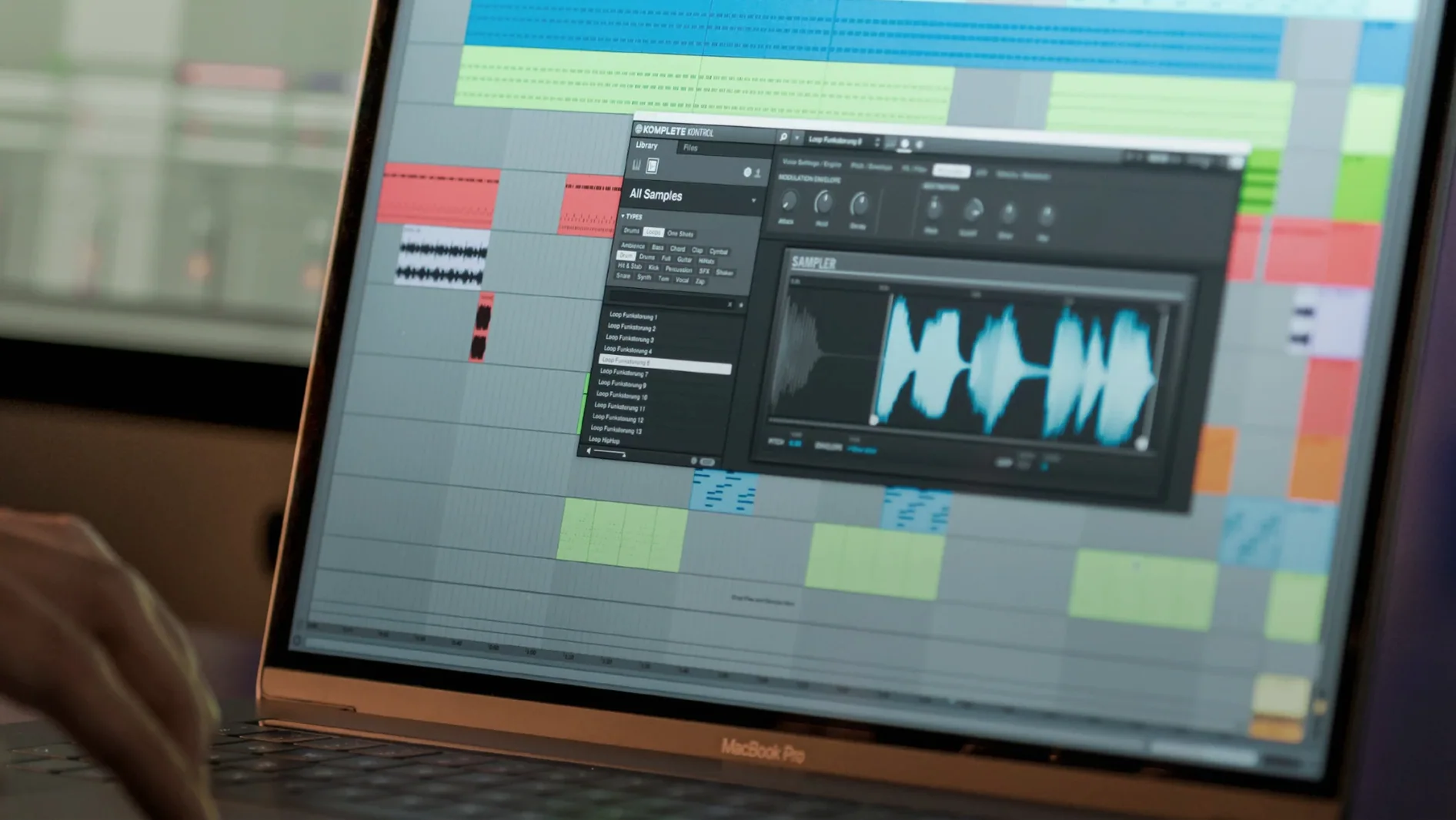
Komplete Kontrol 3.5.4 organizes more than 750 third-party plug-ins from 90 developers into one browsing workflow. Instead of opening separate windows for each instrument or effect, you stay inside a single interface that handles browsing, preview, and loading. The NKS (Native Kontrol Standard) mapping means every supported plug-in’s key parameters appear on screen and, if you use compatible Native Instruments hardware, on the controller itself.
Smart Play handles scales and keeps you in key
- Smart Play offers over 100 scales and modes, useful for sketching ideas without worrying about wrong notes. You can stay in key while the plugin handles the harmony.
- NKS tagging applies to loops and samples as well as instruments, so you can filter a library of sounds by type, character, or mood before loading anything into your session.
- Parameter mapping from the plugin translates directly to MIDI controllers, mouse, or keyboard. Turning a knob or dragging a slider changes the sound in real time, and the visual feedback shows exactly what you’re adjusting.
Working with version 3.5.4
The latest update adds NKS Mode integration for compatible NKS Connect controllers, which tightens the link between hardware and software. Performance issues when changing plug-in parameters from Kontrol S-Series MK3 controllers have also been fixed. You can run Komplete Kontrol as a plug-in inside any DAW or as a standalone application, and it works on both Intel and Apple Silicon Macs running macOS 12 or later.
Trying everything at once slows you down
In the after-class game club, I see a similar pattern when someone first opens a tool with many features: the instinct is to try everything at once. With Komplete Kontrol, a few common stumbles tend to slow people down.
Browsing without narrowing the tag filters. The library shows every instrument and effect by default, which can feel overwhelming. New users often scroll through endless lists instead of clicking a few tags — “Bass,” “Pads,” “Atmospheric” — to shrink the results to something manageable. Spend a moment on the tag panel first.
Ignoring the NKS mapping for third-party plug-ins. Komplete Kontrol can map parameters for hundreds of plug-ins, but only if you let it. Beginners sometimes load a plug-in from their DAW’s own browser and then wonder why the controls don’t appear in Komplete Kontrol. Loading the plug-in through Komplete Kontrol’s own browser is the step that activates the mapping and the visual feedback.
Skipping the built-in sampler. A few people I’ve shown this to didn’t realize Komplete Kontrol includes a sampler at all. They dragged audio files into their DAW separately when the plug-in can load and play them directly. It’s a small shortcut that saves a little time each session.
Trying to control everything from one hardware unit without checking the mode. If you use a supported controller, the Light Guide and knobs respond to whatever plug-in is active. Beginners sometimes expect the controller to change parameters on a different track or plug-in instance without switching focus. The software follows whichever instance you’ve selected — it’s worth confirming that before adjusting.
Opening your DAW and starting a project
Let me describe a usual working session so you can picture how Komplete Kontrol fits into a real project. I’m not measuring performance or naming specific plug-ins — just walking through the flow.
I open my DAW and create a new instrument track. On that track, I load Komplete Kontrol as a plug-in. The interface appears with the browser panel on the left and the main sound area on the right. I haven’t chosen anything yet.
I click on the tag browser and select “Keys” and “Cinematic” together. The list shrinks to a handful of presets. I click one, hear the sound, and decide it’s close but not quite right. I click another, then another. The preview is fast — I can audition several options in about a minute.
I pick a preset I like. The NKS mapping has already assigned the key parameters to the knobs and faders on my controller (if I’m using one), and the Light Guide shows which keys are in the current scale. I play a few notes, and the plugin responds. The chord function is on, so a single finger plays a full chord. I adjust the filter cutoff and envelope release using the controls on screen, and the sound changes immediately.
I find a loop in my sample library that fits. I drag it from the browser to a new track in the DAW timeline — Komplete Kontrol handles the drag-and-drop without any extra export step. Later, I want to add a pad effect. I load another instance of Komplete Kontrol on a second track and repeat the browsing process. This time I search for “Ambient” and find a preset that works.
By the end of the session, I’ve used two instances of Komplete Kontrol and a handful of presets, all without opening separate plug-in windows or hunting through folders. The workflow stays inside the same interface from start to finish.
Runs on macOS 12 or later, Intel and Apple Silicon
Komplete Kontrol 3.5.4 runs on macOS 12 or later and supports both Intel and Apple Silicon Macs. The installation comes as a standard disk image — you mount it and run the installer. No extra configuration is needed for the architecture; the software detects your system and uses the appropriate binary.
The interface scales reasonably on different screen sizes, though you may want to adjust your display resolution if you work on a smaller laptop screen. The browser panel and parameter controls are readable at default sizes. If you use a MIDI controller that supports NKS, the plug-in communicates with it over USB; the setup is handled during installation or through Native Instruments’ own configuration utility outside of Komplete Kontrol itself.
Language support is English only. The plug-in format is compatible with all major DAWs that accept AU, VST, or AAX plug-ins. As with any software that manages a large library of samples and presets, the time it takes to scan your collection on first launch depends on how many plug-ins and sounds you have. After that initial scan, loading presets during a session is instant.
For those looking specifically for this version, the terms komplete kontrol 3.5.1, komplete kontrol 3.5.3, and komplete kontrol 3.5 are sometimes used to find related builds. The current release is 3.5.4, and it includes the fixes and NKS Connect features mentioned earlier. A search for komplete kontrol torrent or native instruments mac torrent may surface older distributions, but the software itself has not changed its core workflow across recent versions — the browsing, mapping, and drag-and-drop functions remain the same.
- macOS 12 or later
- Intel or Apple Silicon processor
- Interface language: English
Questions I keep getting
Does Komplete Kontrol work with third-party hardware?
It works with any MIDI controller, mouse, or keyboard, but full NKS integration — automatic parameter mapping and control — requires a Native Instruments controller that supports NKS.
Can I browse samples and loops inside Komplete Kontrol?
Yes, version 3.5 supports loop and sample tagging through NKS, so you can filter and preview them alongside instruments and effects in one workflow.
How to install
1. Mount the downloaded disk image by double-clicking it. 2. Run the installer that appears and follow the on-screen steps. The process places the plugin and standalone app in the usual system locations.Similar apps





Sign in or join the club to leave a comment.
Nobody has commented yet.