- Version
- 3.21
- Studio or maker
- Jordi Bruin
- Languages
- English
- Activation
- DRM-free
- Runs on macOS
- macOS 12 or later
- Chip type
- Apple Silicon, Intel 64-bit
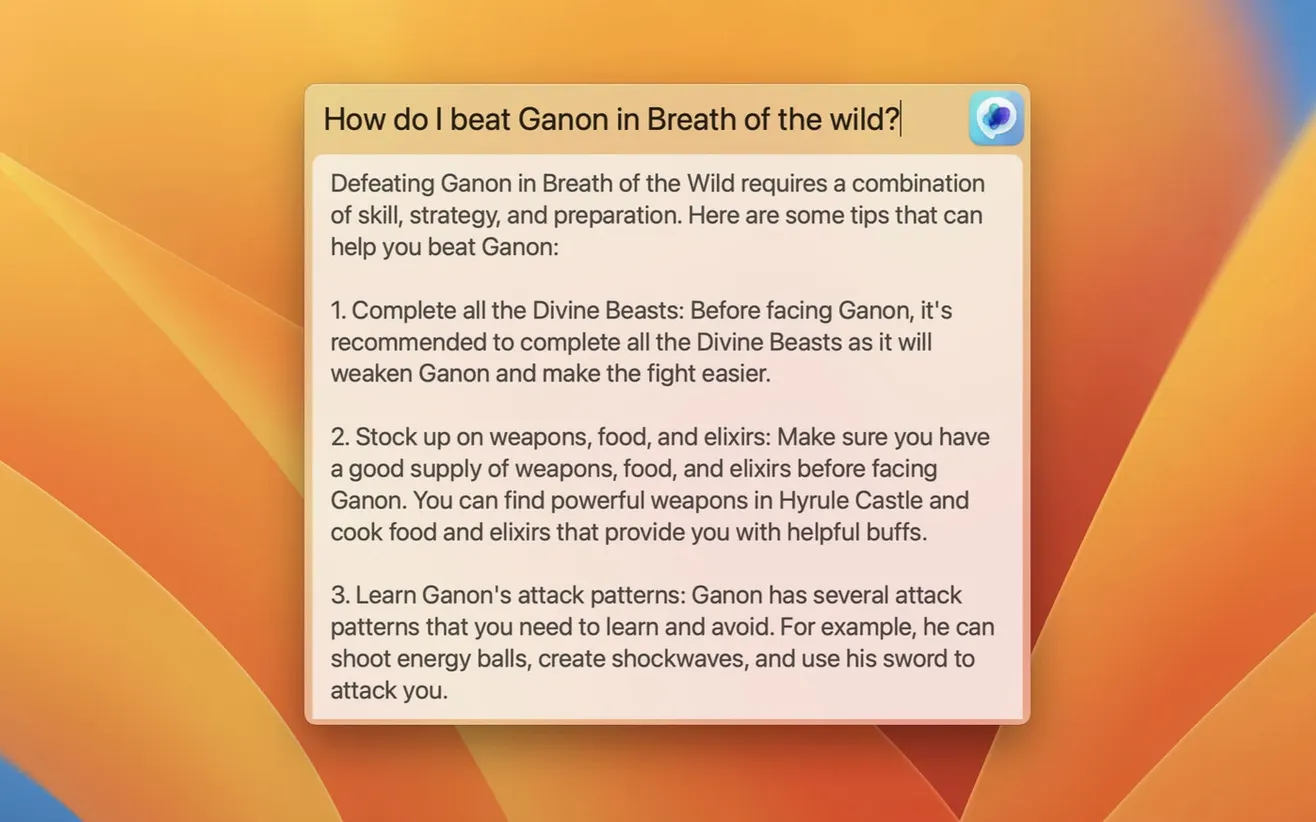
MacGPT is a native macOS menu bar app that puts ChatGPT a click away, wherever you are on your Mac.
Set up a custom API key
Instead of signing in with an OpenAI account, you can paste your own API key in settings. That gives you direct interaction with ChatGPT and keeps your usage separate from a browser session.
Assign a keyboard shortcut
From settings, you can bind a global shortcut to open the app. No need to reach for the menu bar; the ChatGPT window appears right on top of whatever you are doing.
Use inline text fields
The Inline feature lets you call on ChatGPT inside any text field on your Mac. Highlight a question or prompt, and the answer appears without switching apps, which is handy during lesson prep or quick research.
Start with these preference tweaks
A few tweaks in MacGPT’s preferences make the biggest difference day to day. If you plan to use the app regularly, start with these.
Choose your mode: web or API
MacGPT can connect to ChatGPT through the website or through the API. Web mode uses your OpenAI account credentials and loads the ChatGPT interface in a browser view. API mode uses a custom OpenAI API key and talks directly to the model. The right pick depends on how you work. Web mode keeps your chat history visible in the browser. API mode tends to be faster for short queries and works well if you prefer not to sign in through the web interface.
Set a global keyboard shortcut
The Global feature opens a centered text field for ChatGPT input, no matter which app is in front. Assigning a keyboard shortcut from settings means you can trigger it without touching the trackpad. That is especially useful during a class when you want to look something up without breaking your flow.
Decide on inline visibility
The Inline feature is powerful, but it can feel intrusive if it activates too easily. Take a moment in settings to understand how it triggers. You can adjust it so it only appears when you explicitly ask for it, keeping it out of the way during typing-heavy tasks like writing emails or lesson notes.
Version 3.21 added gpt-4o support
Version 3.21 brought one change worth noting: support for gpt-4o. If you use the API with an OpenAI key, this means MacGPT can now access OpenAI’s faster, more capable model. The menu bar workflow stays the same, but the answers you get may be more accurate and arrive a little quicker, especially for longer prompts. Web mode users should also benefit from the underlying model update on the ChatGPT side.
Earlier updates added clearer error messages when the API key is not set up properly. Instead of a vague failure, the app now tells you what is missing, which saves time when you first configure it or switch between keys.
Most issues are connection or shortcut problems
Most issues come down to one of two things: the connection method or the shortcut.
“MacGPT does nothing when I click the menu bar icon”
If the app opens but shows a blank screen, check which mode you are in. In web mode, make sure you are signed into your OpenAI account through the built-in browser. In API mode, confirm that the key you entered is active and has credits. The error messages in version 3.21 help here — read them carefully.
“The inline feature won’t activate”
Inline works inside text fields, but only if MacGPT has the necessary permissions. Open System Settings, go to Privacy and Security, and check that MacGPT is allowed under Accessibility. Without that permission, the app cannot detect the text field you are typing in.
“I forgot my keyboard shortcut”
You can always click the menu bar icon to open MacGPT. Then go to Preferences to see or change the assigned shortcut. No need to memorize it.
How MacGPT fits with other apps and macOS features
MacGPT feels most natural when you treat it as a system-wide assistant rather than a separate app. The Global text field works over any application — Safari, Mail, Pages, or a terminal window. Type a question, get an answer, and close it with one keystroke.
The app also plays well with macOS focus modes. If you set a Do Not Disturb schedule during lessons, MacGPT respects that. The menu bar icon stays visible, but notifications and pop-ups from the app will not appear until focus ends.
For teachers who use multiple desktops or Spaces, the Global feature is especially handy. It opens in the center of the current screen, so you do not need to switch spaces to get an answer. That keeps your main workspace clean while giving you a quick reference point.
If you use the API, you can also set up separate keys for personal and work usage. MacGPT does not enforce this by itself, but nothing stops you from swapping keys in settings depending on the context. That is a small trick that keeps your ChatGPT usage organized without needing a second app.
- Added support for gpt-4o.
- macOS 12 Monterey or later
- Intel or Apple Silicon Mac
- OpenAI account credentials or an OpenAI API key
Questions I keep getting
Can I use MacGPT with my existing OpenAI account?
Yes, the app accepts OpenAI account credentials for sign-in, so you do not need a separate setup.
Does MacGPT support the latest models?
Version 3.21 added support for gpt-4o, alongside other ChatGPT models available through the service.
What macOS versions are supported?
MacGPT runs on macOS Monterey and Ventura, on both Intel and Apple Silicon Macs.
How to install
- Unpack the downloaded archive to access the app file.
- Move the app into your Applications folder so macOS can run it like any other program.
Similar apps






Sign in or join the club to leave a comment.
Nobody has commented yet.