- Version
- 2026.2.1
- Studio or maker
- Pixologic
- Languages
- English, German, Spanish, Chinese (Simplified), Korean, French, Japanese
- Activation
- Included
- Runs on macOS
- macOS 12.6 or later
- Chip type
- Apple Silicon, Intel 64-bit
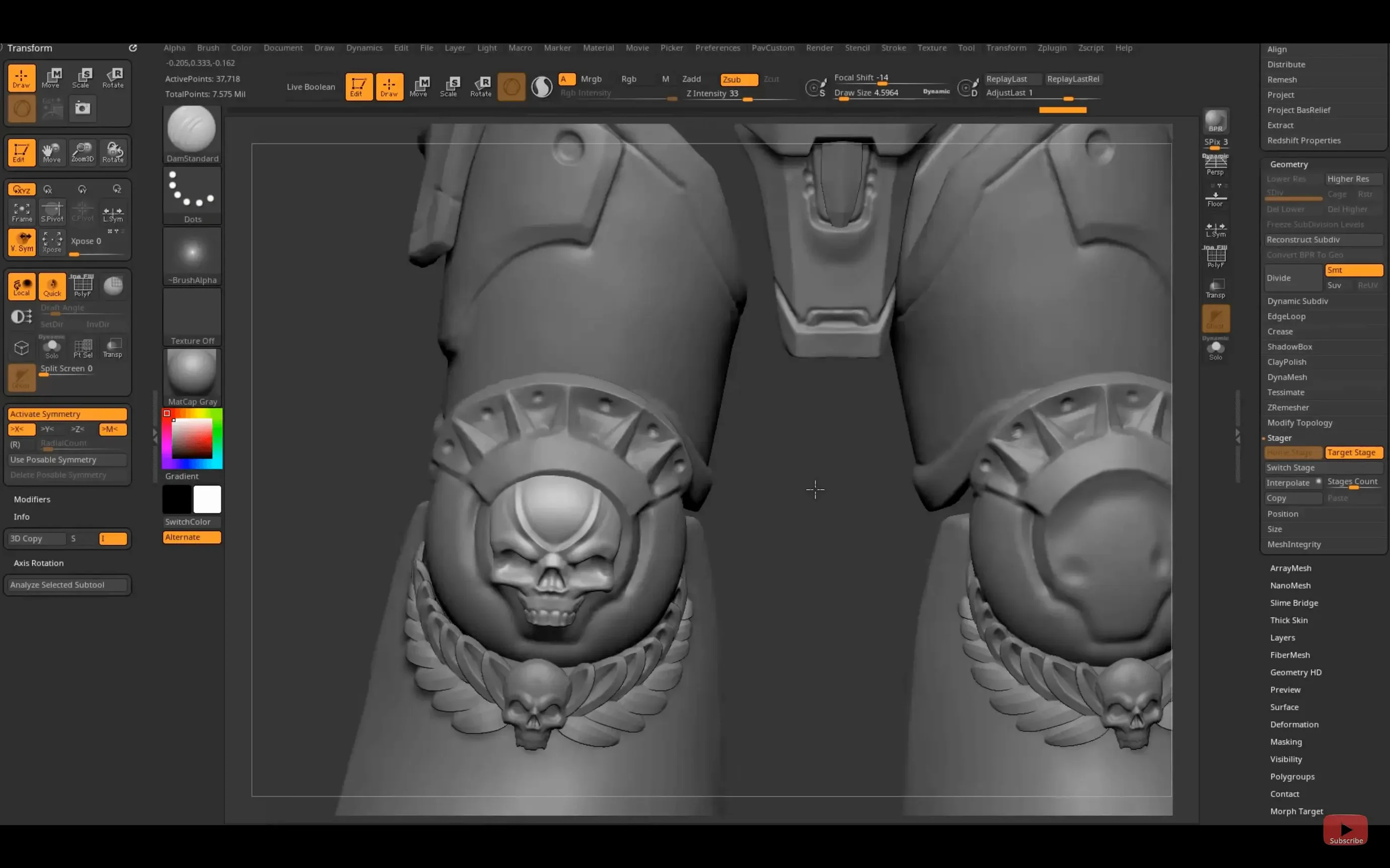
ZBrush is a digital sculpting, modeling, and painting program that simulates hand sculpting for 3D models.
Start with a sphere from the Light Box
- Start with a sphere. Choose a basic sphere from the Light Box. This is your lump of digital clay.
- Use the Move brush to shape the mass. Pull, push, and drag to block out the general form. It feels like working with real clay, but without the mess.
- Switch to the Standard brush for detail. Add grooves, ridges, and surface variation. The brush reacts to your stylus pressure or mouse speed.
- Try the Clay Buildup brush. It adds layers of material, much like adding more clay to a sculpture. Great for building up forms.
- Press Shift to smooth. Hold Shift while brushing to soften and blend areas. It is your best friend when a shape gets lumpy.
Take your time with these five moves. They cover the core of sculpting in ZBrush. Once you feel comfortable, explore the brushes palette and the real-time rendering engine that shows your work as you go. The Mac version runs natively on Apple Silicon and Intel 64-bit, and supports macOS 12.6 and later.
A concept artist's morning with ZBrush
A concept artist working on a character design for a game opens ZBrush and pulls a low-poly head model from the Light Box. In under an hour, they block out the jawline, cheekbones, and brow ridge using the Move brush, then refine the surface with the Standard brush. The real-time rendering engine shows the form from any angle without waiting for a render. Later, they export the model as a GoZ file and open it in Maya 2026 to test the character in a game engine. The GoZ support for Maya 2026 and 3ds Max 2026 means the artist can move between ZBrush and their main modeling package without file conversion issues.
How pixol storage keeps high polygon counts fast
- Pixol storage handles high polygon counts. Each point on the model is stored as a pixol carrying XY coordinates, color, Z depth, orientation, and material. This lets you work with very high polygon counts without the program slowing down.
- Painting strokes with depth. You can paint directly onto the model, and the stroke respects the surface depth. It is useful for adding color to recessed areas or highlights on raised forms.
- Plug-ins extend the toolset. ZBrush includes plug-ins for textures, geometry, and new brushes. You can add a custom brush pack or a texture library without leaving the sculpting environment.
How ZBrush fits with other apps and macOS features
ZBrush is a sibling product in the Maxon software line. The 2026.2.1 update adds a Substance Bridge that lets you transfer a sculpt to Substance Painter in one click. This is helpful if you want to apply realistic surface textures or paint over your model with Substance Painter's material engine. The Substance Bridge is a direct link between the two programs, so you do not need to export and import files manually.
On macOS, ZBrush runs natively on Apple Silicon and Intel 64-bit machines. You can keep it in a desktop workspace alongside other creative tools. The interface supports English, German, Spanish, Simplified Chinese, Korean, French, and Japanese, so teams working in different regions can share the same software setup. If you search for a zbrush 2026 download, you will find the current version 2026.2.1 available for both architectures.
- Substance Bridge allows one-click transfer to Substance Painter.
- Native Windows on Arm support is added.
- GoZ support is updated for Maya 2026 and 3ds Max 2026.
- Custom hotkeys can be saved and shared on iPad.
- macOS 12.6 or later
- Apple Silicon or Intel 64-bit
Questions I keep getting
Does ZBrush 2026.2.1 run on Intel Macs?
Yes, the Mac version supports both Apple Silicon and Intel 64-bit computers.
What are the system requirements for ZBrush on Mac?
You need macOS 12.6 or later. The software runs on Apple Silicon and Intel 64-bit Macs.
How to install
- Mount the downloaded disk image by double-clicking it.
- Run the standard installer and follow the prompts.
- If a compatibility warning appears, open Terminal and remove the quarantine attribute from the app bundle.
Similar apps


Sign in or join the club to leave a comment.
Nobody has commented yet.