
- Version
- 5.6.8 Native
- Studio or maker
- Yak & Co
- Languages
- Russian, English, German, Spanish, Italian, Chinese (Traditional), Chinese (Simplified), Korean, Portuguese, French, Japanese
- Activation
- DRM-free
- Chip type
- Intel 64-bit
- Tried out on
- macOS Sonoma, MacBook Air (M1. 2020)
- First released
- 29.08.2019
- Voice languages
- English
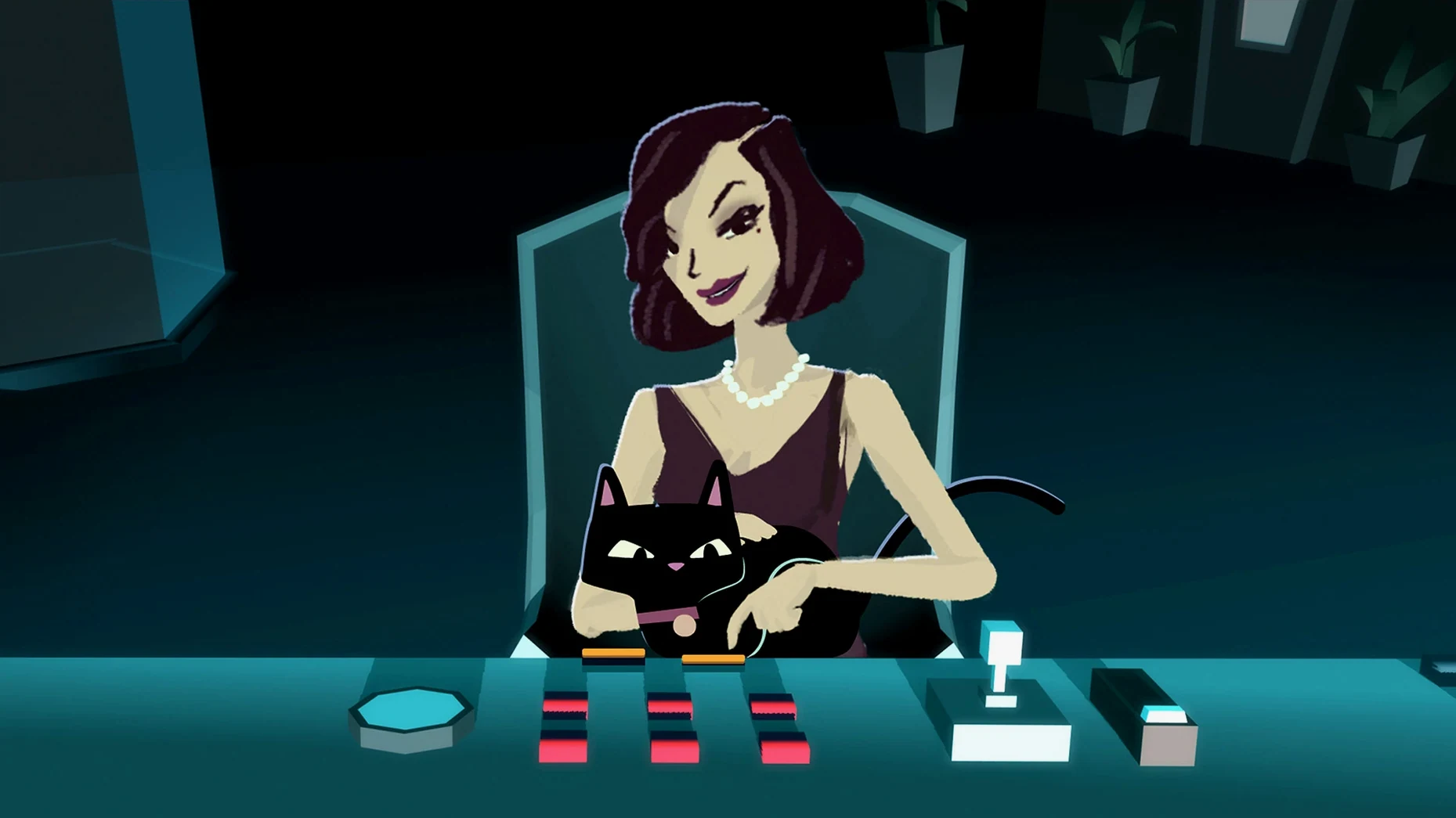
Anyone who enjoys a good logic puzzle with a retro-futuristic coat of paint will feel at home with Agent A. This secret-agent adventure from Yak & Co drops you into a 1960s-style world of hidden apparatus, gadgets, and 35 rooms to unlock. If you are loading it up for the first time, here are five concrete things to try first.
- Take your time in the first room. It teaches you the interaction rhythm — click on anything that looks out of place, then look twice at the result.
- Keep a mental note of every locked door or blocked passage. Many puzzles span several rooms, so a key you find now might open something three rooms later.
- Use the inventory wisely. Gadgets and tools combine in ways that are not always obvious. If you are stuck, try using an item on a different object than the one you expected.
- Check every device twice. Some retro-futuristic machines have hidden states or secondary functions that only appear after you manipulate something elsewhere.
- Do not rush the achievements. There are 30 in total, and several require you to explore alternative solutions or revisit areas after solving something new.
The game runs on Intel Macs with macOS 10.15 or later, and the interface is available in eleven languages including English, German, French, and Japanese. Approach it like a real spy case: patient observation matters more than speed.
Choose your interface language before starting
Before you start your mission, a few settings adjustments can make the experience smoother. Open the options menu from the main screen.
- Language. The game supports eleven interface languages, including Russian, German, Spanish, and Portuguese. If English is not your first language, switch it now rather than mid-puzzle. The voice language stays English regardless, so the change affects menus, clues, and text-based puzzles only.
- Volume balance. The 1960s-style soundtrack and sound effects are atmospheric, but some puzzle cues come through audio. Set the music level a notch lower than the effects so you do not miss a quiet click or a hidden mechanism that signals progress.
- Cursor sensitivity. If you are playing on a laptop trackpad, the default cursor speed works fine. On a larger desktop display, you might want to adjust it so that clicking small buttons in crowded puzzle scenes feels less fiddly.
These are quick changes that save you from pausing mid-game to hunt through menus later.
A complete room workflow: from start to finish
Let me walk through a typical single-room puzzle, the kind you will face in most of the 35 rooms. This is not a specific room solution, but a repeatable method.
- Scan everything. When you enter a new room, do not click anything yet. Let your eyes move across the screen. Look for drawers slightly ajar, panels with a different color sheen, or objects that seem to rest at an unnatural angle. The game rewards patience here.
- Interact with obvious items first. Click on doors, cupboards, and visible buttons. These usually give you an inventory item or reveal a simple mechanism. The first few clicks in any room are almost always safe and teach you what the room is about.
- Match inventory to the room. Open your inventory. If you see a tool or gadget you picked up earlier, try it on anything in the room that looks like it might accept it — a slot, a keyhole, a panel with a matching shape. This is where many puzzles click into place.
- Look for hidden states. After you solve a visible puzzle, the room sometimes changes. A picture might shift, a light might go on, or a new panel opens. Go back and click on everything you already used once. Some devices have secondary functions that only activate after another condition is met.
- Check for cross-room clues. If the room still has a locked door or an inactive gadget you cannot solve, leave it and move to the next room. Note down what you saw. Many puzzles span multiple rooms, and the key or code you need might be three rooms away.
This workflow works for roughly 80 percent of the rooms. The remaining ones require you to combine items from your inventory in a specific order, which leads to the next point.
One student's laptop turned into a group puzzle session
I run the school game club on Friday afternoons. Last week, a student brought in a laptop with Agent A, and three others gathered around to help. What started as one player clicking through rooms turned into a group discussion about each puzzle. The student who prefers reading text clues took notes on a scrap of paper. The student who likes spatial puzzles handled the inventory. A third student who speaks Korean noticed the interface language option and switched it, which helped the others see how the game translates its clues across languages. They finished two rooms in forty minutes and argued about what to try next. The game works well in this setting because there is no time pressure and no fail state — just observation and logic. It is also DRM-free, so we could copy it onto the club laptop without extra steps.
Inventory items glow when they can be used in the current room
The game packs in several thoughtful touches that are not obvious at first glance.
- The inventory highlights. When you open your inventory, items that can be used in the current room sometimes glow faintly. It is not a hint system, just a visual cue that saves you from trying every item on every object.
- Scene replay. After you solve a puzzle scene, you can revisit it later. This matters for achievements that require alternative approaches. You do not need to start a new game to see what happens if you do something differently.
- Hidden achievements. Of the 30 achievements, several are not listed with their unlock condition. You discover them by trying unusual combinations or by failing a puzzle in a specific way. The game does not punish you for experimenting.
- Puzzle scenes track progress. The 50 puzzle scenes each show a small indicator of whether you have solved them fully. If you return to a room later, you can see at a glance what is still incomplete.
None of these are advertised. You find them by playing, which is exactly how a spy game should reveal its secrets.
Don't click too fast—hidden buttons appear only on close inspection
I have watched several new players stumble on the same things. Here are the common ones to avoid.
- Clicking too fast. The game does not penalize you for speed, but it punishes inattention. A hidden button might appear only after you wait a few seconds in a room. If you click through everything immediately, you miss subtle animations that signal a changed state.
- Ignoring the inventory order. When you combine two inventory items, the order sometimes matters. Using a gadget on a tool produces a different result than using the tool on the gadget. If a combination does not work, try swapping which item is active.
- Assuming a room is finished. A room might look solved — all visible puzzles done, doors open — but have a hidden compartment or a secondary puzzle that only triggers after you leave and come back. Check every room twice, especially after you collect a new item elsewhere.
- Skipping the language options. Even if you speak English, switching the interface to another language can reveal different phrasing in puzzle clues. Some puzzles rely on wordplay that makes more sense in a specific language. The game has eleven interface languages for a reason.
- Forgetting the 100 inventory puzzles. The game has 100 inventory puzzles spread across the 35 rooms. These are not marked on a map. If you rush through a room and pick up only one item, you might miss the other two that the same room offers. Slow down and click on everything, even after you think the room is cleared.
Agent A is a puzzle in disguise, and its best moments come when you treat it like a real investigation — methodical, curious, and willing to revisit the same scene twice.
- macOS 10.15 or later
- Intel processor (64-bit)
How to install
- Run the standard installation procedure. The installer will guide you through the setup.
- When the setup finishes, choose an install location. The Applications folder is a good choice if you want it accessible from the Dock.
Similar games





Sign in or join the club to leave a comment.
Nobody has commented yet.