- Version
- 1.0.27d
- Studio or maker
- zup
- Languages
- Russian, English, German, Spanish, Chinese (Traditional), Chinese (Simplified), Korean, Polish, Portuguese, French, Japanese
- Activation
- Not required
- Chip type
- Apple Silicon, Intel 64-bit
- Tried out on
- macOS Golden Gate, Mac mini 2024 M4
- First released
- 10.11.2026
- Voice languages
- Music only
Booster Pack Heroes supports both Intel and Apple Silicon Macs. It runs natively on ARM and 64-bit x86, so it works on everything from an older Intel MacBook to an M4 Mac mini. The developer tested it on a Mac mini 2024 M4 running macOS Golden Gate.
What are the system requirements?
The Steam page lists no specific macOS version or hardware minimums, but the architecture support (ARM and x86) means it should run on any modern Mac.
How do the controls work on a Mac?
It uses standard mouse and keyboard controls. No special setup or third-party tools are needed, just click and play.
Does it feel like an incremental game on a Mac?
Yes. The core loop of opening booster packs, collecting heroes and spells, and defending a tower translates well to a Mac environment. The interface is clean and responsive, and the game saves progress automatically between chapters.
When I recommend it: a real classroom scenario
I have a small group of students who come to game club on Wednesday afternoons. Two of them are patient, methodical thinkers — the kind who enjoy rearranging a deck after every loss. Another student bounces between games fast and wants immediate feedback. Booster Pack Heroes works well for both types, which is rare. The methodical student can spend ten minutes studying a new hero's Mastery tree before the next wave hits. The restless student clicks through booster packs, gets a new rare card, and feels the reward immediately. Neither one needs to ask me for help with controls or menus, and that matters when you have twelve students and one teacher. The game sits in the "try this if you like card games or tower defense" folder on the club iMac, and it gets picked more often than I expected.
Common questions about Booster Pack Heroes before installing
Do I need an internet connection to play?
No. Booster Pack Heroes does not require activation and does not phone home to a server. You can install it on a laptop and play on a train, in a hotel room, or anywhere without Wi-Fi. The game saves locally, and the only thing you lose without a connection is the ability to check the Steam community for tips — but that is a browser thing, not a game thing.
Can I transfer my save to another Mac?
The game stores save files in the usual location for macOS games (inside the user's Application Support folder). If you copy that folder to a new machine, the game picks up where you left off. I have done this once when switching between the club iMac and a student's loaner laptop. It worked without fuss.
Is there a time limit or energy system that stops me from playing?
No. You can open booster packs and fight waves for as long as you want. The game does not drain energy or make you wait for a recharge timer. That makes it suitable for short sessions during a break or long sessions on a weekend afternoon.
Does the game use the keyboard for anything important?
Only the mouse matters for the main actions: clicking packs, selecting cards, and managing the tower defense during waves. I have not found a keyboard shortcut that is essential, so trackpad-only users are fine too.
Treating every booster pack the same in the first hours
In the first few hours of playing, most people treat every booster pack the same. They click through dozens of packs, glance at the new card, and immediately open the next one. That is fine for the first world, but by the second world the monster waves grow noticeably harder, and a deck built on reflexes rather than thought will struggle against a boss. The mistake is not pausing to look at the synergy between a new hero and the spells you already own.
Another common error is ignoring the Mastery system early on. Beginners dump all their resources into the first hero they like and never improve the supporting spells. The game expects you to raise a few heroes and a few spells together, not one star performer. If you reach a boss with a single maxed hero and everything else at base level, the wave will overwhelm you because the tower defense part demands coverage from multiple lanes.
New players also skip reading the chapter objectives. Each chapter has a specific condition that unlocks the next booster pack set. If you open packs randomly without checking what the chapter asks for, you can stall progress for a while. I have watched a student spend twenty minutes opening packs in the first world only to realize they needed to survive a certain number of waves first. The chapter screen is easy to miss if you click through too fast.
A full workflow: opening packs and preparing for a boss wave
Here is how I walk students through the lead-up to a chapter boss, start to finish.
- Check the chapter objective. Before opening a single pack, I look at the chapter screen to see what the boss requires. Sometimes it is a hero level target, sometimes it is a number of spells from a specific category. Knowing this changes which packs I open first.
- Open three or four booster packs. I do not open all of them. The incremental loop rewards stopping after a few packs to see what cards dropped. If I see a hero with a useful ability for the boss wave, I note it.
- Review the deck. I open the collection view and check which heroes and spells are underleveled. I compare what I have against the boss description on the chapter screen. If the boss does area damage, I look for spells that boost single-target defense instead.
- Spend Mastery points. I upgrade the spells that match the boss pattern first, then the heroes that protect the tower's weak side. I avoid spending all Mastery on one hero unless the chapter objective explicitly asks for it.
- Defend a practice wave. Instead of jumping to the boss immediately, I let one regular wave play out while I watch how the deck performs. If a lane breaks, I swap in a different hero or rearrange the spell order.
- Open remaining packs. Only after the practice wave do I open the stockpile of packs. By now I know what the deck lacks, so I can look for the specific rarity or ability I need.
- Start the boss wave. This is the moment when the deck has been tuned twice, once before the practice wave and once after.
The whole process takes about eight minutes once you are familiar with the collection screen. New players who skip steps three and five often lose the boss fight on the first try and have to backtrack anyway.
Why you should start in the first world before rushing ahead
Start with the first world and do not rush to the second. The first world eases you into the mechanics slowly, and the booster packs there contain basic heroes that teach you how Mastery works. If you skip ahead too fast, you miss the foundation and then wonder why the third world feels impossibly difficult.
Keep one save slot for experimenting. The game does not punish you for trying a strange deck composition, so use a secondary slot to test a hero you are unsure about. You can always go back to your main save if the experiment fails.
Pay attention to the music. The game uses music accompaniment for audio cues, and the track shifts before a boss wave or when a rare card drops. You do not need to listen, but after a few hours you will notice the pattern and it becomes a useful signal without looking at the screen.
If you play on a laptop without a mouse, increase the trackpad sensitivity in macOS settings before starting. The cursor movement matters during the tower defense phase when you need to click fast on incoming monsters. A sluggish trackpad setting makes the game feel slower than it is.
Finally, do not hoard booster packs. I have seen players save up fifty packs because they expect a special event inside the game. There is no such event. Open packs as you earn them, because the incremental growth from each pack helps you survive the next wave, and the next wave is always closer than you think.
- macOS version not specified; tested on macOS Golden Gate
- Architecture: both Intel (x86) and Apple Silicon (ARM)
- Other: none listed
Questions I keep getting
Does Booster Pack Heroes support Apple Silicon?
Yes, it supports both ARM (Apple Silicon) and 64-bit x86 architectures, so it runs natively on M1, M2, M3, and M4 Macs as well as older Intel models.
What languages does the game support?
It supports Russian, English, German, Spanish, Traditional Chinese, Simplified Chinese, Korean, Polish, Portuguese, French, and Japanese.
What is the gameplay like?
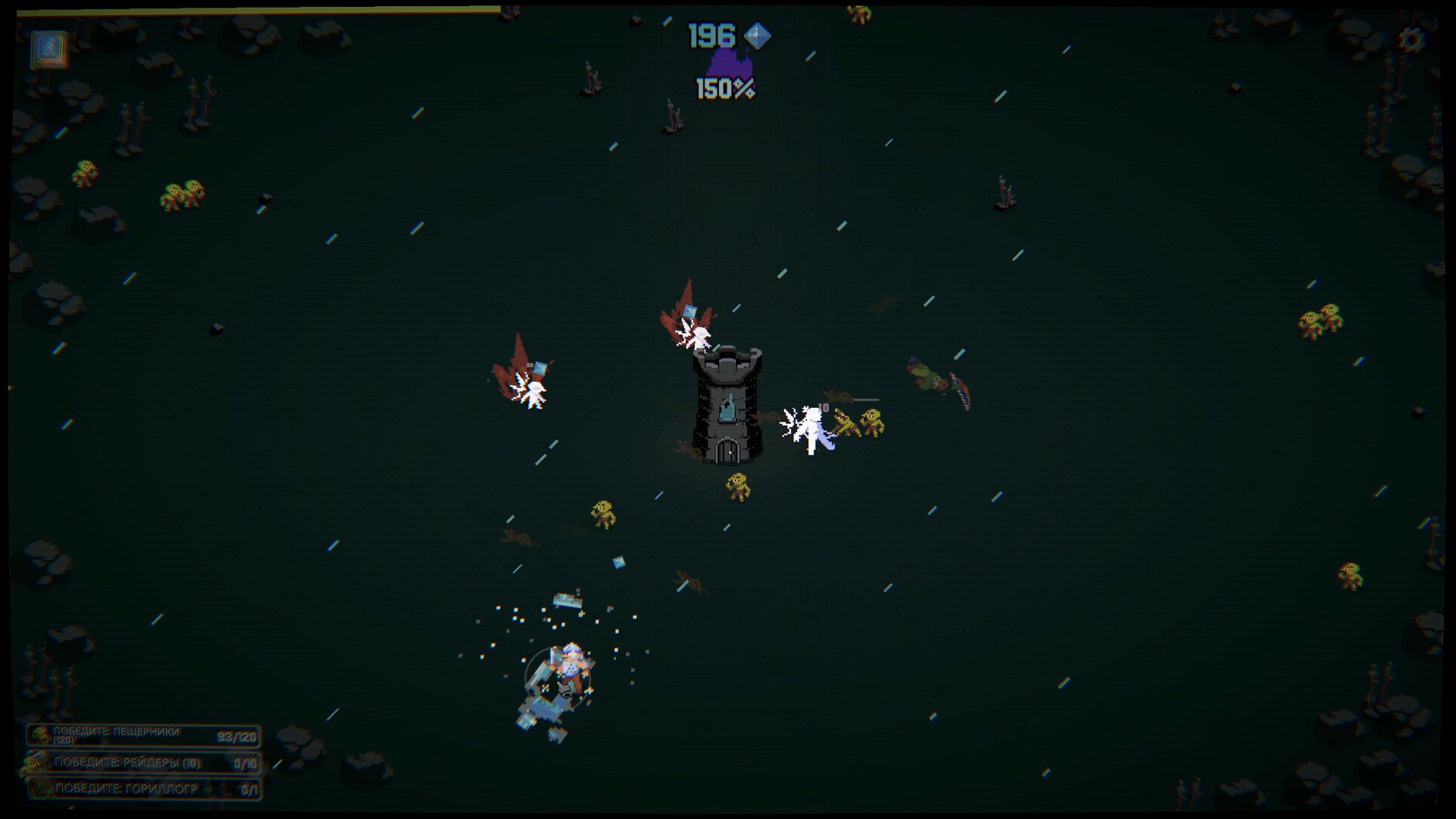
It is an incremental tower defense game where you open booster packs to discover heroes and spells, upgrade them, and defend a tower against endless monster hordes. Defeating a chapter boss unlocks new packs, heroes, spells, and challenges.
How to install
- Mount the downloaded disk image.
- Drag the app to the Applications folder shortcut inside the mounted image.
- After copying finishes, launch the app from Launchpad.
Similar games






Sign in or join the club to leave a comment.
Nobody has commented yet.